 HitLight
Elation CUEPIX Batten
DMX-Tabelle, 2 DMX-Modi und eine 3D-Vorschau. 33 / 60 DMX-Kanäle.
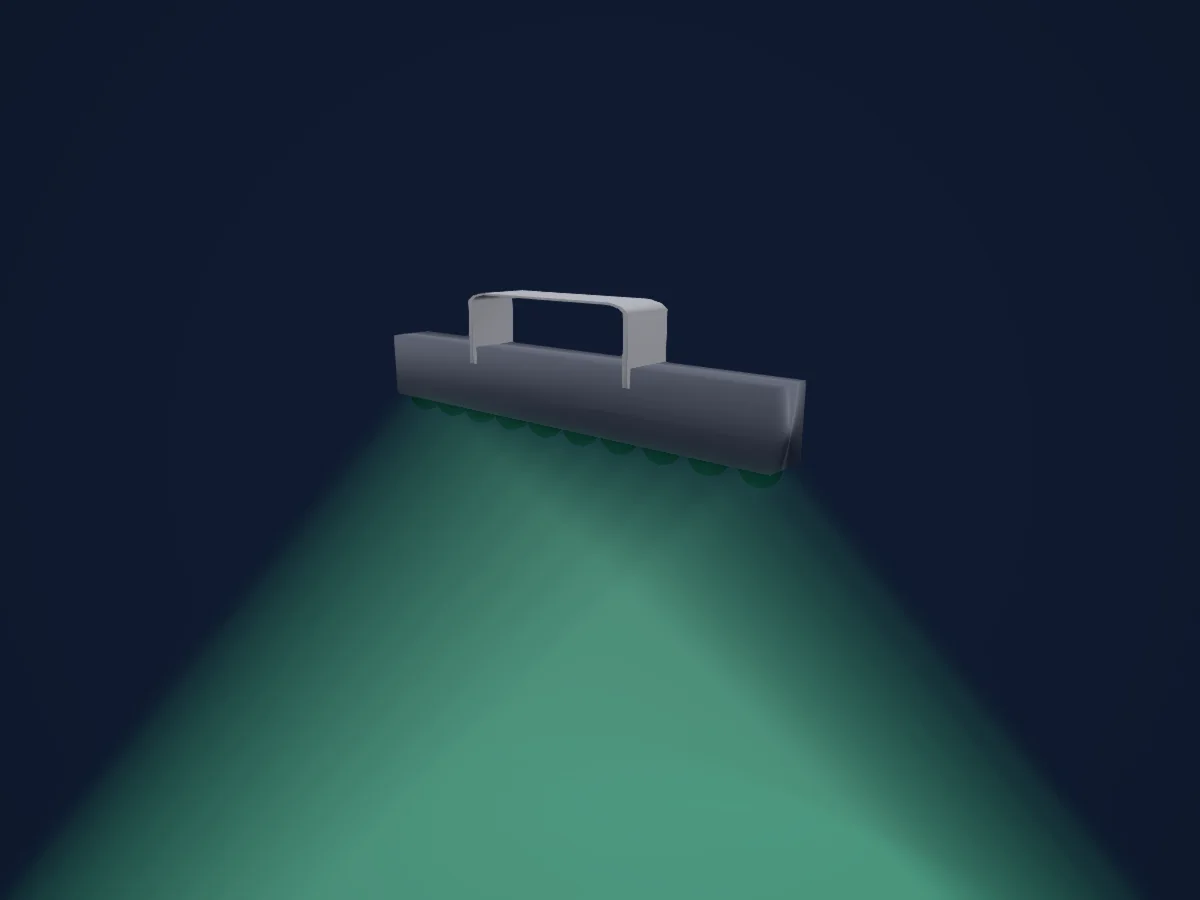
Was er kann
- Farbrad
- Pixelsteuerung
DMX-Modi und Kanaltabellen
| Modus | Kanäle | In HitLight |
|---|---|---|
| 33 Channel Flip Off | 33 | Bereit in HitLight |
| 60 Channel Flip-Off | 60 | Bereit in HitLight |
33 Channel Flip Off
Bereit in HitLight33 DMX-Kanäle · Diese Tabelle als CSV herunterladen
| Kanal | Funktion | Standard | DMX-Werte |
|---|---|---|---|
| 1 | Color RGBRed | 0 | 0–255 |
| 2 | Color RGBGreen | 0 | 0–255 |
| 3 | Color RGBBlue | 0 | 0–255 |
| 4 | Color RGBRed | 0 | 0–255 |
| 5 | Color RGBGreen | 0 | 0–255 |
| 6 | Color RGBBlue | 0 | 0–255 |
| 7 | Color RGBRed | 0 | 0–255 |
| 8 | Color RGBGreen | 0 | 0–255 |
| 9 | Color RGBBlue | 0 | 0–255 |
| 10 | Color RGBRed | 0 | 0–255 |
| 11 | Color RGBGreen | 0 | 0–255 |
| 12 | Color RGBBlue | 0 | 0–255 |
| 13 | Color RGBRed | 0 | 0–255 |
| 14 | Color RGBGreen | 0 | 0–255 |
| 15 | Color RGBBlue | 0 | 0–255 |
| 16 | Color RGBRed | 0 | 0–255 |
| 17 | Color RGBGreen | 0 | 0–255 |
| 18 | Color RGBBlue | 0 | 0–255 |
| 19 | Color RGBRed | 0 | 0–255 |
| 20 | Color RGBGreen | 0 | 0–255 |
| 21 | Color RGBBlue | 0 | 0–255 |
| 22 | Color RGBRed | 0 | 0–255 |
| 23 | Color RGBGreen | 0 | 0–255 |
| 24 | Color RGBBlue | 0 | 0–255 |
| 25 | Color RGBRed | 0 | 0–255 |
| 26 | Color RGBGreen | 0 | 0–255 |
| 27 | Color RGBBlue | 0 | 0–255 |
| 28 | Color RGBRed | 0 | 0–255 |
| 29 | Color RGBGreen | 0 | 0–255 |
| 30 | Color RGBBlue | 0 | 0–255 |
| 31 | Color Macro1 | 0 | 0–255 |
| 32 | Strobe Mode Strobe | 0 | 7 Wertebereiche
|
| 33 | Dimmer Curve | 0 | 6 Wertebereiche
|
60 Channel Flip-Off
Bereit in HitLight60 DMX-Kanäle · Diese Tabelle als CSV herunterladen
| Kanal | Funktion | Standard | DMX-Werte |
|---|---|---|---|
| 1 | Color RGBRed | 0 | 0–255 |
| 2 | Color RGBRed Fine | 0 | Feinbyte von Color RGBRed |
| 3 | Color RGBGreen | 0 | 0–255 |
| 4 | Color RGBGreen Fine | 0 | Feinbyte von Color RGBGreen |
| 5 | Color RGBBlue | 0 | 0–255 |
| 6 | Color RGBBlue Fine | 0 | Feinbyte von Color RGBBlue |
| 7 | Color RGBRed | 0 | 0–255 |
| 8 | Color RGBRed Fine | 0 | Feinbyte von Color RGBRed |
| 9 | Color RGBGreen | 0 | 0–255 |
| 10 | Color RGBGreen Fine | 0 | Feinbyte von Color RGBGreen |
| 11 | Color RGBBlue | 0 | 0–255 |
| 12 | Color RGBBlue Fine | 0 | Feinbyte von Color RGBBlue |
| 13 | Color RGBRed | 0 | 0–255 |
| 14 | Color RGBRed Fine | 0 | Feinbyte von Color RGBRed |
| 15 | Color RGBGreen | 0 | 0–255 |
| 16 | Color RGBGreen Fine | 0 | Feinbyte von Color RGBGreen |
| 17 | Color RGBBlue | 0 | 0–255 |
| 18 | Color RGBBlue Fine | 0 | Feinbyte von Color RGBBlue |
| 19 | Color RGBRed | 0 | 0–255 |
| 20 | Color RGBRed Fine | 0 | Feinbyte von Color RGBRed |
| 21 | Color RGBGreen | 0 | 0–255 |
| 22 | Color RGBGreen Fine | 0 | Feinbyte von Color RGBGreen |
| 23 | Color RGBBlue | 0 | 0–255 |
| 24 | Color RGBBlue Fine | 0 | Feinbyte von Color RGBBlue |
| 25 | Color RGBRed | 0 | 0–255 |
| 26 | Color RGBRed Fine | 0 | Feinbyte von Color RGBRed |
| 27 | Color RGBGreen | 0 | 0–255 |
| 28 | Color RGBGreen Fine | 0 | Feinbyte von Color RGBGreen |
| 29 | Color RGBBlue | 0 | 0–255 |
| 30 | Color RGBBlue Fine | 0 | Feinbyte von Color RGBBlue |
| 31 | Color RGBRed | 0 | 0–255 |
| 32 | Color RGBRed Fine | 0 | Feinbyte von Color RGBRed |
| 33 | Color RGBGreen | 0 | 0–255 |
| 34 | Color RGBGreen Fine | 0 | Feinbyte von Color RGBGreen |
| 35 | Color RGBBlue | 0 | 0–255 |
| 36 | Color RGBBlue Fine | 0 | Feinbyte von Color RGBBlue |
| 37 | Color RGBRed | 0 | 0–255 |
| 38 | Color RGBRed Fine | 0 | Feinbyte von Color RGBRed |
| 39 | Color RGBGreen | 0 | 0–255 |
| 40 | Color RGBGreen Fine | 0 | Feinbyte von Color RGBGreen |
| 41 | Color RGBBlue | 0 | 0–255 |
| 42 | Color RGBBlue Fine | 0 | Feinbyte von Color RGBBlue |
| 43 | Color RGBRed | 0 | 0–255 |
| 44 | Color RGBRed Fine | 0 | Feinbyte von Color RGBRed |
| 45 | Color RGBGreen | 0 | 0–255 |
| 46 | Color RGBGreen Fine | 0 | Feinbyte von Color RGBGreen |
| 47 | Color RGBBlue | 0 | 0–255 |
| 48 | Color RGBBlue Fine | 0 | Feinbyte von Color RGBBlue |
| 49 | Color RGBRed | 0 | 0–255 |
| 50 | Color RGBRed Fine | 0 | Feinbyte von Color RGBRed |
| 51 | Color RGBGreen | 0 | 0–255 |
| 52 | Color RGBGreen Fine | 0 | Feinbyte von Color RGBGreen |
| 53 | Color RGBBlue | 0 | 0–255 |
| 54 | Color RGBBlue Fine | 0 | Feinbyte von Color RGBBlue |
| 55 | Color RGBRed | 0 | 0–255 |
| 56 | Color RGBRed Fine | 0 | Feinbyte von Color RGBRed |
| 57 | Color RGBGreen | 0 | 0–255 |
| 58 | Color RGBGreen Fine | 0 | Feinbyte von Color RGBGreen |
| 59 | Color RGBBlue | 0 | 0–255 |
| 60 | Color RGBBlue Fine | 0 | Feinbyte von Color RGBBlue |
Elation CUEPIX Batten in HitLight verwenden
- Öffne Scheinwerfer hinzufügen und suche nach Elation CUEPIX Batten.
- Wähle den DMX-Modus, der im Menü des Scheinwerfers eingestellt ist. HitLight gibt ihm die niedrigste freie Startadresse in seinem Universum, die zur Kanalzahl des Modus passt.
- Prüfe Modus und Steuerung an deinem echten Scheinwerfer, bevor du ihn live einsetzt.
Spielstätten mit Elation CUEPIX Batten
Ihre gespeicherten Lichtaufbauten enthalten dieses Scheinwerfermodell. Klären Sie die aktuelle Ausstattung mit der Spielstätte.
- George Shinn Event Center Nashville, Vereinigte Staaten
Ähnliche Scheinwerfer
LED-Bar
Elation Seven Batten 42
3 / 4 / 7 / 10 / 14 / 15 / 16 / 26 / 42 / 44 / 50 DMX-Kanäle
LED-Bar
Elation SIX plus BAR L
1 / 3 / 6 / 7 / 9 / 11 / 13 / 16 / 22 / 34 / 58 / 75 / 82 / 154 DMX-Kanäle
LED-Bar
Elation KL Batten 48
1 / 3 / 4 / 6 / 8 / 10 / 12 / 14 / 16 / 20 / 22 / 24 / 32 / 35 / 40 / 48 / 61 / 104 / 113 / 217 DMX-Kanäle
LED-Bar
Elation KL Batten 12
1 / 3 / 4 / 6 / 8 / 10 / 12 / 14 / 16 / 20 / 22 / 32 / 35 / 40 / 61 DMX-Kanäle
LED-Bar
Elation SIX plus BAR S
1 / 3 / 6 / 7 / 9 / 11 / 13 / 16 / 18 / 22 / 34 / 36 / 39 / 43 / 46 / 82 DMX-Kanäle
LED-Bar
Elation Seven Batten 14
3 / 4 / 7 / 10 / 14 / 15 / 16 / 22 DMX-Kanäle
Die Tabellen stammen aus der GDTF-Beschreibung des Scheinwerfers, umgewandelt für die HitLight-Bibliothek. HitLight ist nicht mit Elation verbunden.