 HitLight
Eagle Lite IPBAR1420 PRO
Tabella DMX, 4 modalità DMX e anteprima 3D. 5 / 11 / 70 / 76 canali DMX.
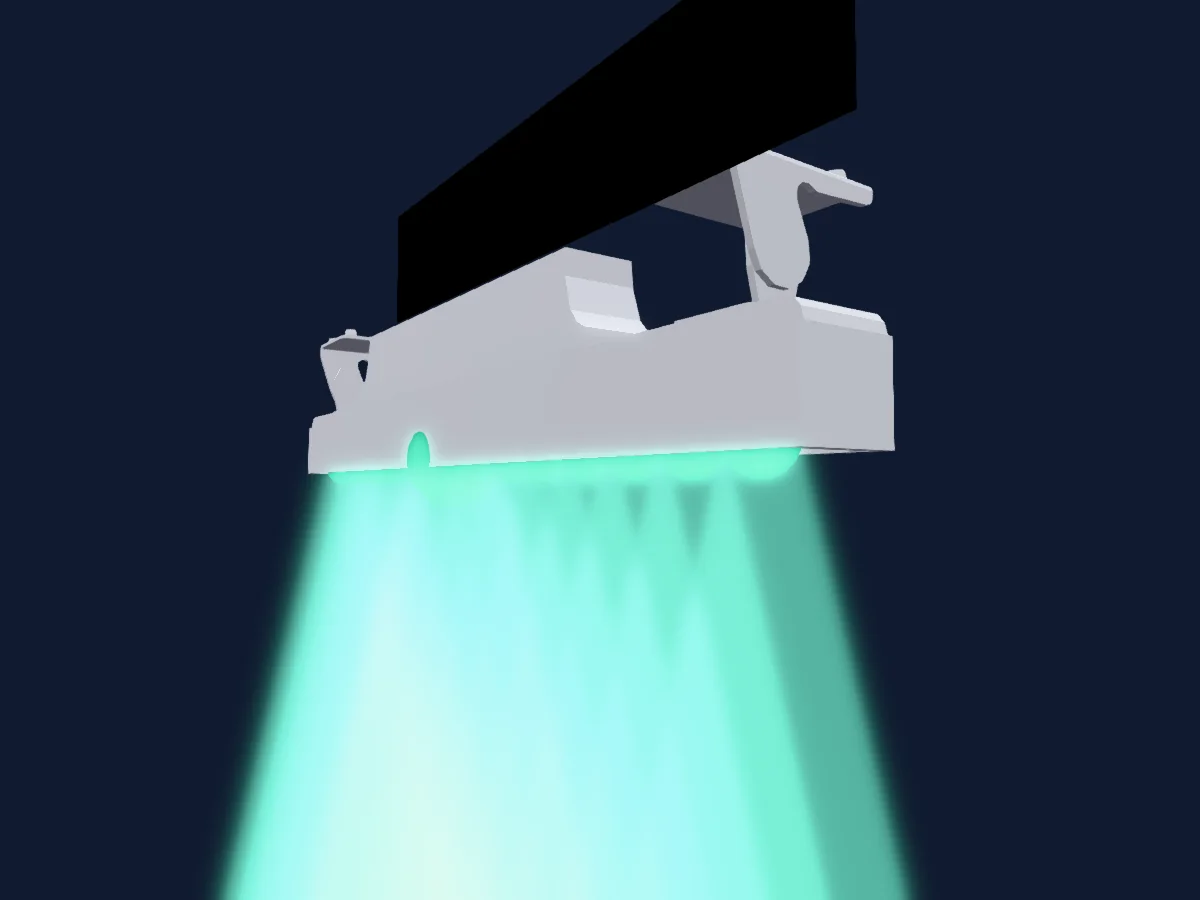
Cosa può fare
- Colori LED aggiuntivi
- Miscelazione colori RGB
- Ruota colori
- Velocità degli effetti
- Strobo
- Intensità
- Controllo dei pixel
Modalità DMX e tabelle dei canali
| Modalità | Canali | In HitLight |
|---|---|---|
| Small Mode 5ch | 5 | Pronto in HitLight |
| Simple Mode 11ch | 11 | Pronto in HitLight |
| 70 Channel | 70 | Pronto in HitLight |
| 76 Channel | 76 | Pronto in HitLight |
Small Mode 5ch
Pronto in HitLight5 canali DMX · Scarica questa tabella in CSV
| Canale | Funzione | Predefinito | Valori DMX |
|---|---|---|---|
| 1 | Red | 0 | 0–255 |
| 2 | Green | 0 | 0–255 |
| 3 | Blue | 0 | 0–255 |
| 4 | White | 0 | 0–255 |
| 5 | Color Add Y | 0 | 0–255 |
Simple Mode 11ch
Pronto in HitLight11 canali DMX · Scarica questa tabella in CSV
| Canale | Funzione | Predefinito | Valori DMX |
|---|---|---|---|
| 1 | Dimmer | 0 | 4 intervalli di valori
|
| 2 | Shutter / Strobe | 4 | 13 intervalli di valori
|
| 3 | Color Macro1 | 0 | 0–255 |
| 4 | Color Macro1Rate | 0 | 0–255 |
| 5 | Color Effects1 | 0 | 0–255 |
| 6 | Effect Speed | 0 | 0–255 |
| 7 | Green | 0 | 0–255 |
| 8 | Red | 0 | 0–255 |
| 9 | Blue | 0 | 0–255 |
| 10 | White | 0 | 0–255 |
| 11 | Color Add Y | 0 | 0–255 |
70 Channel
Pronto in HitLight70 canali DMX · Scarica questa tabella in CSV
| Canale | Funzione | Predefinito | Valori DMX |
|---|---|---|---|
| 1 | Red | 0 | 0–255 |
| 2 | Green | 0 | 0–255 |
| 3 | Blue | 0 | 0–255 |
| 4 | White | 0 | 0–255 |
| 5 | Color Add Y | 0 | 0–255 |
| 6 | Red | 0 | 0–255 |
| 7 | Green | 0 | 0–255 |
| 8 | Blue | 0 | 0–255 |
| 9 | White | 0 | 0–255 |
| 10 | Color Add Y | 0 | 0–255 |
| 11 | Red | 0 | 0–255 |
| 12 | Green | 0 | 0–255 |
| 13 | Blue | 0 | 0–255 |
| 14 | White | 0 | 0–255 |
| 15 | Color Add Y | 0 | 0–255 |
| 16 | Red | 0 | 0–255 |
| 17 | Green | 0 | 0–255 |
| 18 | Blue | 0 | 0–255 |
| 19 | White | 0 | 0–255 |
| 20 | Color Add Y | 0 | 0–255 |
| 21 | Red | 0 | 0–255 |
| 22 | Green | 0 | 0–255 |
| 23 | Blue | 0 | 0–255 |
| 24 | White | 0 | 0–255 |
| 25 | Color Add Y | 0 | 0–255 |
| 26 | Red | 0 | 0–255 |
| 27 | Green | 0 | 0–255 |
| 28 | Blue | 0 | 0–255 |
| 29 | White | 0 | 0–255 |
| 30 | Color Add Y | 0 | 0–255 |
| 31 | Red | 0 | 0–255 |
| 32 | Green | 0 | 0–255 |
| 33 | Blue | 0 | 0–255 |
| 34 | White | 0 | 0–255 |
| 35 | Color Add Y | 0 | 0–255 |
| 36 | Red | 0 | 0–255 |
| 37 | Green | 0 | 0–255 |
| 38 | Blue | 0 | 0–255 |
| 39 | White | 0 | 0–255 |
| 40 | Color Add Y | 0 | 0–255 |
| 41 | Red | 0 | 0–255 |
| 42 | Green | 0 | 0–255 |
| 43 | Blue | 0 | 0–255 |
| 44 | White | 0 | 0–255 |
| 45 | Color Add Y | 0 | 0–255 |
| 46 | Red | 0 | 0–255 |
| 47 | Green | 0 | 0–255 |
| 48 | Blue | 0 | 0–255 |
| 49 | White | 0 | 0–255 |
| 50 | Color Add Y | 0 | 0–255 |
| 51 | Red | 0 | 0–255 |
| 52 | Green | 0 | 0–255 |
| 53 | Blue | 0 | 0–255 |
| 54 | White | 0 | 0–255 |
| 55 | Color Add Y | 0 | 0–255 |
| 56 | Red | 0 | 0–255 |
| 57 | Green | 0 | 0–255 |
| 58 | Blue | 0 | 0–255 |
| 59 | White | 0 | 0–255 |
| 60 | Color Add Y | 0 | 0–255 |
| 61 | Red | 0 | 0–255 |
| 62 | Green | 0 | 0–255 |
| 63 | Blue | 0 | 0–255 |
| 64 | White | 0 | 0–255 |
| 65 | Color Add Y | 0 | 0–255 |
| 66 | Red | 0 | 0–255 |
| 67 | Green | 0 | 0–255 |
| 68 | Blue | 0 | 0–255 |
| 69 | White | 0 | 0–255 |
| 70 | Color Add Y | 0 | 0–255 |
76 Channel
Pronto in HitLight76 canali DMX · Scarica questa tabella in CSV
| Canale | Funzione | Predefinito | Valori DMX |
|---|---|---|---|
| 1 | Dimmer | 0 | 0–255 |
| 2 | Strobe Mode Shutter | 4 | 0–255 |
| 3 | Color Macro1 | 0 | 0–255 |
| 4 | Color Macro1Rate | 0 | 0–255 |
| 5 | Color Effects1 | 0 | 0–255 |
| 6 | Effect Speed | 0 | 0–255 |
| 7 | Red | 0 | 0–255 |
| 8 | Green | 0 | 0–255 |
| 9 | Blue | 0 | 0–255 |
| 10 | White | 0 | 0–255 |
| 11 | Color Add Y | 0 | 0–255 |
| 12 | Red | 0 | 0–255 |
| 13 | Green | 0 | 0–255 |
| 14 | Blue | 0 | 0–255 |
| 15 | White | 0 | 0–255 |
| 16 | Color Add Y | 0 | 0–255 |
| 17 | Red | 0 | 0–255 |
| 18 | Green | 0 | 0–255 |
| 19 | Blue | 0 | 0–255 |
| 20 | White | 0 | 0–255 |
| 21 | Color Add Y | 0 | 0–255 |
| 22 | Red | 0 | 0–255 |
| 23 | Green | 0 | 0–255 |
| 24 | Blue | 0 | 0–255 |
| 25 | White | 0 | 0–255 |
| 26 | Color Add Y | 0 | 0–255 |
| 27 | Red | 0 | 0–255 |
| 28 | Green | 0 | 0–255 |
| 29 | Blue | 0 | 0–255 |
| 30 | White | 0 | 0–255 |
| 31 | Color Add Y | 0 | 0–255 |
| 32 | Red | 0 | 0–255 |
| 33 | Green | 0 | 0–255 |
| 34 | Blue | 0 | 0–255 |
| 35 | White | 0 | 0–255 |
| 36 | Color Add Y | 0 | 0–255 |
| 37 | Red | 0 | 0–255 |
| 38 | Green | 0 | 0–255 |
| 39 | Blue | 0 | 0–255 |
| 40 | White | 0 | 0–255 |
| 41 | Color Add Y | 0 | 0–255 |
| 42 | Red | 0 | 0–255 |
| 43 | Green | 0 | 0–255 |
| 44 | Blue | 0 | 0–255 |
| 45 | White | 0 | 0–255 |
| 46 | Color Add Y | 0 | 0–255 |
| 47 | Red | 0 | 0–255 |
| 48 | Green | 0 | 0–255 |
| 49 | Blue | 0 | 0–255 |
| 50 | White | 0 | 0–255 |
| 51 | Color Add Y | 0 | 0–255 |
| 52 | Red | 0 | 0–255 |
| 53 | Green | 0 | 0–255 |
| 54 | Blue | 0 | 0–255 |
| 55 | White | 0 | 0–255 |
| 56 | Color Add Y | 0 | 0–255 |
| 57 | Red | 0 | 0–255 |
| 58 | Green | 0 | 0–255 |
| 59 | Blue | 0 | 0–255 |
| 60 | White | 0 | 0–255 |
| 61 | Color Add Y | 0 | 0–255 |
| 62 | Red | 0 | 0–255 |
| 63 | Green | 0 | 0–255 |
| 64 | Blue | 0 | 0–255 |
| 65 | White | 0 | 0–255 |
| 66 | Color Add Y | 0 | 0–255 |
| 67 | Red | 0 | 0–255 |
| 68 | Green | 0 | 0–255 |
| 69 | Blue | 0 | 0–255 |
| 70 | White | 0 | 0–255 |
| 71 | Color Add Y | 0 | 0–255 |
| 72 | Red | 0 | 0–255 |
| 73 | Green | 0 | 0–255 |
| 74 | Blue | 0 | 0–255 |
| 75 | White | 0 | 0–255 |
| 76 | Color Add Y | 0 | 0–255 |
Usare Eagle Lite IPBAR1420 PRO in HitLight
- Apri Aggiungi faro e cerca Eagle Lite IPBAR1420 PRO.
- Scegli la modalità DMX impostata nel menu del faro. HitLight gli assegna il primo indirizzo iniziale libero del suo universo in cui entra il numero di canali della modalità.
- Verifica modalità e controlli sul tuo faro reale prima dell’uso dal vivo.
Fari correlati
Barra LED
Eagle Lite Falcon Bar400
3 / 4 / 9 / 13 canali DMX
Testa mobile
Eagle Lite Smart Wash Z7
21 canali DMX
Spot
Eagle Lite TA350CZ PRO
2 / 8 / 13 canali DMX
PAR
Eagle Lite Ealge Lite - UP
5 / 9 canali DMX
Testa mobile
Eagle Lite QUAD19 WASH
14 / 25 / 33 canali DMX
Spot
Eagle Lite TA300Z PRO
1 / 2 / 3 / 4 canali DMX
Le tabelle provengono dalla descrizione GDTF del faro, convertita per la libreria di HitLight. HitLight non è affiliato a Eagle Lite.