 HitLight
Sagitter SG HuracanPN
Tabella DMX, 4 modalità DMX e anteprima 3D. 4 / 6 / 15 / 120 canali DMX.
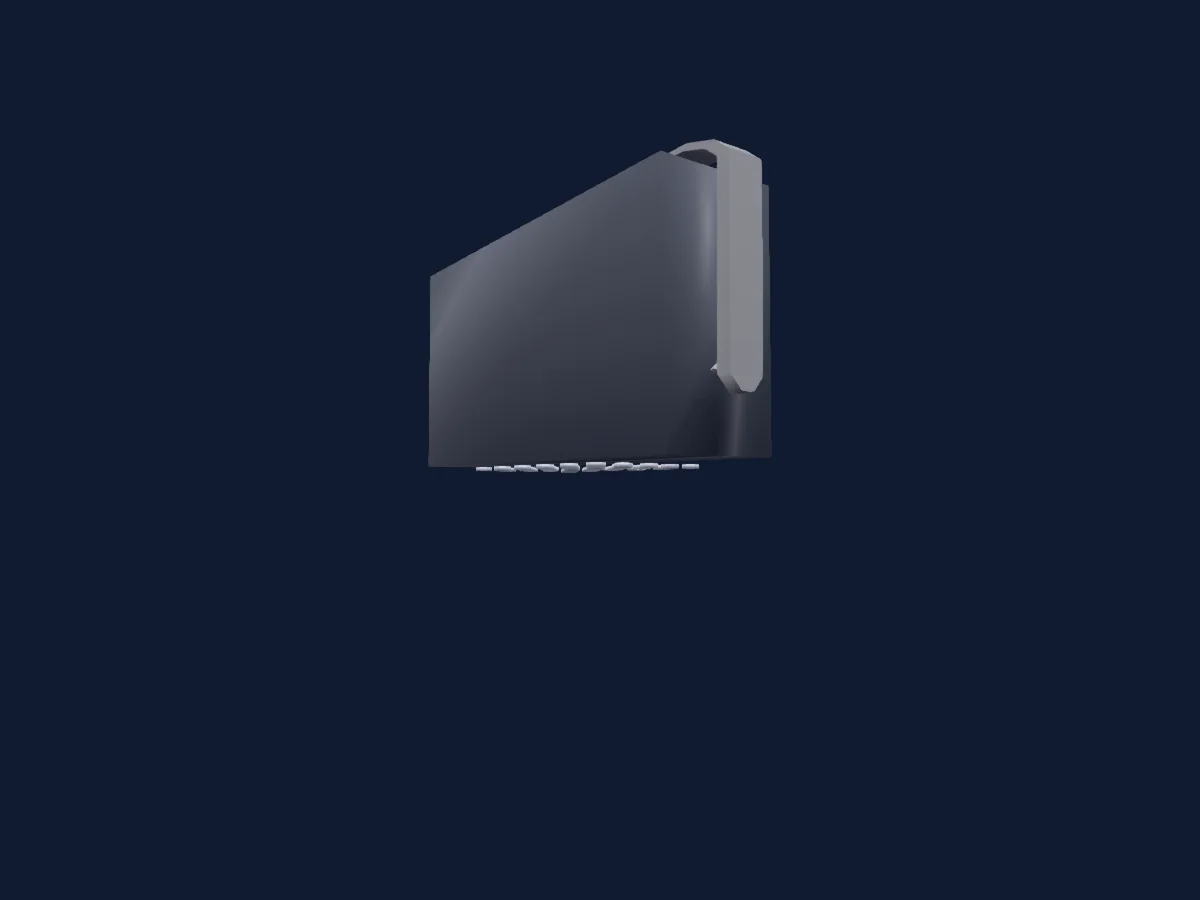
Cosa può fare
- Colori LED aggiuntivi
- Miscelazione colori RGB
- Temperatura colore
- Ruota colori
- Velocità degli effetti
- Strobo
- Intensità
- Controllo dei pixel
Funzioni rilevanti per la sicurezza: Reset del faro · Strobo · Programmi di effetti integrati. Verifica come si comportano sul tuo faro prima di uno spettacolo.
Modalità DMX e tabelle dei canali
| Modalità | Canali | In HitLight |
|---|---|---|
| 4 Ch | 4 | Pronto in HitLight |
| 6 Ch | 6 | Pronto in HitLight |
| 15 Ch | 15 | Pronto in HitLight |
| 120 Ch | 120 | Pronto in HitLight |
4 Ch
Pronto in HitLight4 canali DMX · Scarica questa tabella in CSV
| Canale | Funzione | Predefinito | Valori DMX |
|---|---|---|---|
| 1 | Red | 255 | 0–255 |
| 2 | Green | 255 | 0–255 |
| 3 | Blue | 255 | 0–255 |
| 4 | White | 0 | 0–255 |
6 Ch
Pronto in HitLight6 canali DMX · Scarica questa tabella in CSV
| Canale | Funzione | Predefinito | Valori DMX |
|---|---|---|---|
| 1 | Dimmer | 0 | 0–255 |
| 2 | Shutter / Strobe | 0 | 11 intervalli di valori
|
| 3 | Red | 255 | 0–255 |
| 4 | Green | 255 | 0–255 |
| 5 | Blue | 255 | 0–255 |
| 6 | White | 0 | 0–255 |
15 Ch
Pronto in HitLight15 canali DMX · Scarica questa tabella in CSV
| Canale | Funzione | Predefinito | Valori DMX |
|---|---|---|---|
| 1 | Dimmer | 0 | 0–255 |
| 2 | Strobe Rate | 0 | 0–255 |
| 3 | Shutter / Strobe | 0 | 11 intervalli di valori
|
| 4 | Red | 255 | 0–255 |
| 5 | Green | 255 | 0–255 |
| 6 | Blue | 255 | 0–255 |
| 7 | White | 0 | 0–255 |
| 8 | Color Effects1 | 0 | 10 intervalli di valori
|
| 9 | C TC | 0 | 2 intervalli di valori
|
| 10 | Effect | 0 | 0–255 |
| 11 | Effect Speed | 0 | 0–255 |
| 12 | Effects1Adjust1 | 0 | 2 intervalli di valori
|
| 13 | Color Macro1 | 0 | 0–255 |
| 14 | Color Macro1Rate | 0 | 0–255 |
| 15 | Control1 | 0 | 6 intervalli di valori
|
120 Ch
Pronto in HitLight120 canali DMX · Scarica questa tabella in CSV
| Canale | Funzione | Predefinito | Valori DMX |
|---|---|---|---|
| 1 | Red | 255 | 0–255 |
| 2 | Green | 255 | 0–255 |
| 3 | Blue | 255 | 0–255 |
| 4 | White | 255 | 0–255 |
| 5 | Red | 255 | 0–255 |
| 6 | Green | 255 | 0–255 |
| 7 | Blue | 255 | 0–255 |
| 8 | White | 255 | 0–255 |
| 9 | Red | 255 | 0–255 |
| 10 | Green | 255 | 0–255 |
| 11 | Blue | 255 | 0–255 |
| 12 | White | 255 | 0–255 |
| 13 | Red | 255 | 0–255 |
| 14 | Green | 255 | 0–255 |
| 15 | Blue | 255 | 0–255 |
| 16 | White | 255 | 0–255 |
| 17 | Red | 255 | 0–255 |
| 18 | Green | 255 | 0–255 |
| 19 | Blue | 255 | 0–255 |
| 20 | White | 255 | 0–255 |
| 21 | Red | 255 | 0–255 |
| 22 | Green | 255 | 0–255 |
| 23 | Blue | 255 | 0–255 |
| 24 | White | 255 | 0–255 |
| 25 | Red | 255 | 0–255 |
| 26 | Green | 255 | 0–255 |
| 27 | Blue | 255 | 0–255 |
| 28 | White | 255 | 0–255 |
| 29 | Red | 255 | 0–255 |
| 30 | Green | 255 | 0–255 |
| 31 | Blue | 255 | 0–255 |
| 32 | White | 255 | 0–255 |
| 33 | Red | 255 | 0–255 |
| 34 | Green | 255 | 0–255 |
| 35 | Blue | 255 | 0–255 |
| 36 | White | 255 | 0–255 |
| 37 | Red | 255 | 0–255 |
| 38 | Green | 255 | 0–255 |
| 39 | Blue | 255 | 0–255 |
| 40 | White | 255 | 0–255 |
| 41 | Red | 255 | 0–255 |
| 42 | Green | 255 | 0–255 |
| 43 | Blue | 255 | 0–255 |
| 44 | White | 255 | 0–255 |
| 45 | Red | 255 | 0–255 |
| 46 | Green | 255 | 0–255 |
| 47 | Blue | 255 | 0–255 |
| 48 | White | 255 | 0–255 |
| 49 | Red | 255 | 0–255 |
| 50 | Green | 255 | 0–255 |
| 51 | Blue | 255 | 0–255 |
| 52 | White | 255 | 0–255 |
| 53 | Red | 255 | 0–255 |
| 54 | Green | 255 | 0–255 |
| 55 | Blue | 255 | 0–255 |
| 56 | White | 255 | 0–255 |
| 57 | Red | 255 | 0–255 |
| 58 | Green | 255 | 0–255 |
| 59 | Blue | 255 | 0–255 |
| 60 | White | 255 | 0–255 |
| 61 | Red | 255 | 0–255 |
| 62 | Green | 255 | 0–255 |
| 63 | Blue | 255 | 0–255 |
| 64 | White | 255 | 0–255 |
| 65 | Red | 255 | 0–255 |
| 66 | Green | 255 | 0–255 |
| 67 | Blue | 255 | 0–255 |
| 68 | White | 255 | 0–255 |
| 69 | Red | 255 | 0–255 |
| 70 | Green | 255 | 0–255 |
| 71 | Blue | 255 | 0–255 |
| 72 | White | 255 | 0–255 |
| 73 | Red | 255 | 0–255 |
| 74 | Green | 255 | 0–255 |
| 75 | Blue | 255 | 0–255 |
| 76 | White | 255 | 0–255 |
| 77 | Red | 255 | 0–255 |
| 78 | Green | 255 | 0–255 |
| 79 | Blue | 255 | 0–255 |
| 80 | White | 255 | 0–255 |
| 81 | Red | 255 | 0–255 |
| 82 | Green | 255 | 0–255 |
| 83 | Blue | 255 | 0–255 |
| 84 | White | 255 | 0–255 |
| 85 | Red | 255 | 0–255 |
| 86 | Green | 255 | 0–255 |
| 87 | Blue | 255 | 0–255 |
| 88 | White | 255 | 0–255 |
| 89 | Red | 255 | 0–255 |
| 90 | Green | 255 | 0–255 |
| 91 | Blue | 255 | 0–255 |
| 92 | White | 255 | 0–255 |
| 93 | Red | 255 | 0–255 |
| 94 | Green | 255 | 0–255 |
| 95 | Blue | 255 | 0–255 |
| 96 | White | 255 | 0–255 |
| 97 | Red | 255 | 0–255 |
| 98 | Green | 255 | 0–255 |
| 99 | Blue | 255 | 0–255 |
| 100 | White | 255 | 0–255 |
| 101 | Red | 255 | 0–255 |
| 102 | Green | 255 | 0–255 |
| 103 | Blue | 255 | 0–255 |
| 104 | White | 255 | 0–255 |
| 105 | Red | 255 | 0–255 |
| 106 | Green | 255 | 0–255 |
| 107 | Blue | 255 | 0–255 |
| 108 | White | 255 | 0–255 |
| 109 | Red | 255 | 0–255 |
| 110 | Green | 255 | 0–255 |
| 111 | Blue | 255 | 0–255 |
| 112 | White | 255 | 0–255 |
| 113 | Red | 255 | 0–255 |
| 114 | Green | 255 | 0–255 |
| 115 | Blue | 255 | 0–255 |
| 116 | White | 255 | 0–255 |
| 117 | Red | 255 | 0–255 |
| 118 | Green | 255 | 0–255 |
| 119 | Blue | 255 | 0–255 |
| 120 | White | 255 | 0–255 |
Usare Sagitter SG HuracanPN in HitLight
- Apri Aggiungi faro e cerca Sagitter SG HuracanPN.
- Scegli la modalità DMX impostata nel menu del faro. HitLight gli assegna il primo indirizzo iniziale libero del suo universo in cui entra il numero di canali della modalità.
- Verifica modalità e controlli sul tuo faro reale prima dell’uso dal vivo.
Fari correlati
Luce a effetti
Sagitter IPLED32CDLWD
6 / 10 / 11 / 16 / 48 / 96 canali DMX
Luce a effetti
Sagitter SG HURACANBR
8 / 11 / 14 / 16 / 18 / 21 / 22 / 27 / 32 / 36 / 64 / 69 / 112 / 117 canali DMX
PAR
Sagitter Sirius HTZLEDC
5 / 6 / 7 / 8 canali DMX
PAR
Sagitter COBETWO
7 canali DMX
PAR
Sagitter AQUPAR12
3 / 6 / 8 / 12 canali DMX
Spot
Sagitter HL F2 Led
1 / 2 / 4 / 5 canali DMX
Le tabelle provengono dalla descrizione GDTF del faro, convertita per la libreria di HitLight. HitLight non è affiliato a Sagitter.