Pular para o conteúdo
HitLight
Blizzard Lighting LLC · PAR

Blizzard Lighting LLC Motif Risplendi 250

Tabela DMX, 3 modos DMX e prévia em 3D. 5 / 7 / 11 canais DMX.
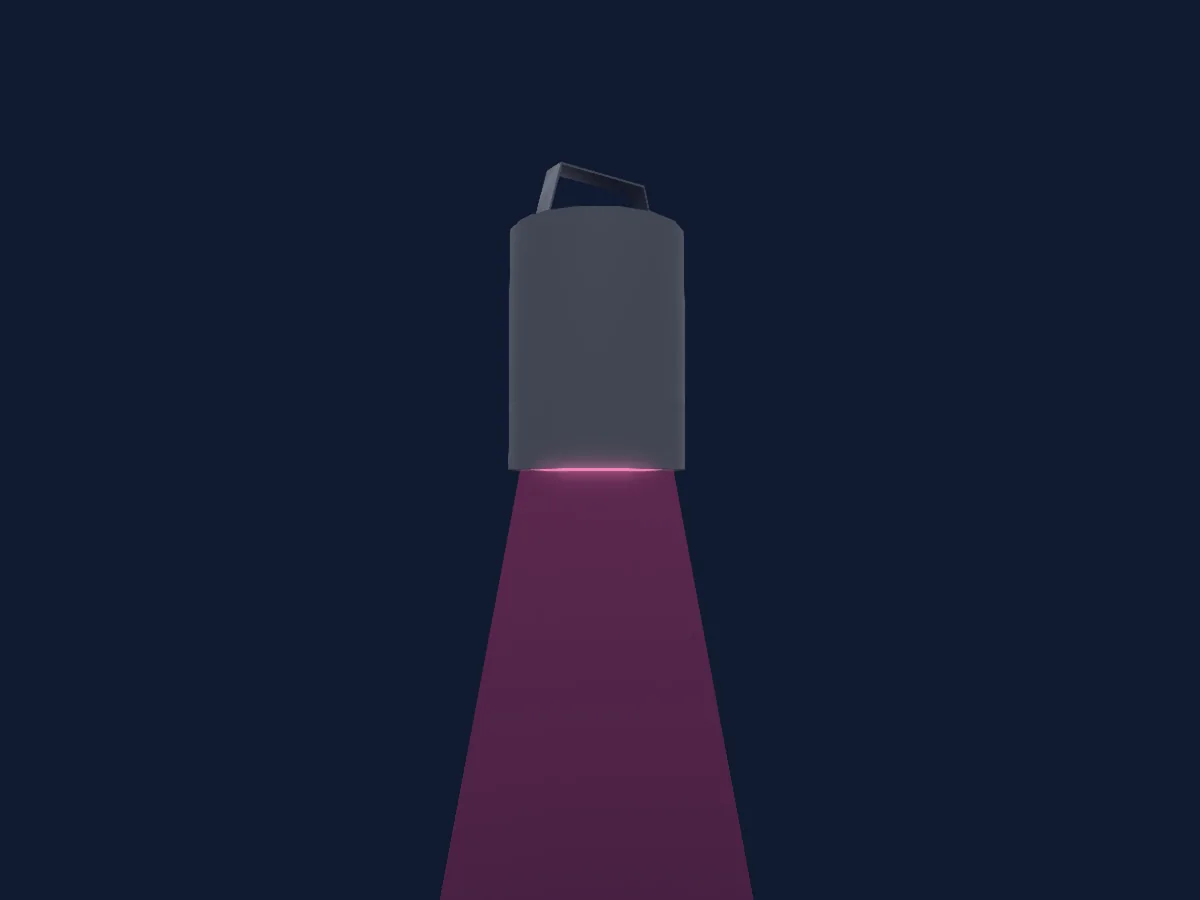
Blizzard Lighting LLC Motif Risplendi 250 renderizado no HitLight

O que ele faz

  • Cores de LED adicionais
  • Mistura de cores RGB
  • Roda de cores
  • Strobo
  • Dimmer

Funções relevantes para a segurança: Strobo · Programas de efeitos integrados. Confira como elas se comportam no seu refletor antes de um show.

Modos DMX e tabelas de canais

Modos DMX de Blizzard Lighting LLC Motif Risplendi 250
ModoCanaisNo HitLight
5Ch Mode5Pronto no HitLight
7Ch Mode7Pronto no HitLight
11Ch Mode11Pronto no HitLight

5Ch Mode

Pronto no HitLight

5 canais DMX · Baixar esta tabela em CSV

Tabela de canais DMX de 5Ch Mode
CanalFunçãoPadrãoValores DMX
1Red2550–255
2Green2550–255
3Blue2550–255
4Color Add RY00–255
5Color Add GY00–255

7Ch Mode

Pronto no HitLight

7 canais DMX · Baixar esta tabela em CSV

Tabela de canais DMX de 7Ch Mode
CanalFunçãoPadrãoValores DMX
1Dimmer00–255
2Red2550–255
3Green2550–255
4Blue2550–255
5Color Add RY00–255
6Color Add GY00–255
7Shutter / Strobe0
22 faixas de valores
  • 0–5 Shutter Open
  • 6–6 Slow Async Strobe
  • 7–19 Slow <--> Fast Async Strobe
  • 20–20 Fast Async Strobe
  • 21–21 Slow Normal Strobe
  • 22–59 Slow <--> Fast Normal Strobe
  • 60–60 Fast Normal Strobe
  • 61–61 Slow Sine Wave Strobe
  • 62–99 Slow <--> Fast Sine Wave Strobe
  • 100–100 Fast Sine Wave Strobe
  • 101–101 Slow Random Strobe
  • 102–139 Slow <--> Fast Random Strobe
  • 140–140 Fast Random Strobe
  • 141–178 Slow Pulse Open
  • 179–179 Slow <--> Fast Pulse Open
  • 180–180 Fast Pulse Open
  • 181–181 Slow Pulse Closed
  • 182–219 Slow <--> Fast Pulse Closed
  • 220–220 Fast Pulse Closed
  • 221–221 Slow Square Wave Strobe
  • 222–254 Slow <--> Fast Square Wave Strobe
  • 255–255 Fast Square Wave Strobe

11Ch Mode

Pronto no HitLight

11 canais DMX · Baixar esta tabela em CSV

Tabela de canais DMX de 11Ch Mode
CanalFunçãoPadrãoValores DMX
1Dimmer00–255
2Red2550–255
3Green2550–255
4Blue2550–255
5Color Add RY00–255
6Color Add GY00–255
7Shutter / Strobe0
22 faixas de valores
  • 0–5 Shutter Open
  • 6–6 Slow Async Strobe
  • 7–19 Slow <--> Fast Async Strobe
  • 20–20 Fast Async Strobe
  • 21–21 Slow Normal Strobe
  • 22–59 Slow <--> Fast Normal Strobe
  • 60–60 Fast Normal Strobe
  • 61–61 Slow Sine Wave Strobe
  • 62–99 Slow <--> Fast Sine Wave Strobe
  • 100–100 Fast Sine Wave Strobe
  • 101–101 Slow Random Strobe
  • 102–139 Slow <--> Fast Random Strobe
  • 140–140 Fast Random Strobe
  • 141–178 Slow Pulse Open
  • 179–179 Slow <--> Fast Pulse Open
  • 180–180 Fast Pulse Open
  • 181–181 Slow Pulse Closed
  • 182–219 Slow <--> Fast Pulse Closed
  • 220–220 Fast Pulse Closed
  • 221–221 Slow Square Wave Strobe
  • 222–254 Slow <--> Fast Square Wave Strobe
  • 255–255 Fast Square Wave Strobe
8Color Macro10
40 faixas de valores
  • 0–5 No Function
  • 6–10 Custom Color 1 (MENU: CT01)
  • 11–15 Custom Color 2 (MENU: CT02)
  • 16–20 Custom Color 3 (MENU: CT03)
  • 21–25 Custom Color 4 (MENU: CT04)
  • 26–30 Custom Color 5 (MENU: CT05)
  • 31–35 Custom Color 6 (MENU: CT06)
  • 36–40 Custom Color 7 (MENU: CT07)
  • 41–45 Custom Color 8 (MENU: CT08)
  • 46–50 Custom Color 9 (MENU: CT09)
  • 51–55 Custom Color 10 (MENU: CT10)
  • 56–60 Auto Program 1
  • 61–65 Auto Program 2
  • 66–70 Auto Program 3
  • 71–75 Auto Program 4
  • 76–80 Auto Program 5
  • 81–110 Reserved
  • 111–115 Red
  • 116–120 Green
  • 121–125 Blue
  • 126–130 Amber
  • 131–135 Lime
  • 136–140 RGBAL
  • 141–145 Red + Green (Yellow)
  • 146–150 Red + Blue (Magenta)
  • 151–155 Green + Blue (Cyan)
  • 156–160 Red + Amber (Deep Orange)
  • 161–165 Blue + Amber (Violet)
  • 166–170 Amber + Lime (Gold)
  • 171–175 2700K
  • 176–180 3200K
  • 181–185 4000K
  • 186–190 5500K
  • 191–195 6500K
  • 196–200 RGBL
  • 201–220 No Function
  • 221–225 Custom Auto Program 1
  • 226–230 Custom Auto Program 2
  • 231–235 Custom Auto Program 3
  • 236–255 No Function
9Color Macro1Rate0
3 faixas de valores
  • 0–0 Slow
  • 1–254 Slow <--> Fast
  • 255–255 Fast
10Color Effects10
14 faixas de valores
  • 0–10 No Function
  • 11–11 Red 0% + Green 0% Blue 100%
  • 12–50 Red 0% + Green 0 <--> 100% + Blue 100%
  • 51–51 Red 0% + Green 100% + Blue 100%(Cyan)
  • 52–90 Red 0% + Green 100% + Blue 100 <--> 0%
  • 91–91 Red 0% + Green 100% + Blue 0%
  • 92–130 Red 0 <--> 100% + Green 100% + Blue 0%
  • 131–131 Red 100% + Green 100% + Blue 0% (Yellow)
  • 132–170 Red 100% + Green 100 <--> 0% + Blue 0%
  • 171–171 Red 100% + Green 0% + Blue 0%
  • 172–210 Red 100% + Green 0% + Blue 0 <--> 100%
  • 211–211 Red 100% + Green 0% + Blue 100% (Magenta)
  • 212–250 Red 100 <--> 0% + Green 0% + Blue 100%
  • 251–255 Red 0% + Green 0% + Blue 100%
11Dimmer Curve0
10 faixas de valores
  • 0–10 As set in menu
  • 11–20 Linear curve
  • 21–30 Square law curve
  • 31–40 Inverse square law curve
  • 41–50 S-curve
  • 51–60 Linear curve - smoothed
  • 61–70 Square law curve - smoothed
  • 71–80 Inverse square law curve - smoothed
  • 81–90 S-curve - smoothed
  • 91–255 As set in menu

Usar Blizzard Lighting LLC Motif Risplendi 250 no HitLight

  1. Abra Adicionar refletor e procure Blizzard Lighting LLC Motif Risplendi 250.
  2. Escolha o modo DMX configurado no menu do próprio refletor. O HitLight atribui a ele o menor endereço inicial livre do universo que comporta a quantidade de canais do modo.
  3. Confira o modo e os controles no seu refletor real antes de usar ao vivo.

As tabelas vêm da descrição GDTF do refletor, convertida para a biblioteca do HitLight. O HitLight não tem vínculo com a Blizzard Lighting LLC.

Faça o patch e deixe a música comandar as luzes.

O HitLight encontra esses refletores na biblioteca, faz o patch no próximo endereço livre e mostra seu rig em 3D antes de você ligar uma única luz.

Abrir HitLight ↗Baixar o HitLight