 HitLight
Eurolite Atmo Blinder 9
Tabela DMX, 1 modo DMX e prévia em 3D. 72 canais DMX.
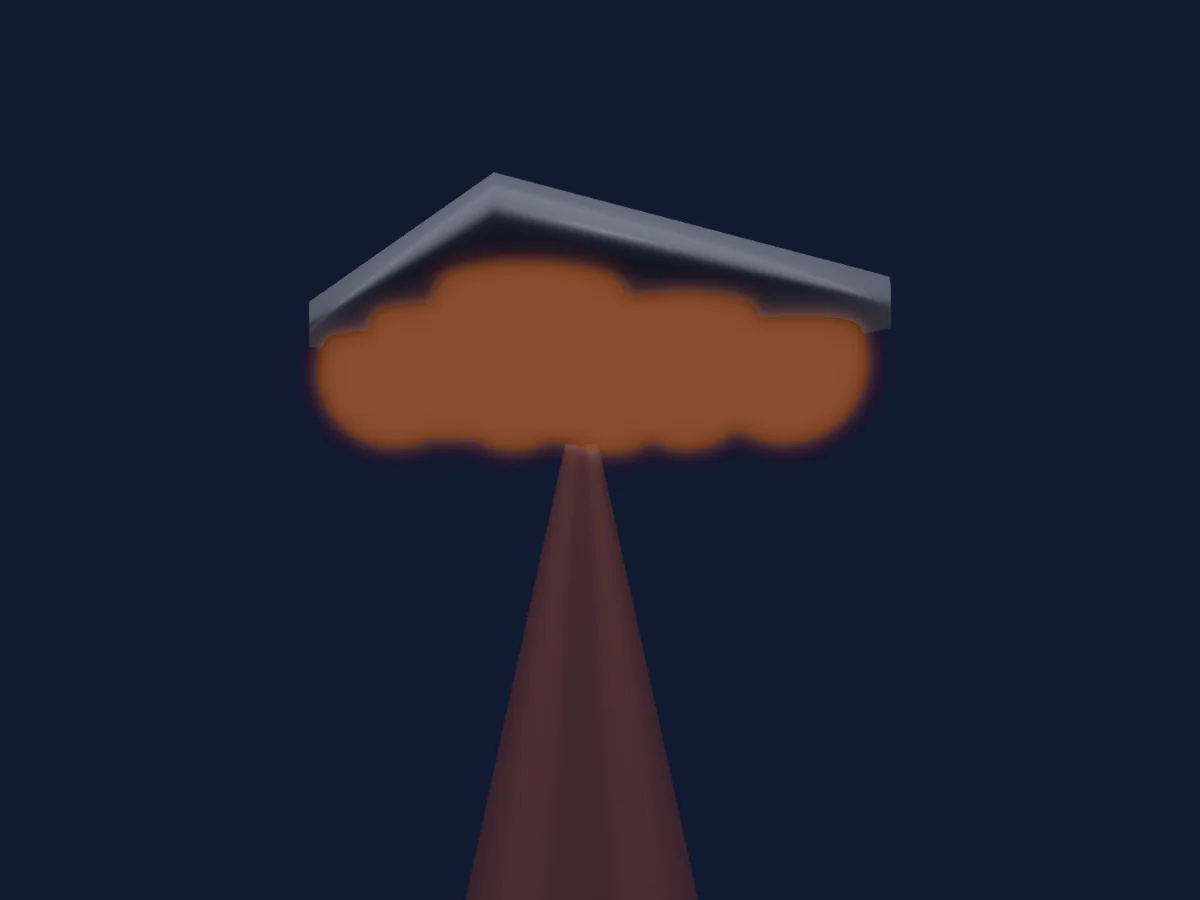
O que ele faz
- Cores de LED adicionais
- Controle de pixels
Modos DMX e tabelas de canais
| Modo | Canais | No HitLight |
|---|---|---|
| 72Ch | 72 | Pronto no HitLight |
72Ch
Pronto no HitLight72 canais DMX · Baixar esta tabela em CSV
| Canal | Função | Padrão | Valores DMX |
|---|---|---|---|
| 1 | Color Add CW | 0 | 0–255 |
| 2 | Color Add WW | 0 | 0–255 |
| 3 | Color Add CW | 0 | 0–255 |
| 4 | Color Add WW | 0 | 0–255 |
| 5 | Color Add CW | 0 | 0–255 |
| 6 | Color Add WW | 0 | 0–255 |
| 7 | Color Add CW | 0 | 0–255 |
| 8 | Color Add WW | 0 | 0–255 |
| 9 | Color Add CW | 0 | 0–255 |
| 10 | Color Add WW | 0 | 0–255 |
| 11 | Color Add CW | 0 | 0–255 |
| 12 | Color Add WW | 0 | 0–255 |
| 13 | Color Add CW | 0 | 0–255 |
| 14 | Color Add WW | 0 | 0–255 |
| 15 | Color Add CW | 0 | 0–255 |
| 16 | Color Add WW | 0 | 0–255 |
| 17 | Color Add CW | 0 | 0–255 |
| 18 | Color Add WW | 0 | 0–255 |
| 19 | Red | 0 | 0–255 |
| 20 | Green | 0 | 0–255 |
| 21 | Blue | 0 | 0–255 |
| 22 | Red | 0 | 0–255 |
| 23 | Green | 0 | 0–255 |
| 24 | Blue | 0 | 0–255 |
| 25 | Red | 0 | 0–255 |
| 26 | Green | 0 | 0–255 |
| 27 | Blue | 0 | 0–255 |
| 28 | Red | 0 | 0–255 |
| 29 | Green | 0 | 0–255 |
| 30 | Blue | 0 | 0–255 |
| 31 | Red | 0 | 0–255 |
| 32 | Green | 0 | 0–255 |
| 33 | Blue | 0 | 0–255 |
| 34 | Red | 0 | 0–255 |
| 35 | Green | 0 | 0–255 |
| 36 | Blue | 0 | 0–255 |
| 37 | Red | 0 | 0–255 |
| 38 | Green | 0 | 0–255 |
| 39 | Blue | 0 | 0–255 |
| 40 | Red | 0 | 0–255 |
| 41 | Green | 0 | 0–255 |
| 42 | Blue | 0 | 0–255 |
| 43 | Red | 0 | 0–255 |
| 44 | Green | 0 | 0–255 |
| 45 | Blue | 0 | 0–255 |
| 46 | Red | 0 | 0–255 |
| 47 | Green | 0 | 0–255 |
| 48 | Blue | 0 | 0–255 |
| 49 | Red | 0 | 0–255 |
| 50 | Green | 0 | 0–255 |
| 51 | Blue | 0 | 0–255 |
| 52 | Red | 0 | 0–255 |
| 53 | Green | 0 | 0–255 |
| 54 | Blue | 0 | 0–255 |
| 55 | Red | 0 | 0–255 |
| 56 | Green | 0 | 0–255 |
| 57 | Blue | 0 | 0–255 |
| 58 | Red | 0 | 0–255 |
| 59 | Green | 0 | 0–255 |
| 60 | Blue | 0 | 0–255 |
| 61 | Red | 0 | 0–255 |
| 62 | Green | 0 | 0–255 |
| 63 | Blue | 0 | 0–255 |
| 64 | Red | 0 | 0–255 |
| 65 | Green | 0 | 0–255 |
| 66 | Blue | 0 | 0–255 |
| 67 | Red | 0 | 0–255 |
| 68 | Green | 0 | 0–255 |
| 69 | Blue | 0 | 0–255 |
| 70 | Red | 0 | 0–255 |
| 71 | Green | 0 | 0–255 |
| 72 | Blue | 0 | 0–255 |
Usar Eurolite Atmo Blinder 9 no HitLight
- Abra Adicionar refletor e procure Eurolite Atmo Blinder 9.
- Escolha o modo DMX configurado no menu do próprio refletor. O HitLight atribui a ele o menor endereço inicial livre do universo que comporta a quantidade de canais do modo.
- Confira o modo e os controles no seu refletor real antes de usar ao vivo.
Refletores relacionados
Blinder
Eurolite Audience Blinder 4x100W
8 canais DMX
Blinder
Eurolite Audience Blinder 2x100W COB WW
2 canais DMX
Blinder
Eurolite Audience Blinder 2x100W
8 canais DMX
Blinder
Eurolite SUNSET IP EYE 1
1 / 4 / 8 / 10 / 12 canais DMX
Blinder
Eurolite SUNSET IP Bar 12 Blinder
1 / 12 / 16 / 21 / 24 / 34 canais DMX
Blinder
Eurolite Blinder 2x250W
1 canal DMX
As tabelas vêm da descrição GDTF do refletor, convertida para a biblioteca do HitLight. O HitLight não tem vínculo com a Eurolite.