Pular para o conteúdo
HitLight
Martin Professional · Luz de efeito

Martin Professional Atomic 3K LED

Tabela DMX, 3 modos DMX e prévia em 3D. 3 / 4 / 14 canais DMX.
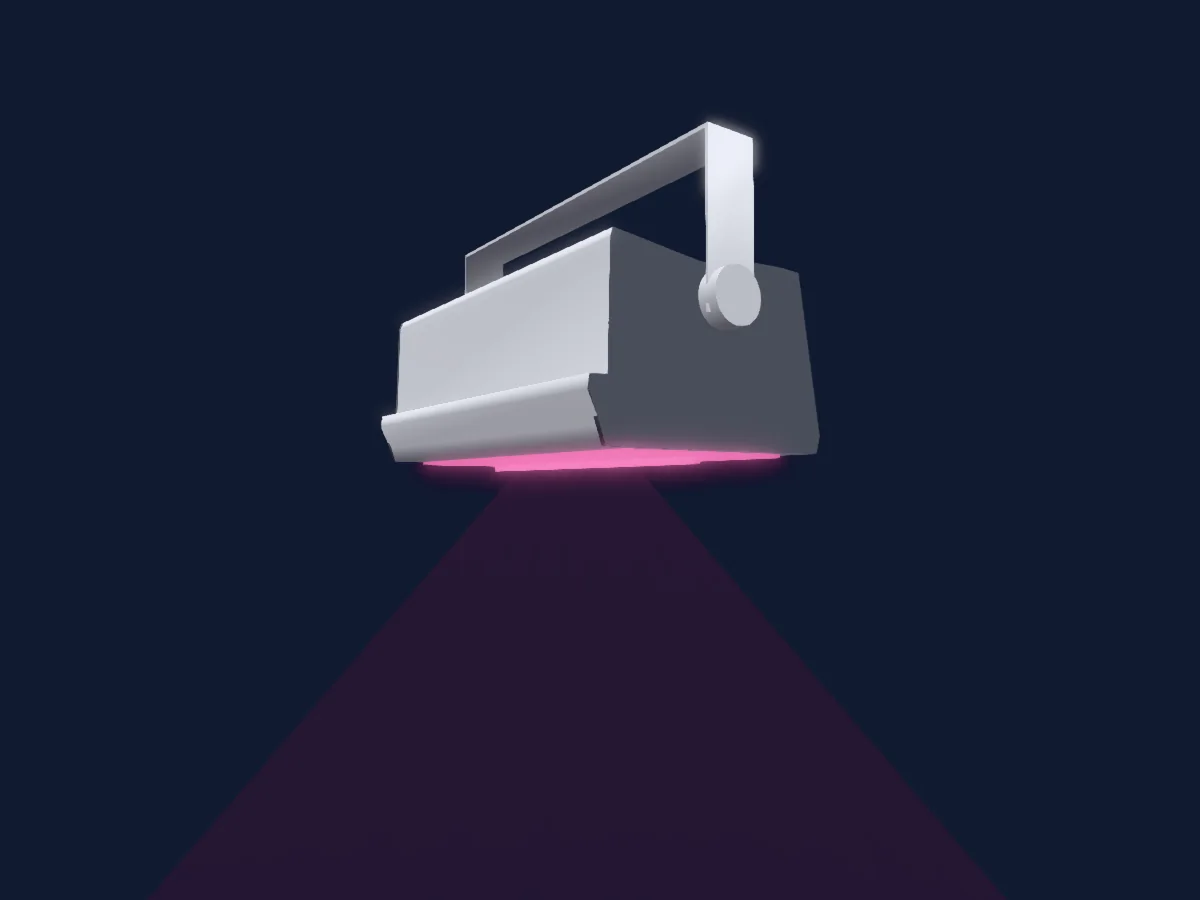
Martin Professional Atomic 3K LED renderizado no HitLight

O que ele faz

  • Mistura de cores RGB
  • Roda de cores
  • Dimmer

Funções relevantes para a segurança: Reset do refletor · Programas de efeitos integrados. Confira como elas se comportam no seu refletor antes de um show.

Modos DMX e tabelas de canais

Modos DMX de Martin Professional Atomic 3K LED
ModoCanaisNo HitLight
3-Channel DMX Mode3Pronto no HitLight
4-Channel DMX Mode4Pronto no HitLight
Extended DMX Mode14Pronto no HitLight

3-Channel DMX Mode

Pronto no HitLight

3 canais DMX · Baixar esta tabela em CSV

Tabela de canais DMX de 3-Channel DMX Mode
CanalFunçãoPadrãoValores DMX
1Dimmer0
5 faixas de valores
  • 0–62 Closed
  • 63–126 25%
  • 127–190 50%
  • 191–254 75%
  • 255–255 Open
2Strobe Duration0
2 faixas de valores
  • 0–254 0 ms
  • 255–255 650 ms
3Strobe Rate0
2 faixas de valores
  • 0–254 Min Rate
  • 255–255 Max Rate

4-Channel DMX Mode

Pronto no HitLight

4 canais DMX · Baixar esta tabela em CSV

Tabela de canais DMX de 4-Channel DMX Mode
CanalFunçãoPadrãoValores DMX
1Dimmer0
5 faixas de valores
  • 0–62 Closed
  • 63–126 25%
  • 127–190 50%
  • 191–254 75%
  • 255–255 Open
2Strobe Duration0
2 faixas de valores
  • 0–254 0 ms
  • 255–255 650 ms
3Strobe Rate0
2 faixas de valores
  • 0–254 Min Rate
  • 255–255 Max Rate
4Effect0
13 faixas de valores
  • 0–5 No effect
  • 6–41 Ramp up Min
  • 42–42 Ramp up Max
  • 43–84 Ramp down Min
  • 85–85 Ramp down Max
  • 86–127 Ramp up down Min
  • 128–128 Ramp up down Max
  • 129–170 Random Min
  • 171–171 Random Max
  • 172–213 Lightning Min
  • 214–214 Lightning Max
  • 215–254 Spikes Min
  • 255–255 Spikes Max

Extended DMX Mode

Pronto no HitLight

14 canais DMX · Baixar esta tabela em CSV

Tabela de canais DMX de Extended DMX Mode
CanalFunçãoPadrãoValores DMX
1Dimmer0
5 faixas de valores
  • 0–62 Closed
  • 63–126 25%
  • 127–190 50%
  • 191–254 75%
  • 255–255 Open
2Strobe Duration0
2 faixas de valores
  • 0–254 0 ms
  • 255–255 650 ms
3Strobe Rate0
2 faixas de valores
  • 0–254 Min Rate
  • 255–255 Max Rate
4Effect0
13 faixas de valores
  • 0–5 No effect
  • 6–41 Ramp up Min
  • 42–42 Ramp up Max
  • 43–84 Ramp down Min
  • 85–85 Ramp down Max
  • 86–127 Ramp up down Min
  • 128–128 Ramp up down Max
  • 129–170 Random Min
  • 171–171 Random Max
  • 172–213 Lightning Min
  • 214–214 Lightning Max
  • 215–254 Spikes Min
  • 255–255 Spikes Max
5Control10
21 faixas de valores
  • 0–9 No function
  • 10–14 Reset entire fixture (5sec)
  • 15–22 No function
  • 23–23 Linear dimming curve - 1sec
  • 24–24 Square law dimming curve - 1sec
  • 25–25 Inverse square law dimming curve - 1sec
  • 26–26 S-curve dimming curve - 1sec
  • 27–35 No function
  • 36–36 Enable video tracking
  • 37–37 Disable video tracking
  • 38–51 No function
  • 52–52 Turn on control panel display - 1sec
  • 53–53 Turn off control panel display - 1sec
  • 54–54 Regulated fans speed
  • 55–55 Fixed fan speed = full
  • 56–56 Fixed fan speed = medium
  • 57–57 Fixed fan speed = low
  • 58–58 Fixed fan speed = ultra low
  • 59–59 Strobe behaviour = LED
  • 60–60 Strobe behaviour = Xenon
  • 61–255 No function
6Effect0
64 faixas de valores
  • 0–0 No function
  • 1–1 Wave (sine wave)
  • 2–2 Step (50/50 on/off)
  • 3–3 Pulse
  • 4–5 No function
  • 6–6 Double strobe
  • 7–7 Triple strobe
  • 8–10 No function
  • 11–11 up-down-flash
  • 12–12 up-flash-down-flash
  • 13–13 Random levels
  • 14–19 No function
  • 20–20 House light
  • 21–50 No function
  • 51–51 Aura pulse
  • 52–53 No function
  • 54–54 Aura ramp
  • 55–55 No function
  • 56–56 Rainbow wave
  • 57–57 Rainbow step
  • 58–58 Rainbow pulse
  • 59–60 No function
  • 61–61 RGB wave
  • 62–62 RGB step
  • 63–63 RGB pulse
  • 64–65 No function
  • 66–66 CMY wave
  • 67–67 CMY step
  • 68–68 CMY pulse
  • 69–70 No function
  • 71–71 Mix to white wave
  • 72–72 Mix to white step
  • 73–73 Mix to white pulse
  • 74–75 No function
  • 76–76 Random mix wave
  • 77–77 Random mix step
  • 78–78 Random mix pulse
  • 79–80 No function
  • 81–81 Random subtle wave
  • 82–83 No function
  • 84–84 Red white blue fade
  • 85–85 Red white blue snaps
  • 86–95 No function
  • 96–96 Fire
  • 97–97 Water
  • 98–98 Ice
  • 99–99 Hot and cold
  • 100–100 Warm and fuzzy
  • 101–101 Silver and gold
  • 102–102 Gold and silver
  • 103–103 No function
  • 104–104 Circular chase slim
  • 105–105 Circular chase wide
  • 106–107 No function
  • 108–108 Double circular chase slim
  • 109–109 Double circular chase wide
  • 110–111 No function
  • 112–112 Vertical scroll
  • 113–113 Horizontal scroll (L/R)
  • 114–115 No function
  • 116–116 Knight Rider slim
  • 117–117 Knight Rider wide
  • 118–118 Knight Ruder slim with CW
  • 119–119 No function
7Effects1Adjust10
3 faixas de valores
  • 0–126 Effect reversed fast -> slow
  • 127–128 Effect stops
  • 129–255 Effect slow -> fast
8Effects1Pos Rotate0
41 faixas de valores
  • 0–0 No sync
  • 1–1 Offset shift 10
  • 2–2 Offset shift 20
  • 3–3 Offset shift 30
  • 4–4 Offset shift 40
  • 5–5 Offset shift 50
  • 6–6 Offset shift 60
  • 7–7 Offset shift 70
  • 8–8 Offset shift 80
  • 9–9 Offset shift 90
  • 10–10 Offset shift 100
  • 11–11 Offset shift 110
  • 12–12 Offset shift 120
  • 13–13 Offset shift 130
  • 14–14 Offset shift 140
  • 15–15 Offset shift 150
  • 16–16 Offset shift 160
  • 17–17 Offset shift 170
  • 18–18 Offset shift 180
  • 19–19 Offset shift 190
  • 20–20 Offset shift 200
  • 21–21 Offset shift 210
  • 22–22 Offset shift 220
  • 23–23 Offset shift 230
  • 24–24 Offset shift 240
  • 25–25 Offset shift 250
  • 26–26 Offset shift 260
  • 27–27 Offset shift 270
  • 28–28 Offset shift 280
  • 29–29 Offset shift 290
  • 30–30 Offset shift 300
  • 31–31 Offset shift 310
  • 32–32 Offset shift 320
  • 33–33 Offset shift 330
  • 34–34 Offset shift 340
  • 35–35 Offset shift 350
  • 36–36 Synchronized: all fixtures start FX cycles at same time
  • 37–100 No function
  • 101–120 Random start
  • 121–140 Random duration
  • 141–255 No function
9Shutter1Strobe30
9 faixas de valores
  • 0–19 Closed
  • 20–49 Open
  • 50–124 Slow
  • 125–199 Medium
  • 200–200 Fast
  • 201–210 Open
  • 211–232 Slow
  • 233–254 Medium
  • 255–255 Fast
10Dimmer0
5 faixas de valores
  • 0–62 Closed
  • 63–126 25%
  • 127–190 50%
  • 191–254 75%
  • 255–255 Open
11Red255
5 faixas de valores
  • 0–62 Min
  • 63–126 25%
  • 127–190 50%
  • 191–254 75%
  • 255–255 Max
12Green255
5 faixas de valores
  • 0–62 Min
  • 63–126 25%
  • 127–190 50%
  • 191–254 75%
  • 255–255 100%
13Blue255
5 faixas de valores
  • 0–62 Min
  • 63–126 25%
  • 127–190 50%
  • 191–254 75%
  • 255–255 Max
14Color Macro100–255

Usar Martin Professional Atomic 3K LED no HitLight

  1. Abra Adicionar refletor e procure Martin Professional Atomic 3K LED.
  2. Escolha o modo DMX configurado no menu do próprio refletor. O HitLight atribui a ele o menor endereço inicial livre do universo que comporta a quantidade de canais do modo.
  3. Confira o modo e os controles no seu refletor real antes de usar ao vivo.

As tabelas vêm da descrição GDTF do refletor, convertida para a biblioteca do HitLight. O HitLight não tem vínculo com a Martin Professional.

Faça o patch e deixe a música comandar as luzes.

O HitLight encontra esses refletores na biblioteca, faz o patch no próximo endereço livre e mostra seu rig em 3D antes de você ligar uma única luz.

Abrir HitLight ↗Baixar o HitLight