Skip to content
HitLight
Cameo · Moving head

Cameo ZIYA 400 COB

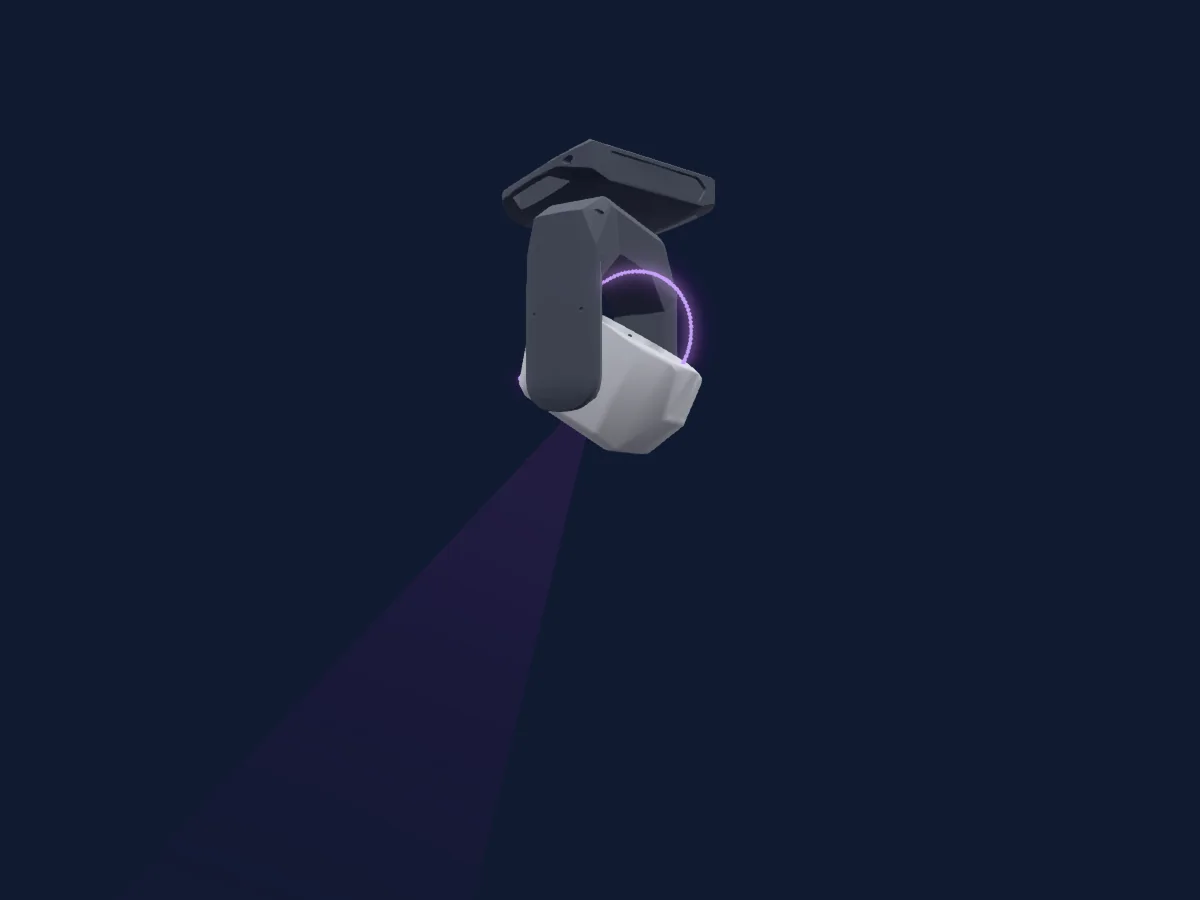
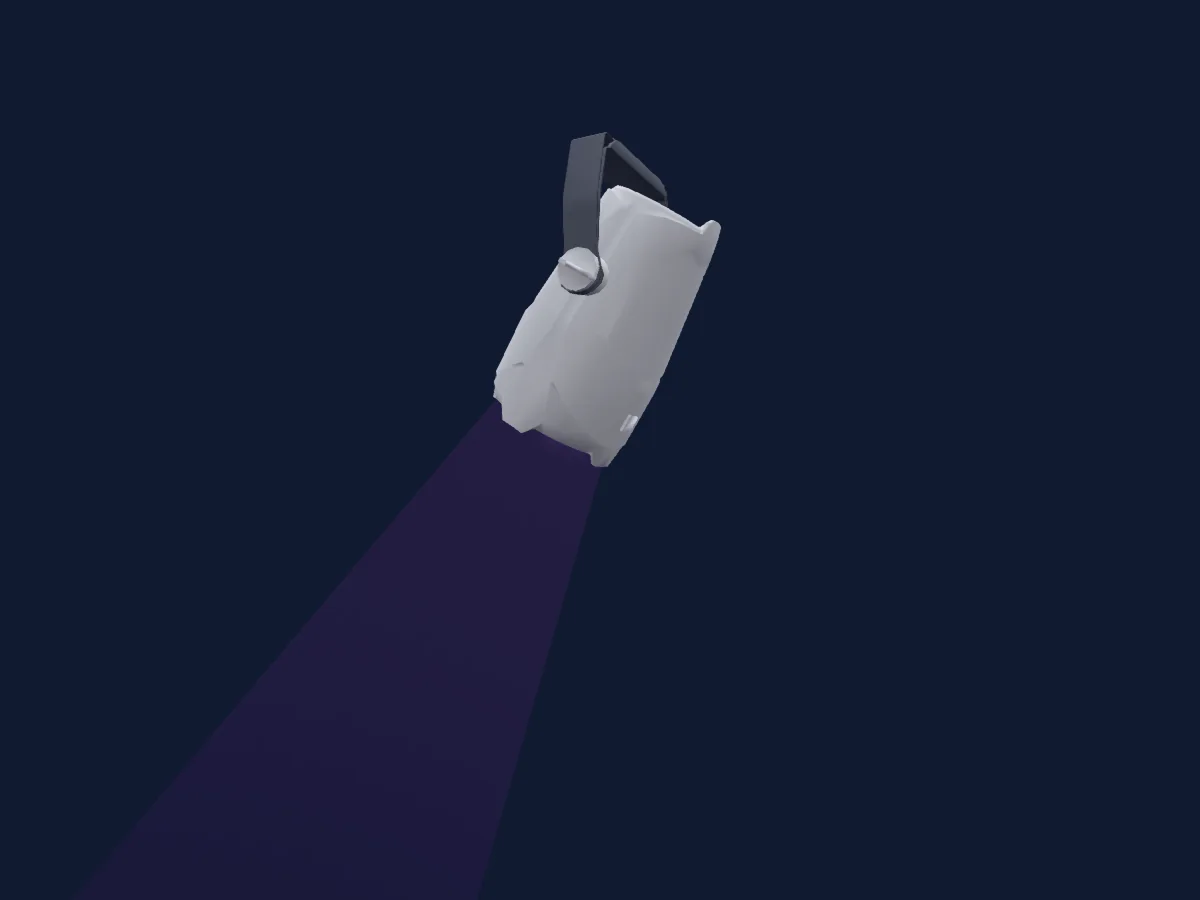
DMX chart, 11 DMX modes and a 3D preview. 3 / 4 / 5 / 7 / 10 / 13 / 20 DMX channels.
What it can do

  • Zoom
  • Extra LED colours
  • RGB colour mixing
  • Colour temperature
  • Colour wheel
  • Effect speed
  • Strobe
  • Dimmer
  • Pixel control

Safety-relevant functions: Fixture reset · Service functions. Check how these behave on your own fixture before a show.

DMX modes and channel charts

DMX modes of Cameo ZIYA 400 COB
ModeChannelsIn HitLight
3Ch Unisens3Ready in HitLight
4 Ch Preset4Ready in HitLight
4 Ch RGB4Ready in HitLight
5Ch CCT5Ready in HitLight
D5 Ch Preset5Ready in HitLight
D5 Ch RGB5Ready in HitLight
7 Ch Direct7Ready in HitLight
10 Ch RGB-CCT10Ready in HitLight
13 Ch Direct 16Bit13Ready in HitLight
13 Ch Direct CCT13Ready in HitLight
20 Ch Full20Ready in HitLight

3Ch Unisens

Ready in HitLight

3 DMX channels · Download this chart as CSV

DMX channel chart for 3Ch Unisens
ChannelFunctionDefaultDMX values
1Dimmer00–255
2Dimmer Fine0Fine byte of Dimmer
3Zoom00–255

4 Ch Preset

Ready in HitLight

4 DMX channels · Download this chart as CSV

DMX channel chart for 4 Ch Preset
ChannelFunctionDefaultDMX values
1Dimmer00–255
2Shutter / Strobe0
22 value ranges
  • 0–5 Open (react to dimmer CH1)
  • 6–10 Close
  • 11–21 Ramp up/down strobe · Slow 0.5–4.59 Hz
  • 22–22 Ramp up/down strobe · Fast2 5 Hz
  • 23–32 Ramp up/down Random · Slow 0.5–4.55 Hz
  • 33–33 Ramp up/down Random · Fast 5 Hz
  • 34–44 Ramp up strobe · Slow 0.5–4.59 Hz
  • 45–45 Ramp up strobe · Fast 5 Hz
  • 46–55 Ramp up random · Slow 0.5–4.55 Hz
  • 56–56 Ramp up random · Fast 5 Hz
  • 57–67 Ramp down strobe · Slow 0.5–4.59 Hz
  • 68–68 Ramp down strobe · Fast 5 Hz
  • 69–78 Ramp down Random · Slow 0.5–4.55 Hz
  • 79–79 Ramp down Random · Fast 5 Hz
  • 80–101 Random Strobe Effect · Slow 0.5–4.8 Hz
  • 102–102 Random Strobe Effect · Fast 5 Hz
  • 103–126 Strobe Break Effekt · 5s Short burst with break 1.5–4.85 Hz
  • 127–127 Strobe Break Effekt · 1s Short burst with break 5 Hz
  • 128–128 Strobe Linear · Slow 1Hz 1 Hz
  • 129–249 Strobe Linear · 1-20 Hz 1.16–19.8 Hz
  • 250–250 Strobe Linear · Fast 20Hz 20 Hz
  • 255–255 Open
3Color Wheel113
23 value ranges
  • 0–5 Color off (wheel slot 1)
  • 6–13 Red (wheel slot 2)
  • 14–21 Amber (wheel slot 3)
  • 22–29 Yellow warm (wheel slot 4)
  • 30–37 Yellow (wheel slot 5)
  • 38–45 Green (wheel slot 6)
  • 46–53 Turquoise (wheel slot 7)
  • 54–61 Cyan (wheel slot 8)
  • 62–69 Blue (wheel slot 9)
  • 70–77 Lavender (wheel slot 10)
  • 78–85 Mauve (wheel slot 11)
  • 86–93 Magenta (wheel slot 12)
  • 94–101 Pink (wheel slot 13)
  • 102–109 Warm white (wheel slot 14)
  • 110–117 White (wheel slot 15)
  • 118–125 Cold white (wheel slot 16)
  • 126–156 Jumping fast to slow
  • 157–157 Stop
  • 158–188 Jumping slow to fast backward
  • 189–219 fadeding fast to slow
  • 220–220 Stop
  • 221–251 fadeding slow to fast backward
  • 252–255 No function
4Zoom00–255

4 Ch RGB

Ready in HitLight

4 DMX channels · Download this chart as CSV

DMX channel chart for 4 Ch RGB
ChannelFunctionDefaultDMX values
1Red2550–255
2Green2550–255
3Blue2550–255
4Zoom00–255

5Ch CCT

Ready in HitLight

5 DMX channels · Download this chart as CSV

DMX channel chart for 5Ch CCT
ChannelFunctionDefaultDMX values
1Dimmer00–255
2Dimmer Fine0Fine byte of Dimmer
3C TC0
14 value ranges
  • 0–5 Off
  • 6–6 Warm white
  • 7–46 Warm white to 2700K
  • 47–47 Bulb White (2700K)
  • 48–87 2700K to 3200K
  • 88–88 Halogen White (3200K)
  • 89–128 3200K to 4000K
  • 129–129 Neutral White (4000K)
  • 130–169 4000K to 5600K
  • 170–170 Studio White (5600K)
  • 171–210 5600K to 6500K
  • 211–211 Daylight White (6500K)
  • 212–251 6500K to Cold white
  • 252–255 Cold white
4Tint128
4 value ranges
  • 0–0 Off
  • 1–127 Magenta -> Neutral
  • 128–128 neutral
  • 129–255 Neutral -> Green
5Zoom00–255

D5 Ch Preset

Ready in HitLight

5 DMX channels · Download this chart as CSV

DMX channel chart for D5 Ch Preset
ChannelFunctionDefaultDMX values
1Dimmer00–255
2Shutter / Strobe0
22 value ranges
  • 0–5 Open (react to dimmer CH1)
  • 6–10 Close
  • 11–21 Ramp up/down strobe · Slow 0.5–4.59 Hz
  • 22–22 Ramp up/down strobe · Fast2 5 Hz
  • 23–32 Ramp up/down Random · Slow 0.5–4.55 Hz
  • 33–33 Ramp up/down Random · Fast 5 Hz
  • 34–44 Ramp up strobe · Slow 0.5–4.59 Hz
  • 45–45 Ramp up strobe · Fast 5 Hz
  • 46–55 Ramp up random · Slow 0.5–4.55 Hz
  • 56–56 Ramp up random · Fast 5 Hz
  • 57–67 Ramp down strobe · Slow 0.5–4.59 Hz
  • 68–68 Ramp down strobe · Fast 5 Hz
  • 69–78 Ramp down Random · Slow 0.5–4.55 Hz
  • 79–79 Ramp down Random · Fast 5 Hz
  • 80–101 Random Strobe Effect · Slow 0.5–4.8 Hz
  • 102–102 Random Strobe Effect · Fast 5 Hz
  • 103–126 Strobe Break Effekt · 5s Short burst with break 1.5–4.85 Hz
  • 127–127 Strobe Break Effekt · 1s Short burst with break 5 Hz
  • 128–128 Strobe Linear · Slow 1Hz 1 Hz
  • 129–249 Strobe Linear · 1-20 Hz 1.16–19.8 Hz
  • 250–250 Strobe Linear · Fast 20Hz 20 Hz
  • 255–255 Open
3Color Wheel113
23 value ranges
  • 0–5 Color off (wheel slot 1)
  • 6–13 Red (wheel slot 2)
  • 14–21 Amber (wheel slot 3)
  • 22–29 Yellow warm (wheel slot 4)
  • 30–37 Yellow (wheel slot 5)
  • 38–45 Green (wheel slot 6)
  • 46–53 Turquoise (wheel slot 7)
  • 54–61 Cyan (wheel slot 8)
  • 62–69 Blue (wheel slot 9)
  • 70–77 Lavender (wheel slot 10)
  • 78–85 Mauve (wheel slot 11)
  • 86–93 Magenta (wheel slot 12)
  • 94–101 Pink (wheel slot 13)
  • 102–109 Warm white (wheel slot 14)
  • 110–117 White (wheel slot 15)
  • 118–125 Cold white (wheel slot 16)
  • 126–156 Jumping fast to slow
  • 157–157 Stop
  • 158–188 Jumping slow to fast backward
  • 189–219 fadeding fast to slow
  • 220–220 Stop
  • 221–251 fadeding slow to fast backward
  • 252–255 No function
4Zoom00–255
5Effect Speed0
2 value ranges
  • 0–5 Off (no Delay)
  • 6–255 0;1s to 2s

D5 Ch RGB

Ready in HitLight

5 DMX channels · Download this chart as CSV

DMX channel chart for D5 Ch RGB
ChannelFunctionDefaultDMX values
1Red2550–255
2Green2550–255
3Blue2550–255
4Zoom00–255
5Effect Speed0
2 value ranges
  • 0–5 Off (no Delay)
  • 6–255 0;1s to 2s

7 Ch Direct

Ready in HitLight

7 DMX channels · Download this chart as CSV

DMX channel chart for 7 Ch Direct
ChannelFunctionDefaultDMX values
1Red2550–255
2Green2550–255
3Blue2550–255
4Color Add RY2550–255
5Color Add GY2550–255
6Color Add C2550–255
7Zoom00–255

10 Ch RGB-CCT

Ready in HitLight

10 DMX channels · Download this chart as CSV

DMX channel chart for 10 Ch RGB-CCT
ChannelFunctionDefaultDMX values
1Dimmer00–255
2Dimmer Fine0Fine byte of Dimmer
3Shutter / Strobe0
22 value ranges
  • 0–5 Open (react to dimmer CH1)
  • 6–10 Close
  • 11–21 Ramp up/down strobe · Slow 0.5–4.59 Hz
  • 22–22 Ramp up/down strobe · Fast2 5 Hz
  • 23–32 Ramp up/down Random · Slow 0.5–4.55 Hz
  • 33–33 Ramp up/down Random · Fast 5 Hz
  • 34–44 Ramp up strobe · Slow 0.5–4.59 Hz
  • 45–45 Ramp up strobe · Fast 5 Hz
  • 46–55 Ramp up random · Slow 0.5–4.55 Hz
  • 56–56 Ramp up random · Fast 5 Hz
  • 57–67 Ramp down strobe · Slow 0.5–4.59 Hz
  • 68–68 Ramp down strobe · Fast 5 Hz
  • 69–78 Ramp down Random · Slow 0.5–4.55 Hz
  • 79–79 Ramp down Random · Fast 5 Hz
  • 80–101 Random Strobe Effect · Slow 0.5–4.8 Hz
  • 102–102 Random Strobe Effect · Fast 5 Hz
  • 103–126 Strobe Break Effekt · 5s Short burst with break 1.5–4.85 Hz
  • 127–127 Strobe Break Effekt · 1s Short burst with break 5 Hz
  • 128–128 Strobe Linear · Slow 1Hz 1 Hz
  • 129–249 Strobe Linear · 1-20 Hz 1.16–19.8 Hz
  • 250–250 Strobe Linear · Fast 20Hz 20 Hz
  • 255–255 Open
4Red2550–255
5Green2550–255
6Blue2550–255
7C TC0
14 value ranges
  • 0–5 Off
  • 6–6 Warm white
  • 7–46 Warm white to 2700K
  • 47–47 Bulb White (2700K)
  • 48–87 2700K to 3200K
  • 88–88 Halogen White (3200K)
  • 89–128 3200K to 4000K
  • 129–129 Neutral White (4000K)
  • 130–169 4000K to 5600K
  • 170–170 Studio White (5600K)
  • 171–210 5600K to 6500K
  • 211–211 Daylight White (6500K)
  • 212–251 6500K to Cold white
  • 252–255 Cold white
8Tint128
4 value ranges
  • 0–0 Off
  • 1–127 Magenta -> Neutral
  • 128–128 neutral
  • 129–255 Neutral -> Green
9Zoom00–255
10Control10
46 value ranges
  • 0–24 No function
  • 25–25 Record User Color 1 (hold 3s)
  • 26–26 Record User Color 2 (hold 3s)
  • 27–27 Record User Color 3 (hold 3s)
  • 28–28 Record User Color 4 (hold 3s)
  • 29–29 Record User Color 5 (hold 3s)
  • 30–30 Record User Color 6 (hold 3s)
  • 31–31 Record User Color 7 (hold 3s)
  • 32–32 Record User Color 8 (hold 3s)
  • 33–73 No function
  • 74–75 Response LED
  • 76–81 Response Halogen
  • 82–83 DTW (Redshift) On
  • 84–85 DTW (Redshift) Off
  • 86–93 No function
  • 94–95 Silent movement On
  • 96–97 Silent movement Off
  • 98–99 Auto
  • 100–101 Off
  • 102–105 Constant Low
  • 106–107 Fan Constant High
  • 108–119 No function
  • 120–121 PWM 1 (650 Hz) (hold 3s)
  • 122–123 PWM 2 (1530 Hz) (hold 3s)
  • 124–125 PWM 3(3600 Hz) (hold 3s)
  • 126–127 PWM 4 (12000 Hz) (hold 3s)
  • 128–129 PWM 5 (18900 Hz) (hold 3s)
  • 130–131 PWM 6 (25000 Hz) (hold 3s)
  • 132–133 RAW
  • 134–135 Factory Calibration
  • 136–137 User Calibrated
  • 138–139 Smart Calibration
  • 140–141 Display on
  • 142–143 Display off
  • 144–163 No function
  • 164–165 Dimmer Curve Linear
  • 166–167 Dimmer Curve Exponential
  • 168–169 Dimmer Curve Logarithmic
  • 170–171 Dimmer Curve S-Curve
  • 172–235 No function
  • 236–239 Reset All
  • 240–243 Factory Default set (except DMX-Address;DMX-Mode) (hold 3s)
  • 244–245 Default A-User set
  • 246–247 Default B-User set
  • 248–249 Default C-User set
  • 250–255 No function

13 Ch Direct 16Bit

Ready in HitLight

13 DMX channels · Download this chart as CSV

DMX channel chart for 13 Ch Direct 16Bit
ChannelFunctionDefaultDMX values
1Red2550–255
2Red Fine255Fine byte of Red
3Green2550–255
4Green Fine255Fine byte of Green
5Blue2550–255
6Blue Fine255Fine byte of Blue
7Color Add RY2550–255
8Color Add RY Fine255Fine byte of Color Add RY
9Color Add GY2550–255
10Color Add GY Fine255Fine byte of Color Add GY
11Color Add C2550–255
12Color Add C Fine255Fine byte of Color Add C
13Zoom00–255

13 Ch Direct CCT

Ready in HitLight

13 DMX channels · Download this chart as CSV

DMX channel chart for 13 Ch Direct CCT
ChannelFunctionDefaultDMX values
1Dimmer00–255
2Dimmer Fine0Fine byte of Dimmer
3Shutter / Strobe0
22 value ranges
  • 0–5 Open (react to dimmer CH1)
  • 6–10 Close
  • 11–21 Ramp up/down strobe · Slow 0.5–4.59 Hz
  • 22–22 Ramp up/down strobe · Fast2 5 Hz
  • 23–32 Ramp up/down Random · Slow 0.5–4.55 Hz
  • 33–33 Ramp up/down Random · Fast 5 Hz
  • 34–44 Ramp up strobe · Slow 0.5–4.59 Hz
  • 45–45 Ramp up strobe · Fast 5 Hz
  • 46–55 Ramp up random · Slow 0.5–4.55 Hz
  • 56–56 Ramp up random · Fast 5 Hz
  • 57–67 Ramp down strobe · Slow 0.5–4.59 Hz
  • 68–68 Ramp down strobe · Fast 5 Hz
  • 69–78 Ramp down Random · Slow 0.5–4.55 Hz
  • 79–79 Ramp down Random · Fast 5 Hz
  • 80–101 Random Strobe Effect · Slow 0.5–4.8 Hz
  • 102–102 Random Strobe Effect · Fast 5 Hz
  • 103–126 Strobe Break Effekt · 5s Short burst with break 1.5–4.85 Hz
  • 127–127 Strobe Break Effekt · 1s Short burst with break 5 Hz
  • 128–128 Strobe Linear · Slow 1Hz 1 Hz
  • 129–249 Strobe Linear · 1-20 Hz 1.16–19.8 Hz
  • 250–250 Strobe Linear · Fast 20Hz 20 Hz
  • 255–255 Open
4Red2550–255
5Green2550–255
6Blue2550–255
7Color Add RY2550–255
8Color Add GY2550–255
9Color Add C2550–255
10C TC0
14 value ranges
  • 0–5 Off
  • 6–6 Warm white
  • 7–46 Warm white to 2700K
  • 47–47 Bulb White (2700K)
  • 48–87 2700K to 3200K
  • 88–88 Halogen White (3200K)
  • 89–128 3200K to 4000K
  • 129–129 Neutral White (4000K)
  • 130–169 4000K to 5600K
  • 170–170 Studio White (5600K)
  • 171–210 5600K to 6500K
  • 211–211 Daylight White (6500K)
  • 212–251 6500K to Cold white
  • 252–255 Cold white
11Tint128
4 value ranges
  • 0–0 Off
  • 1–127 Magenta -> Neutral
  • 128–128 neutral
  • 129–255 Neutral -> Green
12Zoom00–255
13Control10
46 value ranges
  • 0–24 No function
  • 25–25 Record User Color 1 (hold 3s)
  • 26–26 Record User Color 2 (hold 3s)
  • 27–27 Record User Color 3 (hold 3s)
  • 28–28 Record User Color 4 (hold 3s)
  • 29–29 Record User Color 5 (hold 3s)
  • 30–30 Record User Color 6 (hold 3s)
  • 31–31 Record User Color 7 (hold 3s)
  • 32–32 Record User Color 8 (hold 3s)
  • 33–73 No function
  • 74–75 Response LED
  • 76–81 Response Halogen
  • 82–83 DTW (Redshift) On
  • 84–85 DTW (Redshift) Off
  • 86–93 No function
  • 94–95 Silent movement On
  • 96–97 Silent movement Off
  • 98–99 Auto
  • 100–101 Off
  • 102–105 Constant Low
  • 106–107 Fan Constant High
  • 108–119 No function
  • 120–121 PWM 1 (650 Hz) (hold 3s)
  • 122–123 PWM 2 (1530 Hz) (hold 3s)
  • 124–125 PWM 3(3600 Hz) (hold 3s)
  • 126–127 PWM 4 (12000 Hz) (hold 3s)
  • 128–129 PWM 5 (18900 Hz) (hold 3s)
  • 130–131 PWM 6 (25000 Hz) (hold 3s)
  • 132–133 RAW
  • 134–135 Factory Calibration
  • 136–137 User Calibrated
  • 138–139 Smart Calibration
  • 140–141 Display on
  • 142–143 Display off
  • 144–163 No function
  • 164–165 Dimmer Curve Linear
  • 166–167 Dimmer Curve Exponential
  • 168–169 Dimmer Curve Logarithmic
  • 170–171 Dimmer Curve S-Curve
  • 172–235 No function
  • 236–239 Reset All
  • 240–243 Factory Default set (except DMX-Address;DMX-Mode) (hold 3s)
  • 244–245 Default A-User set
  • 246–247 Default B-User set
  • 248–249 Default C-User set
  • 250–255 No function

20 Ch Full

Ready in HitLight

20 DMX channels · Download this chart as CSV

DMX channel chart for 20 Ch Full
ChannelFunctionDefaultDMX values
1Dimmer00–255
2Dimmer Fine0Fine byte of Dimmer
3Shutter / Strobe0
22 value ranges
  • 0–5 Open (react to dimmer CH1)
  • 6–10 Close
  • 11–21 Ramp up/down strobe · Slow 0.5–4.59 Hz
  • 22–22 Ramp up/down strobe · Fast2 5 Hz
  • 23–32 Ramp up/down Random · Slow 0.5–4.55 Hz
  • 33–33 Ramp up/down Random · Fast 5 Hz
  • 34–44 Ramp up strobe · Slow 0.5–4.59 Hz
  • 45–45 Ramp up strobe · Fast 5 Hz
  • 46–55 Ramp up random · Slow 0.5–4.55 Hz
  • 56–56 Ramp up random · Fast 5 Hz
  • 57–67 Ramp down strobe · Slow 0.5–4.59 Hz
  • 68–68 Ramp down strobe · Fast 5 Hz
  • 69–78 Ramp down Random · Slow 0.5–4.55 Hz
  • 79–79 Ramp down Random · Fast 5 Hz
  • 80–101 Random Strobe Effect · Slow 0.5–4.8 Hz
  • 102–102 Random Strobe Effect · Fast 5 Hz
  • 103–126 Strobe Break Effekt · 5s Short burst with break 1.5–4.85 Hz
  • 127–127 Strobe Break Effekt · 1s Short burst with break 5 Hz
  • 128–128 Strobe Linear · Slow 1Hz 1 Hz
  • 129–249 Strobe Linear · 1-20 Hz 1.16–19.8 Hz
  • 250–250 Strobe Linear · Fast 20Hz 20 Hz
  • 255–255 Open
4Red2550–255
5Red Fine255Fine byte of Red
6Green2550–255
7Green Fine255Fine byte of Green
8Blue2550–255
9Blue Fine255Fine byte of Blue
10Color Add RY2550–255
11Color Add RY Fine255Fine byte of Color Add RY
12Color Add GY2550–255
13Color Add GY Fine255Fine byte of Color Add GY
14Color Add C2550–255
15Color Add C Fine255Fine byte of Color Add C
16C TC0
14 value ranges
  • 0–5 Off
  • 6–6 Warm white
  • 7–46 Warm white to 2700K
  • 47–47 Bulb White (2700K)
  • 48–87 2700K to 3200K
  • 88–88 Halogen White (3200K)
  • 89–128 3200K to 4000K
  • 129–129 Neutral White (4000K)
  • 130–169 4000K to 5600K
  • 170–170 Studio White (5600K)
  • 171–210 5600K to 6500K
  • 211–211 Daylight White (6500K)
  • 212–251 6500K to Cold white
  • 252–255 Cold white
17Tint128
4 value ranges
  • 0–0 Off
  • 1–127 Magenta -> Neutral
  • 128–128 neutral
  • 129–255 Neutral -> Green
18Color Wheel0
23 value ranges
  • 0–5 Color off (wheel slot 1)
  • 6–13 Red (wheel slot 2)
  • 14–21 Amber (wheel slot 3)
  • 22–29 Yellow warm (wheel slot 4)
  • 30–37 Yellow (wheel slot 5)
  • 38–45 Green (wheel slot 6)
  • 46–53 Turquoise (wheel slot 7)
  • 54–61 Cyan (wheel slot 8)
  • 62–69 Blue (wheel slot 9)
  • 70–77 Lavender (wheel slot 10)
  • 78–85 Mauve (wheel slot 11)
  • 86–93 Magenta (wheel slot 12)
  • 94–101 Pink (wheel slot 13)
  • 102–109 Warm white (wheel slot 14)
  • 110–117 White (wheel slot 15)
  • 118–125 Cold white (wheel slot 16)
  • 126–156 Jumping fast to slow
  • 157–157 Stop
  • 158–188 Jumping slow to fast backward
  • 189–219 fadeding fast to slow
  • 220–220 Stop
  • 221–251 fadeding slow to fast backward
  • 252–255 No function
19Zoom00–255
20Control10
46 value ranges
  • 0–24 No function
  • 25–25 Record User Color 1 (hold 3s)
  • 26–26 Record User Color 2 (hold 3s)
  • 27–27 Record User Color 3 (hold 3s)
  • 28–28 Record User Color 4 (hold 3s)
  • 29–29 Record User Color 5 (hold 3s)
  • 30–30 Record User Color 6 (hold 3s)
  • 31–31 Record User Color 7 (hold 3s)
  • 32–32 Record User Color 8 (hold 3s)
  • 33–73 No function
  • 74–75 Response LED
  • 76–81 Response Halogen
  • 82–83 DTW (Redshift) On
  • 84–85 DTW (Redshift) Off
  • 86–93 No function
  • 94–95 Silent movement On
  • 96–97 Silent movement Off
  • 98–99 Auto
  • 100–101 Off
  • 102–105 Constant Low
  • 106–107 Fan Constant High
  • 108–119 No function
  • 120–121 PWM 1 (650 Hz) (hold 3s)
  • 122–123 PWM 2 (1530 Hz) (hold 3s)
  • 124–125 PWM 3(3600 Hz) (hold 3s)
  • 126–127 PWM 4 (12000 Hz) (hold 3s)
  • 128–129 PWM 5 (18900 Hz) (hold 3s)
  • 130–131 PWM 6 (25000 Hz) (hold 3s)
  • 132–133 RAW
  • 134–135 Factory Calibration
  • 136–137 User Calibrated
  • 138–139 Smart Calibration
  • 140–141 Display on
  • 142–143 Display off
  • 144–163 No function
  • 164–165 Dimmer Curve Linear
  • 166–167 Dimmer Curve Exponential
  • 168–169 Dimmer Curve Logarithmic
  • 170–171 Dimmer Curve S-Curve
  • 172–235 No function
  • 236–239 Reset All
  • 240–243 Factory Default set (except DMX-Address;DMX-Mode) (hold 3s)
  • 244–245 Default A-User set
  • 246–247 Default B-User set
  • 248–249 Default C-User set
  • 250–255 No function

Use the Cameo ZIYA 400 COB in HitLight

  1. Open Add fixture and search for Cameo ZIYA 400 COB.
  2. Choose the DMX mode set in the fixture’s own menu. HitLight gives it the lowest free start address on its universe that fits the mode’s channel count.
  3. Check the mode and controls against your real fixture before live use.

Charts come from the fixture’s GDTF description as converted for the HitLight library. HitLight is not affiliated with Cameo.

Patch it, then let the music run the lights.

HitLight finds these fixtures in its library, patches them on the next free address and previews your rig in 3D before a single light is plugged in.

Open HitLight ↗Download HitLight