Skip to content
HitLight
Chauvet Professional · Profile spot

Chauvet Professional Rogue R1X Spot

DMX chart, 2 DMX modes and a 3D preview. 16 / 19 DMX channels.
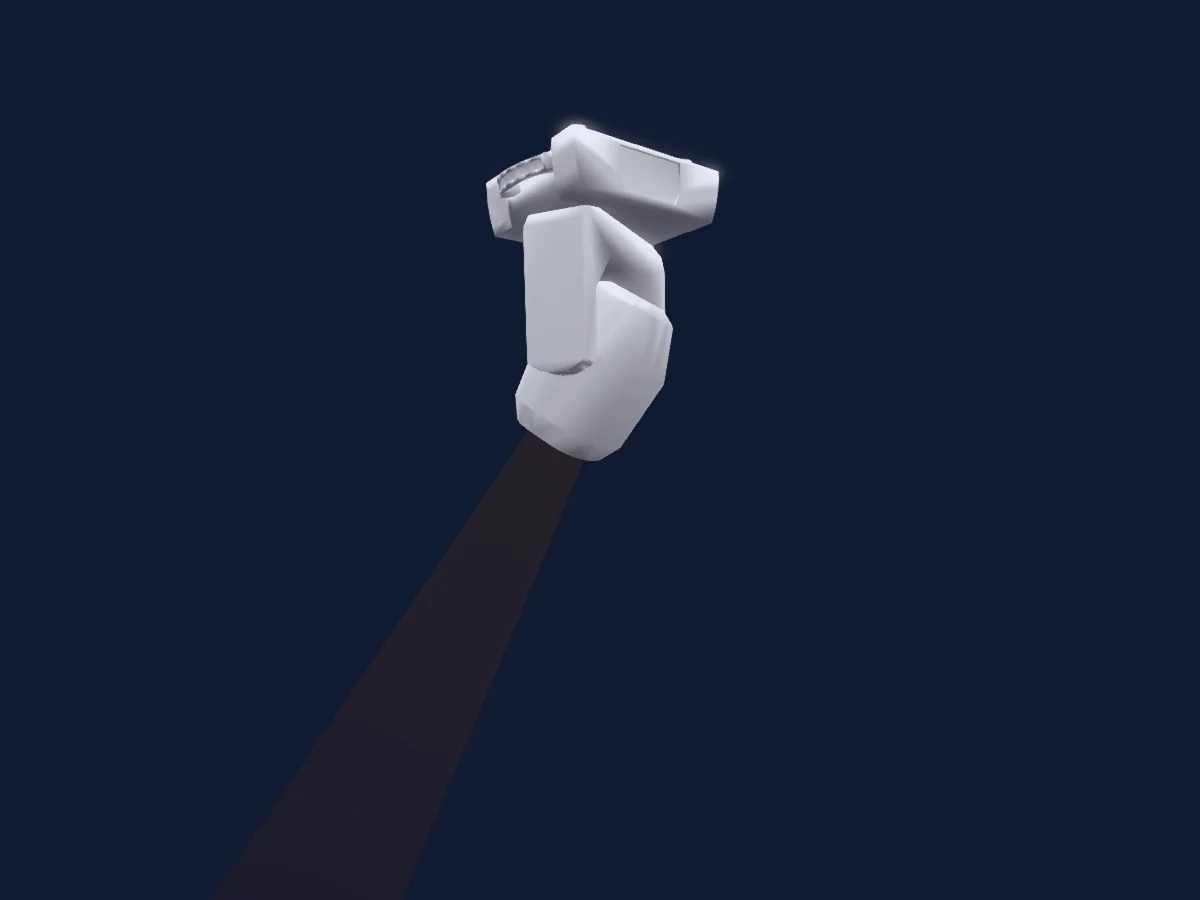
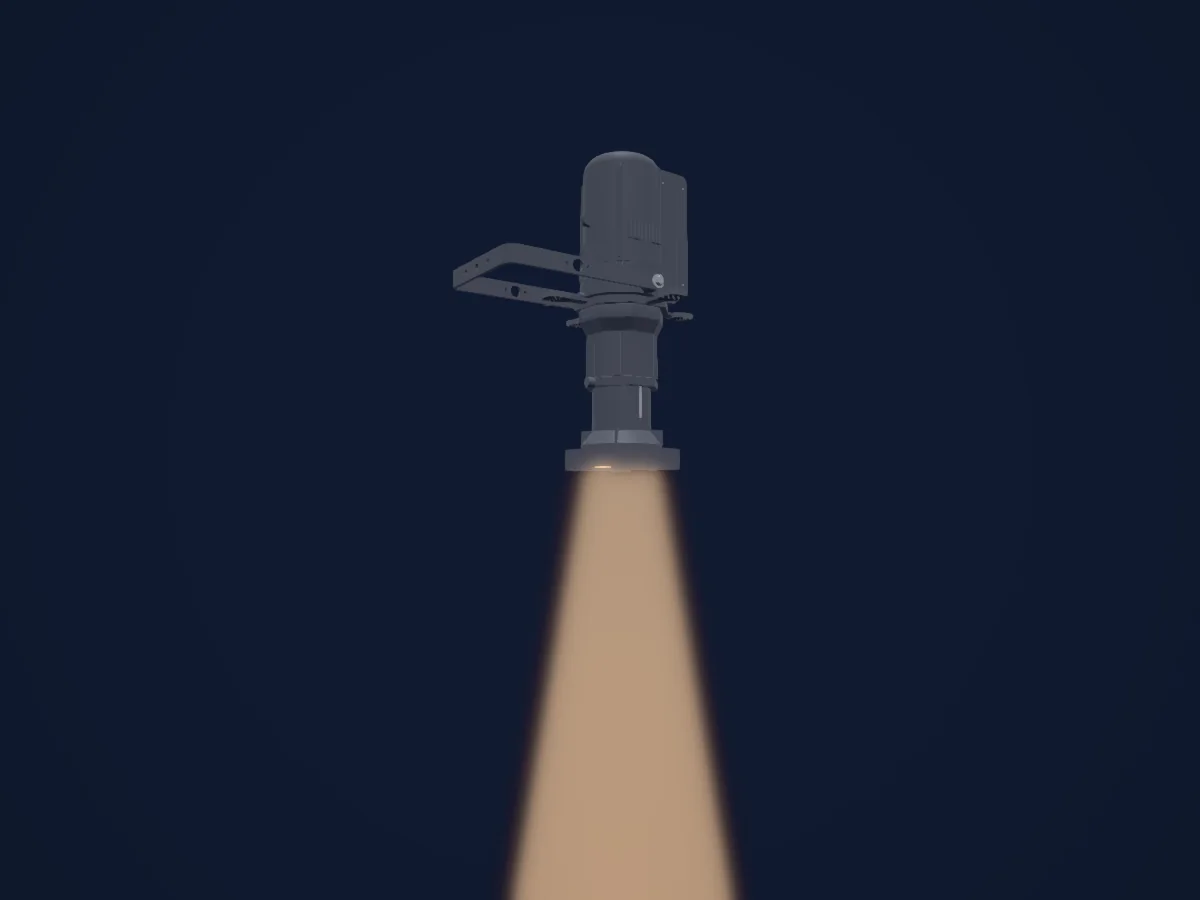
Chauvet Professional Rogue R1X Spot rendered in HitLight

What it can do

  • Focus
  • Iris
  • Prism
  • Prism rotation
  • Colour wheel
  • Effect speed
  • Strobe
  • Dimmer
  • Movement speed
  • Gobos
  • Gobo rotation

Safety-relevant functions: Fixture reset · Strobe · Built-in effect programmes. Check how these behave on your own fixture before a show.

DMX modes and channel charts

DMX modes of Chauvet Professional Rogue R1X Spot
ModeChannelsIn HitLight
16Ch Mode16Ready in HitLight
19Ch Mode19Ready in HitLight

16Ch Mode

Ready in HitLight

16 DMX channels · Download this chart as CSV

DMX channel chart for 16Ch Mode
ChannelFunctionDefaultDMX values
1Pan1270–255
2Pan Fine255Fine byte of Pan
3Tilt1270–255
4Tilt Fine255Fine byte of Tilt
5Position MSpeed0
3 value ranges
  • 0–0 Min
  • 1–254 Min > Max
  • 255–255 Max
6Dimmer0
3 value ranges
  • 0–0 Min
  • 1–254 Min > Max
  • 255–255 Max
7Shutter / Strobe6
6 value ranges
  • 0–3 Closed - Shutter Closed
  • 4–7 Open - Shutter Open
  • 8–76 Strobe S > F - Strobe
  • 77–145 Pulse Effect S > F - Strobe Pulse Random
  • 146–215 Strobe Random S > F - Strobe Random
  • 216–255 Open - Shutter Open
8Color Wheel0
12 value ranges
  • 0–6 Open - Color (wheel slot 1)
  • 7–13 Red - Color (wheel slot 2)
  • 14–20 Orange - Color (wheel slot 3)
  • 21–27 Green - Color (wheel slot 4)
  • 28–34 Yellow - Color (wheel slot 5)
  • 35–41 Blue - Color (wheel slot 6)
  • 42–48 CTO 3200K - Color (wheel slot 7)
  • 49–55 Magenta - Color (wheel slot 8)
  • 56–63 Purple - Color (wheel slot 9)
  • 64–127 Split Colors - Indexing
  • 128–191 S > F - Rotate CW
  • 192–255 S > F - Rotate CCW
9Gobo0
12 value ranges
  • 0–7 Open - Gobo Open (wheel slot 1)
  • 8–15 Gobo 1 - Gobo (wheel slot 2)
  • 16–23 Gobo 2 - Gobo (wheel slot 3)
  • 24–31 Gobo 3 - Gobo (wheel slot 4)
  • 32–39 Gobo 4 - Gobo (wheel slot 5)
  • 40–47 Gobo 5 - Gobo (wheel slot 6)
  • 48–55 Gobo 6 - Gobo (wheel slot 7)
  • 56–63 Gobo 7 - Gobo (wheel slot 8)
  • 64–119 Gobo 1-7 Shake - Gobo Shake
  • 120–127 Open - Gobo Open (wheel slot 1)
  • 128–191 S > F - Rotate CW
  • 192–255 S > F - Rotate CCW
10Gobo Rotation0
4 value ranges
  • 0–63 Indexing - Indexing
  • 64–147 S > F - Rotate CW
  • 148–231 S > F - Rotate CCW
  • 232–255 Boomerang Effect S > F - Gobo Shake
11Gobo 20
13 value ranges
  • 0–6 Open - Gobo Open (wheel slot 1)
  • 7–13 Gobo 1 - Gobo (wheel slot 2)
  • 14–20 Gobo 2 - Gobo (wheel slot 3)
  • 21–27 Gobo 3 - Gobo (wheel slot 4)
  • 28–34 Gobo 4 - Gobo (wheel slot 5)
  • 35–41 Gobo 5 - Gobo (wheel slot 6)
  • 42–48 Gobo 6 - Gobo (wheel slot 7)
  • 49–55 Gobo 7 - Gobo (wheel slot 8)
  • 56–63 Gobo 8 - Gobo (wheel slot 9)
  • 64–120 Gobo 1-8 Shake - Gobo Shake
  • 121–127 Open - Gobo Open (wheel slot 1)
  • 128–191 S > F - Rotate CW
  • 192–255 S > F - Rotate CCW
12Focus127
3 value ranges
  • 0–0 Min
  • 1–254 Min > Max
  • 255–255 Max
13Prism0
2 value ranges
  • 0–4 No Func - Custom (wheel slot 1)
  • 5–255 Prism - Prism (wheel slot 2)
14Prism Rotation0
4 value ranges
  • 0–127 Indexing - Indexing
  • 128–189 F > S - Rotate CCW
  • 190–193 Stop - Stop Loop
  • 194–255 S > F - Rotate CW
15Iris0
4 value ranges
  • 0–63 Wide > Narrow - Iris
  • 64–127 Iris Effect S > F - Iris
  • 128–191 Iris Effect In Slow Out Fast - Iris
  • 192–255 Iris Effect Out Slow In Fast - Iris
16Control10
20 value ranges
  • 0–7 No Func - Custom
  • 8–15 BO During P/T (3Sec Hold) - Blackout
  • 16–23 BO While Col Wheel Moving (3Sec Hold) - Blackout
  • 24–31 BO While Gobo Wheel Moving (3Sec Hold) - Blackout
  • 32–39 BO While P/T Off (3Sec Hold) - Blackout
  • 40–47 BO While Col Wheel Off (3Sec Hold) - Blackout
  • 48–55 BO While Gobo Wheel Off (3Sec Hold) - Blackout
  • 56–95 No Func - Custom
  • 96–103 Pan Reset - Reset
  • 104–111 Tilt Reset - Reset
  • 112–119 Color Wheel Reset - Reset
  • 120–127 Gobo Wheel Reset - Reset
  • 128–135 Gobo Rotation Reset - Reset
  • 136–143 Prism Reset - Reset
  • 144–151 Focus Reset - Reset
  • 152–159 All Reset - Reset
  • 160–167 Iris Reset - Reset
  • 168–239 No Func - Custom
  • 240–247 P/T Mov Ramp Speed Increase On - Speed
  • 248–255 P/T Mov Ramp Speed Increase Off - Speed

19Ch Mode

Ready in HitLight

19 DMX channels · Download this chart as CSV

DMX channel chart for 19Ch Mode
ChannelFunctionDefaultDMX values
1Pan1270–255
2Pan Fine255Fine byte of Pan
3Tilt1270–255
4Tilt Fine255Fine byte of Tilt
5Position MSpeed0
3 value ranges
  • 0–0 Min
  • 1–254 Min > Max
  • 255–255 Max
6Dimmer00–255
7Dimmer Fine0Fine byte of Dimmer
8Shutter / Strobe6
6 value ranges
  • 0–3 Closed - Shutter Closed
  • 4–7 Open - Shutter Open
  • 8–76 Strobe S > F - Strobe
  • 77–145 Pulse Effect S > F - Strobe Pulse Random
  • 146–215 Strobe Random S > F - Strobe Random
  • 216–255 Open - Shutter Open
9Color Wheel0
12 value ranges
  • 0–6 Open - Color (wheel slot 1)
  • 7–13 Red - Color (wheel slot 2)
  • 14–20 Orange - Color (wheel slot 3)
  • 21–27 Green - Color (wheel slot 4)
  • 28–34 Yellow - Color (wheel slot 5)
  • 35–41 Blue - Color (wheel slot 6)
  • 42–48 CTO 3200K - Color (wheel slot 7)
  • 49–55 Magenta - Color (wheel slot 8)
  • 56–63 Purple - Color (wheel slot 9)
  • 64–127 Split Colors - Indexing
  • 128–191 S > F - Rotate CW
  • 192–255 S > F - Rotate CCW
10Gobo0
12 value ranges
  • 0–7 Open - Gobo Open (wheel slot 1)
  • 8–15 Gobo 1 - Gobo (wheel slot 2)
  • 16–23 Gobo 2 - Gobo (wheel slot 3)
  • 24–31 Gobo 3 - Gobo (wheel slot 4)
  • 32–39 Gobo 4 - Gobo (wheel slot 5)
  • 40–47 Gobo 5 - Gobo (wheel slot 6)
  • 48–55 Gobo 6 - Gobo (wheel slot 7)
  • 56–63 Gobo 7 - Gobo (wheel slot 8)
  • 64–119 Gobo 1-7 Shake - Gobo Shake
  • 120–127 Open - Gobo Open (wheel slot 1)
  • 128–191 S > F - Rotate CW
  • 192–255 S > F - Rotate CCW
11Gobo Rotation0
4 value ranges
  • 0–63 Indexing - Indexing
  • 64–147 S > F - Rotate CW
  • 148–231 S > F - Rotate CCW
  • 232–255 Boomerang Effect S > F - Gobo Shake
12Gobo 20
13 value ranges
  • 0–6 Open - Gobo Open (wheel slot 1)
  • 7–13 Gobo 1 - Gobo (wheel slot 2)
  • 14–20 Gobo 2 - Gobo (wheel slot 3)
  • 21–27 Gobo 3 - Gobo (wheel slot 4)
  • 28–34 Gobo 4 - Gobo (wheel slot 5)
  • 35–41 Gobo 5 - Gobo (wheel slot 6)
  • 42–48 Gobo 6 - Gobo (wheel slot 7)
  • 49–55 Gobo 7 - Gobo (wheel slot 8)
  • 56–63 Gobo 8 - Gobo (wheel slot 9)
  • 64–120 Gobo 1-8 Shake - Gobo Shake
  • 121–127 Open - Gobo Open (wheel slot 1)
  • 128–191 S > F - Rotate CW
  • 192–255 S > F - Rotate CCW
13Focus127
3 value ranges
  • 0–0 Min
  • 1–254 Min > Max
  • 255–255 Max
14Prism0
2 value ranges
  • 0–4 Open - Custom (wheel slot 1)
  • 5–255 Prism - Prism (wheel slot 2)
15Prism Rotation0
4 value ranges
  • 0–127 Indexing - Indexing
  • 128–189 F > S - Rotate CCW
  • 190–193 Stop - Stop Loop
  • 194–255 S > F - Rotate CW
16Iris0
4 value ranges
  • 0–63 Wide > Narrow - Iris
  • 64–127 Iris Effect S > F - Iris
  • 128–191 Iris Effect In Slow Out Fast - Iris
  • 192–255 Iris Effect Out Slow In Fast - Iris
17Effect0
32 value ranges
  • 0–7 No Func - Custom
  • 8–15 Effect 1 - Macro
  • 16–23 Effect 2 - Macro
  • 24–31 Effect 3 - Macro
  • 32–39 Effect 4 - Macro
  • 40–47 Effect 5 - Macro
  • 48–55 Effect 6 - Macro
  • 56–63 Effect 7 - Macro
  • 64–71 Effect 8 - Macro
  • 72–79 Effect 9 - Macro
  • 80–87 Effect 10 - Macro
  • 88–95 Effect 11 - Macro
  • 96–103 Effect 12 - Macro
  • 104–111 Effect 13 - Macro
  • 112–119 Effect 14 - Macro
  • 120–127 Effect 15 - Macro
  • 128–135 Effect 16 - Macro
  • 136–143 Effect 17 - Macro
  • 144–151 Effect 18 - Macro
  • 152–159 Effect 19 - Macro
  • 160–167 Effect 20 - Macro
  • 168–175 Effect 21 - Macro
  • 176–183 Effect 22 - Macro
  • 184–191 Effect 23 - Macro
  • 192–199 Effect 24 - Macro
  • 200–207 Effect 25 - Macro
  • 208–215 Effect 26 - Macro
  • 216–223 Effect 27 - Macro
  • 224–231 Effect 28 - Macro
  • 232–239 Effect 29 - Macro
  • 240–247 Effect 30 - Macro
  • 248–255 Effect 31 - Macro
18Effect Speed0
3 value ranges
  • 0–0 Min
  • 1–254 Min > Max
  • 255–255 Max
19Control10
20 value ranges
  • 0–7 No Func - Custom
  • 8–15 BO During P/T (3Sec Hold) - Blackout
  • 16–23 BO While Col Wheel Moving (3Sec Hold) - Blackout
  • 24–31 BO While Gobo Wheel Moving (3Sec Hold) - Blackout
  • 32–39 BO While P/T Off (3Sec Hold) - Blackout
  • 40–47 BO While Col Wheel Off (3Sec Hold) - Blackout
  • 48–55 BO While Gobo Wheel Off (3Sec Hold) - Blackout
  • 56–95 No Func - Custom
  • 96–103 Pan Reset - Reset
  • 104–111 Tilt Reset - Reset
  • 112–119 Color Wheel Reset - Reset
  • 120–127 Gobo Wheel Reset - Reset
  • 128–135 Gobo Rotation Reset - Reset
  • 136–143 Prism Reset - Reset
  • 144–151 Focus Reset - Reset
  • 152–159 All Reset - Reset
  • 160–167 Iris Reset - Reset
  • 168–239 No Func - Custom
  • 240–247 P/T Mov Ramp Speed Increase On - Speed
  • 248–255 P/T Mov Ramp Speed Increase Off - Speed

Use the Chauvet Professional Rogue R1X Spot in HitLight

  1. Open Add fixture and search for Chauvet Professional Rogue R1X Spot.
  2. Choose the DMX mode set in the fixture’s own menu. HitLight gives it the lowest free start address on its universe that fits the mode’s channel count.
  3. Check the mode and controls against your real fixture before live use.

Venues with the Chauvet Professional Rogue R1X Spot

Their saved rigs list this fixture model. Confirm the current equipment with the venue.

Charts come from the fixture’s GDTF description as converted for the HitLight library. HitLight is not affiliated with Chauvet Professional.

Patch it, then let the music run the lights.

HitLight finds these fixtures in its library, patches them on the next free address and previews your rig in 3D before a single light is plugged in.

Open HitLight ↗Download HitLight