 HitLight
ETC D40 Lustr+
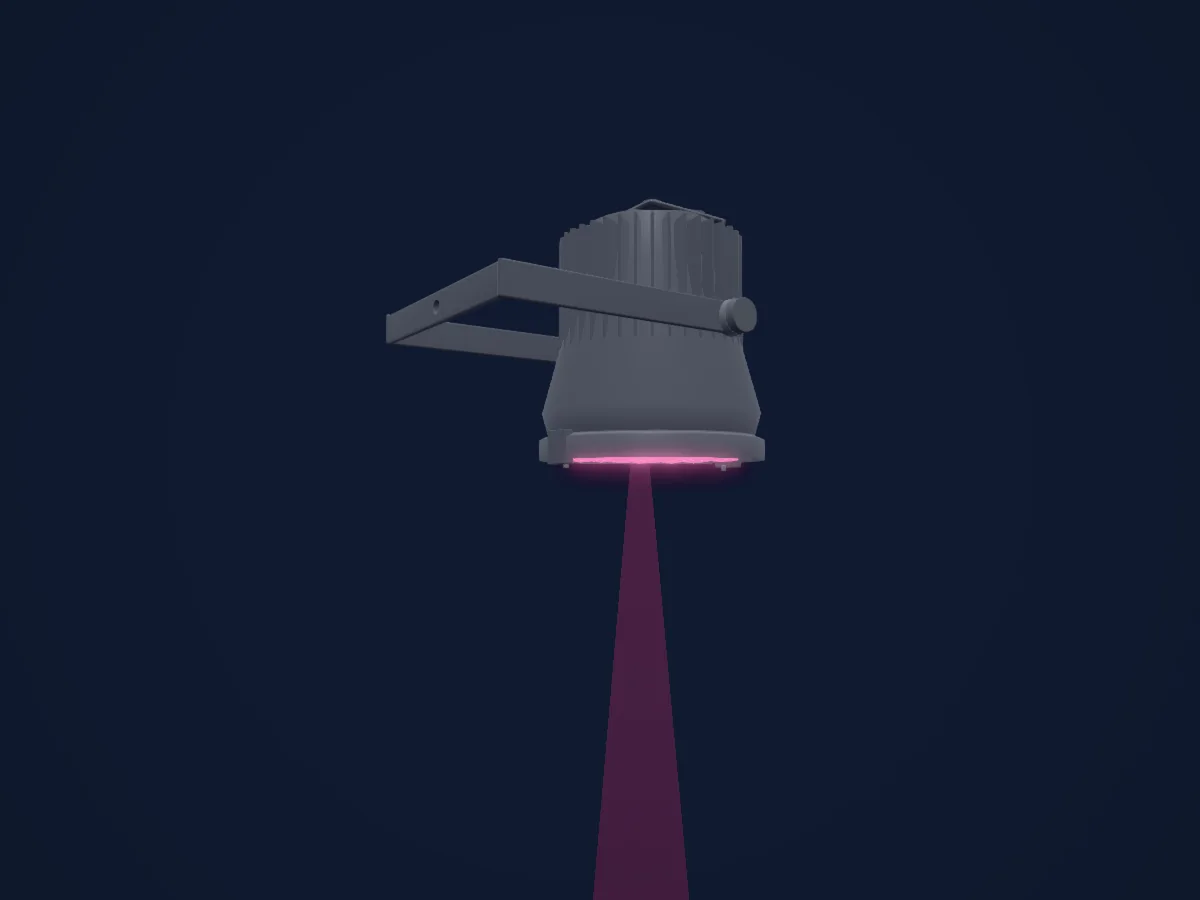
DMX chart, 18 DMX modes and a 3D preview. 3 / 4 / 5 / 6 / 8 / 9 / 14 DMX channels.
What it can do
- Extra LED colours
- Hue and saturation
- RGB colour mixing
- Colour temperature
- Dimmer
DMX modes and channel charts
| Mode | Channels | In HitLight |
|---|---|---|
| RGB | 3 | Ready in HitLight |
| Studio | 3 | Ready in HitLight |
| HSI | 4 | Ready in HitLight |
| HSI Strobe | 5 | Ready in HitLight |
| RGB Strobe | 5 | Ready in HitLight |
| Studio Strobe | 5 | Ready in HitLight |
| HSIC | 6 | Ready in HitLight |
| HSIC Strobe | 6 | Ready in HitLight |
| Direct | 8 | Ready in HitLight |
| Direct Strobe | 9 | Ready in HitLight |
| HSI Plus7 | 14 | Ready in HitLight |
| HSI Strobe Plus7 | 14 | Ready in HitLight |
| HSIC Plus7 | 14 | Ready in HitLight |
| HSIC Strobe Plus7 | 14 | Ready in HitLight |
| RGB Plus7 | 14 | Ready in HitLight |
| RGB Strobe Plus7 | 14 | Ready in HitLight |
| Studio Plus7 | 14 | Ready in HitLight |
| Studio Strobe Plus7 | 14 | Ready in HitLight |
RGB
Ready in HitLight3 DMX channels · Download this chart as CSV
| Channel | Function | Default | DMX values |
|---|---|---|---|
| 1 | Red | 0 | 0–255 |
| 2 | Green | 0 | 0–255 |
| 3 | Blue | 0 | 0–255 |
Studio
Ready in HitLight3 DMX channels · Download this chart as CSV
| Channel | Function | Default | DMX values |
|---|---|---|---|
| 1 | Dimmer | 0 | 0–255 |
| 2 | C TC | 0 | 0–255 |
| 3 | Control | 128 | 4 value ranges
|
HSI
Ready in HitLight4 DMX channels · Download this chart as CSV
| Channel | Function | Default | DMX values |
|---|---|---|---|
| 1 | H SBHue | 0 | 0–255 |
| 2 | H SBHue Fine | 0 | Fine byte of H SBHue |
| 3 | H SBSaturation | 0 | 0–255 |
| 4 | H SBBrightness | 0 | 0–255 |
HSI Strobe
Ready in HitLight5 DMX channels · Download this chart as CSV
| Channel | Function | Default | DMX values |
|---|---|---|---|
| 1 | H SBHue | 0 | 0–255 |
| 2 | H SBHue Fine | 0 | Fine byte of H SBHue |
| 3 | H SBSaturation | 0 | 0–255 |
| 4 | H SBBrightness | 0 | 0–255 |
| 5 | Shutter / Strobe | 0 | 3 value ranges
|
RGB Strobe
Ready in HitLight5 DMX channels · Download this chart as CSV
| Channel | Function | Default | DMX values |
|---|---|---|---|
| 1 | Red | 0 | 0–255 |
| 2 | Green | 0 | 0–255 |
| 3 | Blue | 0 | 0–255 |
| 4 | No Feature | 0 | 0–255 |
| 5 | Shutter / Strobe | 0 | 3 value ranges
|
Studio Strobe
Ready in HitLight5 DMX channels · Download this chart as CSV
| Channel | Function | Default | DMX values |
|---|---|---|---|
| 1 | Dimmer | 0 | 0–255 |
| 2 | C TC | 0 | 0–255 |
| 3 | Control | 128 | 4 value ranges
|
| 4 | No Feature | 0 | 0–255 |
| 5 | Shutter / Strobe | 0 | 3 value ranges
|
HSIC
Ready in HitLight6 DMX channels · Download this chart as CSV
| Channel | Function | Default | DMX values |
|---|---|---|---|
| 1 | H SBHue | 0 | 0–255 |
| 2 | H SBHue Fine | 0 | Fine byte of H SBHue |
| 3 | H SBSaturation | 0 | 0–255 |
| 4 | H SBBrightness | 0 | 0–255 |
| 5 | No Feature | 0 | 0–255 |
| 6 | C TC | 0 | 0–255 |
HSIC Strobe
Ready in HitLight6 DMX channels · Download this chart as CSV
| Channel | Function | Default | DMX values |
|---|---|---|---|
| 1 | H SBHue | 0 | 0–255 |
| 2 | H SBHue Fine | 0 | Fine byte of H SBHue |
| 3 | H SBSaturation | 0 | 0–255 |
| 4 | H SBBrightness | 0 | 0–255 |
| 5 | Shutter / Strobe | 0 | 3 value ranges
|
| 6 | C TC | 0 | 0–255 |
Direct
Ready in HitLight8 DMX channels · Download this chart as CSV
| Channel | Function | Default | DMX values |
|---|---|---|---|
| 1 | Red | 0 | 0–255 |
| 2 | White | 0 | 0–255 |
| 3 | Amber | 0 | 0–255 |
| 4 | Green | 0 | 0–255 |
| 5 | Color Add C | 0 | 0–255 |
| 6 | Blue | 0 | 0–255 |
| 7 | Color Add Indigo | 0 | 0–255 |
| 8 | Dimmer | 0 | 0–255 |
Direct Strobe
Ready in HitLight9 DMX channels · Download this chart as CSV
| Channel | Function | Default | DMX values |
|---|---|---|---|
| 1 | Red | 0 | 0–255 |
| 2 | White | 0 | 0–255 |
| 3 | Amber | 0 | 0–255 |
| 4 | Green | 0 | 0–255 |
| 5 | Color Add C | 0 | 0–255 |
| 6 | Blue | 0 | 0–255 |
| 7 | Color Add Indigo | 0 | 0–255 |
| 8 | Dimmer | 0 | 0–255 |
| 9 | Shutter / Strobe | 0 | 3 value ranges
|
HSI Plus7
Ready in HitLight14 DMX channels · Download this chart as CSV
| Channel | Function | Default | DMX values |
|---|---|---|---|
| 1 | H SBHue | 0 | 0–255 |
| 2 | H SBHue Fine | 0 | Fine byte of H SBHue |
| 3 | H SBSaturation | 0 | 0–255 |
| 4 | H SBBrightness | 0 | 0–255 |
| 5 | No Feature | 0 | 0–255 |
| 6 | No Feature | 0 | 0–255 |
| 7 | Control | 0 | 2 value ranges
|
| 8 | No Feature | 128 | 3 value ranges
|
| 9 | No Feature | 128 | 3 value ranges
|
| 10 | No Feature | 128 | 3 value ranges
|
| 11 | No Feature | 128 | 3 value ranges
|
| 12 | No Feature | 128 | 3 value ranges
|
| 13 | No Feature | 128 | 3 value ranges
|
| 14 | No Feature | 128 | 3 value ranges
|
HSI Strobe Plus7
Ready in HitLight14 DMX channels · Download this chart as CSV
| Channel | Function | Default | DMX values |
|---|---|---|---|
| 1 | H SBHue | 0 | 0–255 |
| 2 | H SBHue Fine | 0 | Fine byte of H SBHue |
| 3 | H SBSaturation | 0 | 0–255 |
| 4 | H SBBrightness | 0 | 0–255 |
| 5 | Shutter / Strobe | 0 | 3 value ranges
|
| 6 | No Feature | 0 | 0–255 |
| 7 | Control | 0 | 2 value ranges
|
| 8 | No Feature | 128 | 3 value ranges
|
| 9 | No Feature | 128 | 3 value ranges
|
| 10 | No Feature | 128 | 3 value ranges
|
| 11 | No Feature | 128 | 3 value ranges
|
| 12 | No Feature | 128 | 3 value ranges
|
| 13 | No Feature | 128 | 3 value ranges
|
| 14 | No Feature | 128 | 3 value ranges
|
HSIC Plus7
Ready in HitLight14 DMX channels · Download this chart as CSV
| Channel | Function | Default | DMX values |
|---|---|---|---|
| 1 | H SBHue | 0 | 0–255 |
| 2 | H SBHue Fine | 0 | Fine byte of H SBHue |
| 3 | H SBSaturation | 0 | 0–255 |
| 4 | H SBBrightness | 0 | 0–255 |
| 5 | No Feature | 0 | 0–255 |
| 6 | C TC | 0 | 0–255 |
| 7 | Control | 0 | 2 value ranges
|
| 8 | No Feature | 128 | 3 value ranges
|
| 9 | No Feature | 128 | 3 value ranges
|
| 10 | No Feature | 128 | 3 value ranges
|
| 11 | No Feature | 128 | 3 value ranges
|
| 12 | No Feature | 128 | 3 value ranges
|
| 13 | No Feature | 128 | 3 value ranges
|
| 14 | No Feature | 128 | 3 value ranges
|
HSIC Strobe Plus7
Ready in HitLight14 DMX channels · Download this chart as CSV
| Channel | Function | Default | DMX values |
|---|---|---|---|
| 1 | H SBHue | 0 | 0–255 |
| 2 | H SBHue Fine | 0 | Fine byte of H SBHue |
| 3 | H SBSaturation | 0 | 0–255 |
| 4 | H SBBrightness | 0 | 0–255 |
| 5 | Shutter / Strobe | 0 | 3 value ranges
|
| 6 | C TC | 0 | 0–255 |
| 7 | Control | 0 | 2 value ranges
|
| 8 | No Feature | 128 | 3 value ranges
|
| 9 | No Feature | 128 | 3 value ranges
|
| 10 | No Feature | 128 | 3 value ranges
|
| 11 | No Feature | 128 | 3 value ranges
|
| 12 | No Feature | 128 | 3 value ranges
|
| 13 | No Feature | 128 | 3 value ranges
|
| 14 | No Feature | 128 | 3 value ranges
|
RGB Plus7
Ready in HitLight14 DMX channels · Download this chart as CSV
| Channel | Function | Default | DMX values |
|---|---|---|---|
| 1 | Red | 0 | 0–255 |
| 2 | Green | 0 | 0–255 |
| 3 | Blue | 0 | 0–255 |
| 4 | No Feature | 0 | 0–255 |
| 5 | No Feature | 0 | 0–255 |
| 6 | No Feature | 0 | 0–255 |
| 7 | Control | 0 | 2 value ranges
|
| 8 | No Feature | 128 | 3 value ranges
|
| 9 | No Feature | 128 | 3 value ranges
|
| 10 | No Feature | 128 | 3 value ranges
|
| 11 | No Feature | 128 | 3 value ranges
|
| 12 | No Feature | 128 | 3 value ranges
|
| 13 | No Feature | 128 | 3 value ranges
|
| 14 | No Feature | 128 | 3 value ranges
|
RGB Strobe Plus7
Ready in HitLight14 DMX channels · Download this chart as CSV
| Channel | Function | Default | DMX values |
|---|---|---|---|
| 1 | Red | 0 | 0–255 |
| 2 | Green | 0 | 0–255 |
| 3 | Blue | 0 | 0–255 |
| 4 | No Feature | 0 | 0–255 |
| 5 | Shutter / Strobe | 0 | 3 value ranges
|
| 6 | No Feature | 0 | 0–255 |
| 7 | Control | 0 | 2 value ranges
|
| 8 | No Feature | 128 | 3 value ranges
|
| 9 | No Feature | 128 | 3 value ranges
|
| 10 | No Feature | 128 | 3 value ranges
|
| 11 | No Feature | 128 | 3 value ranges
|
| 12 | No Feature | 128 | 3 value ranges
|
| 13 | No Feature | 128 | 3 value ranges
|
| 14 | No Feature | 128 | 3 value ranges
|
Studio Plus7
Ready in HitLight14 DMX channels · Download this chart as CSV
| Channel | Function | Default | DMX values |
|---|---|---|---|
| 1 | Dimmer | 0 | 0–255 |
| 2 | C TC | 0 | 0–255 |
| 3 | Control | 128 | 4 value ranges
|
| 4 | No Feature | 0 | 0–255 |
| 5 | No Feature | 0 | 0–255 |
| 6 | No Feature | 0 | 0–255 |
| 7 | Control | 0 | 2 value ranges
|
| 8 | No Feature | 128 | 3 value ranges
|
| 9 | No Feature | 128 | 3 value ranges
|
| 10 | No Feature | 128 | 3 value ranges
|
| 11 | No Feature | 128 | 3 value ranges
|
| 12 | No Feature | 128 | 3 value ranges
|
| 13 | No Feature | 128 | 3 value ranges
|
| 14 | No Feature | 128 | 3 value ranges
|
Studio Strobe Plus7
Ready in HitLight14 DMX channels · Download this chart as CSV
| Channel | Function | Default | DMX values |
|---|---|---|---|
| 1 | Dimmer | 0 | 0–255 |
| 2 | C TC | 0 | 0–255 |
| 3 | Control | 128 | 4 value ranges
|
| 4 | No Feature | 0 | 0–255 |
| 5 | Shutter / Strobe | 0 | 3 value ranges
|
| 6 | No Feature | 0 | 0–255 |
| 7 | Control | 0 | 2 value ranges
|
| 8 | No Feature | 128 | 3 value ranges
|
| 9 | No Feature | 128 | 3 value ranges
|
| 10 | No Feature | 128 | 3 value ranges
|
| 11 | No Feature | 128 | 3 value ranges
|
| 12 | No Feature | 128 | 3 value ranges
|
| 13 | No Feature | 128 | 3 value ranges
|
| 14 | No Feature | 128 | 3 value ranges
|
Use the ETC D40 Lustr+ in HitLight
- Open Add fixture and search for ETC D40 Lustr+.
- Choose the DMX mode set in the fixture’s own menu. HitLight gives it the lowest free start address on its universe that fits the mode’s channel count.
- Check the mode and controls against your real fixture before live use.
Venues with the ETC D40 Lustr+
Their saved rigs list this fixture model. Confirm the current equipment with the venue.
- 3TEN ACL Live Austin, United States
- FFT Düsseldorf — KAP1 Düsseldorf, Germany
- The Town Hall New York, United States
- Yale Off Broadway Theater New Haven, United States
- Мурманский областной драматический театр Мурманск, Russia
Related fixtures
ETC Selador Lustr
ETC S4 Series 3 Daylight HDR 36Deg
ETC S4 Series 3 Daylight HDR 26Deg
ETC Desire D22 Studio HD
ETC S4 Series 3 Daylight HDR 70Deg
ETC S4 Series 3 Daylight HDR 10Deg
Charts come from the fixture’s GDTF description as converted for the HitLight library. HitLight is not affiliated with ETC.
Fixture model: gdtf-etc-d40-lustr-2000060111
Original approximate HitLight D40 Lustr+ housing, recovered from the 25 October 2026 local deterministic Blender authoring bundle. Forty visible optical apertures share one aggregate native colour bank; no independent pixel control is asserted. No OEM mesh, photograph, logo or texture is embedded. Manufacturer drawings/photos inform the shape and envelope; lens curvature, connectors, cooling fins and the manual yoke pose are estimates, and no clamp is included. Existing source archive, eighteen native configurations, physical mapping, mount datum and optical proxies remain unchanged. Installed variants, clearance, spectra, factory timing and hardware remain unverified. Plus Seven history/mix, Studio tint and unpublished strobe timing retain their existing unavailable-preview qualifications.
Creator: HitLight