 HitLight
Martin Professional VDO Sceptron 10 320mm
DMX chart, 15 DMX modes and a 3D preview. 1 / 3 / 5 / 6 DMX channels.
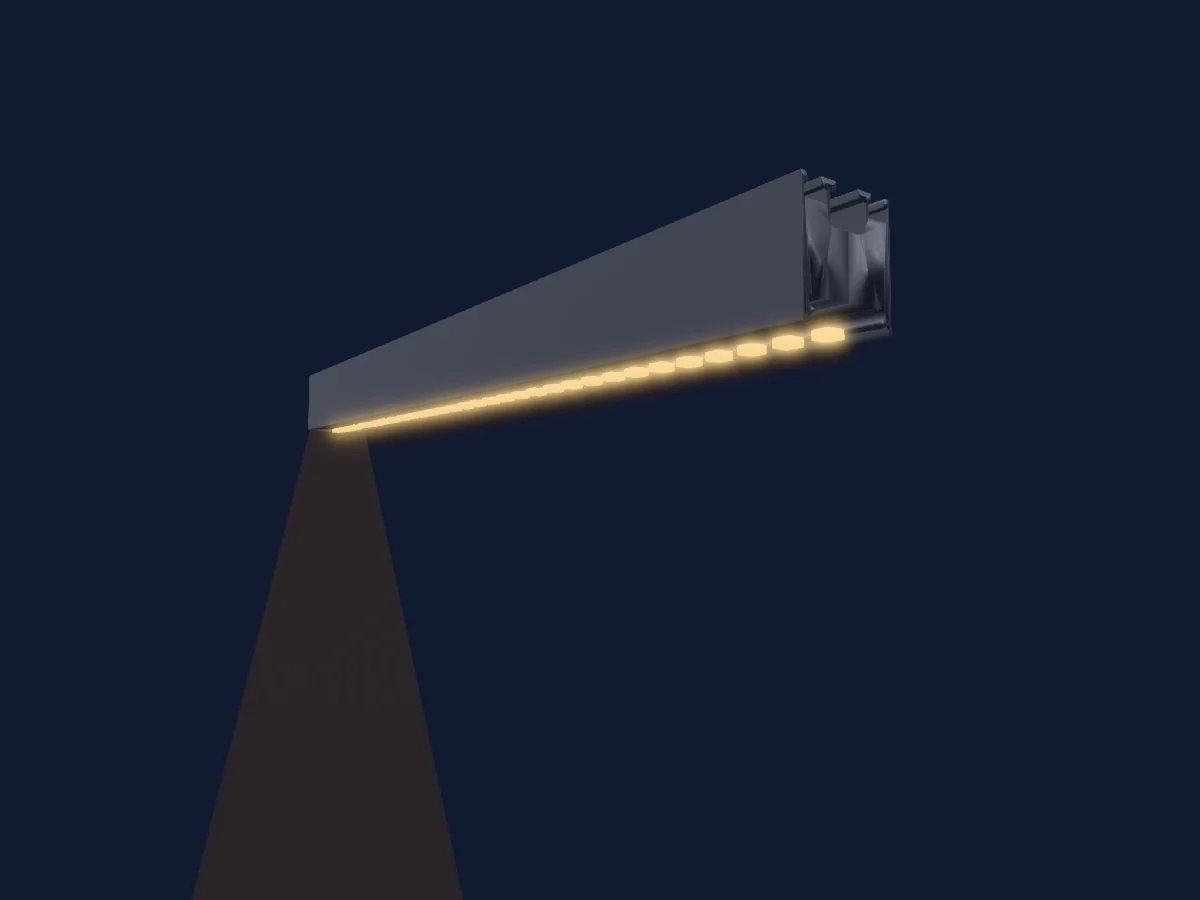
What it can do
- RGB colour mixing
- Dimmer
DMX modes and channel charts
| Mode | Channels | In HitLight |
|---|---|---|
| P3 Intensity | 1 | Ready in HitLight |
| P3 Basic | 3 | Ready in HitLight |
| Pixel Map - 1 Segment | 3 | Ready in HitLight |
| Pixel Map - 16 Segments | 3 | Ready in HitLight |
| Pixel Map - 2 Segments | 3 | Ready in HitLight |
| Pixel Map - 32 Segments | 3 | Ready in HitLight |
| Pixel Map - 4 Segments | 3 | Ready in HitLight |
| Pixel Map - 8 Segments | 3 | Ready in HitLight |
| P3 RGB | 5 | Ready in HitLight |
| P3 Hybrid - 1 Segment | 6 | Ready in HitLight |
| P3 Hybrid - 16 Segment | 6 | Ready in HitLight |
| P3 Hybrid - 2 Segment | 6 | Ready in HitLight |
| P3 Hybrid - 32 Segment | 6 | Ready in HitLight |
| P3 Hybrid - 4 Segment | 6 | Ready in HitLight |
| P3 Hybrid - 8 Segment | 6 | Ready in HitLight |
P3 Intensity
Ready in HitLight1 DMX channel · Download this chart as CSV
| Channel | Function | Default | DMX values |
|---|---|---|---|
| 1 | Dimmer | 0 | 0–255 |
P3 Basic
Ready in HitLight3 DMX channels · Download this chart as CSV
| Channel | Function | Default | DMX values |
|---|---|---|---|
| 1 | Red | 255 | 0–255 |
| 2 | Green | 255 | 0–255 |
| 3 | Blue | 255 | 0–255 |
Pixel Map - 1 Segment
Ready in HitLight3 DMX channels · Download this chart as CSV
| Channel | Function | Default | DMX values |
|---|---|---|---|
| 1 | Red | 255 | 0–255 |
| 2 | Green | 255 | 0–255 |
| 3 | Blue | 255 | 0–255 |
Pixel Map - 16 Segments
Ready in HitLight3 DMX channels · Download this chart as CSV
| Channel | Function | Default | DMX values |
|---|---|---|---|
| 1 | Red | 255 | 0–255 |
| 2 | Green | 255 | 0–255 |
| 3 | Blue | 255 | 0–255 |
Pixel Map - 2 Segments
Ready in HitLight3 DMX channels · Download this chart as CSV
| Channel | Function | Default | DMX values |
|---|---|---|---|
| 1 | Red | 255 | 0–255 |
| 2 | Green | 255 | 0–255 |
| 3 | Blue | 255 | 0–255 |
Pixel Map - 32 Segments
Ready in HitLight3 DMX channels · Download this chart as CSV
| Channel | Function | Default | DMX values |
|---|---|---|---|
| 1 | Red | 255 | 0–255 |
| 2 | Green | 255 | 0–255 |
| 3 | Blue | 255 | 0–255 |
Pixel Map - 4 Segments
Ready in HitLight3 DMX channels · Download this chart as CSV
| Channel | Function | Default | DMX values |
|---|---|---|---|
| 1 | Red | 255 | 0–255 |
| 2 | Green | 255 | 0–255 |
| 3 | Blue | 255 | 0–255 |
Pixel Map - 8 Segments
Ready in HitLight3 DMX channels · Download this chart as CSV
| Channel | Function | Default | DMX values |
|---|---|---|---|
| 1 | Red | 255 | 0–255 |
| 2 | Green | 255 | 0–255 |
| 3 | Blue | 255 | 0–255 |
P3 RGB
Ready in HitLight5 DMX channels · Download this chart as CSV
| Channel | Function | Default | DMX values |
|---|---|---|---|
| 1 | Dimmer | 0 | 0–255 |
| 2 | Dimmer Fine | 0 | Fine byte of Dimmer |
| 3 | Red | 255 | 0–255 |
| 4 | Green | 255 | 0–255 |
| 5 | Blue | 255 | 0–255 |
P3 Hybrid - 1 Segment
Ready in HitLight6 DMX channels · Download this chart as CSV
| Channel | Function | Default | DMX values |
|---|---|---|---|
| 1 | Dimmer | 0 | 0–255 |
| 2 | Dimmer Fine | 0 | Fine byte of Dimmer |
| 3 | Video | 0 | 2 value ranges
|
| 4 | Red | 255 | 0–255 |
| 5 | Green | 255 | 0–255 |
| 6 | Blue | 255 | 0–255 |
P3 Hybrid - 16 Segment
Ready in HitLight6 DMX channels · Download this chart as CSV
| Channel | Function | Default | DMX values |
|---|---|---|---|
| 1 | Dimmer | 0 | 0–255 |
| 2 | Dimmer Fine | 0 | Fine byte of Dimmer |
| 3 | Video | 0 | 2 value ranges
|
| 4 | Red | 255 | 0–255 |
| 5 | Green | 255 | 0–255 |
| 6 | Blue | 255 | 0–255 |
P3 Hybrid - 2 Segment
Ready in HitLight6 DMX channels · Download this chart as CSV
| Channel | Function | Default | DMX values |
|---|---|---|---|
| 1 | Dimmer | 0 | 0–255 |
| 2 | Dimmer Fine | 0 | Fine byte of Dimmer |
| 3 | Video | 0 | 2 value ranges
|
| 4 | Red | 255 | 0–255 |
| 5 | Green | 255 | 0–255 |
| 6 | Blue | 255 | 0–255 |
P3 Hybrid - 32 Segment
Ready in HitLight6 DMX channels · Download this chart as CSV
| Channel | Function | Default | DMX values |
|---|---|---|---|
| 1 | Dimmer | 0 | 0–255 |
| 2 | Dimmer Fine | 0 | Fine byte of Dimmer |
| 3 | Video | 0 | 2 value ranges
|
| 4 | Red | 255 | 0–255 |
| 5 | Green | 255 | 0–255 |
| 6 | Blue | 255 | 0–255 |
P3 Hybrid - 4 Segment
Ready in HitLight6 DMX channels · Download this chart as CSV
| Channel | Function | Default | DMX values |
|---|---|---|---|
| 1 | Dimmer | 0 | 0–255 |
| 2 | Dimmer Fine | 0 | Fine byte of Dimmer |
| 3 | Video | 0 | 2 value ranges
|
| 4 | Red | 255 | 0–255 |
| 5 | Green | 255 | 0–255 |
| 6 | Blue | 255 | 0–255 |
P3 Hybrid - 8 Segment
Ready in HitLight6 DMX channels · Download this chart as CSV
| Channel | Function | Default | DMX values |
|---|---|---|---|
| 1 | Dimmer | 0 | 0–255 |
| 2 | Dimmer Fine | 0 | Fine byte of Dimmer |
| 3 | Video | 0 | 2 value ranges
|
| 4 | Red | 255 | 0–255 |
| 5 | Green | 255 | 0–255 |
| 6 | Blue | 255 | 0–255 |
Use the Martin Professional VDO Sceptron 10 320mm in HitLight
- Open Add fixture and search for Martin Professional VDO Sceptron 10 320mm.
- Choose the DMX mode set in the fixture’s own menu. HitLight gives it the lowest free start address on its universe that fits the mode’s channel count.
- Check the mode and controls against your real fixture before live use.
Related fixtures
Martin Professional ERA 800 Performance
Martin Professional MAC 2000 Profile II
Martin Professional MAC Viper AirFX
Martin Professional ERA 700 Performance IP
Martin Professional MAC Encore Two
Martin Professional ERA 400 Performance WRM
Charts come from the fixture’s GDTF description as converted for the HitLight library. HitLight is not affiliated with Martin Professional.