Skip to content
HitLight
Robe Lighting · PAR

Robe Lighting Robin T32 CYC Slim

DMX chart, 3 DMX modes and a 3D preview. 31 / 35 DMX channels.
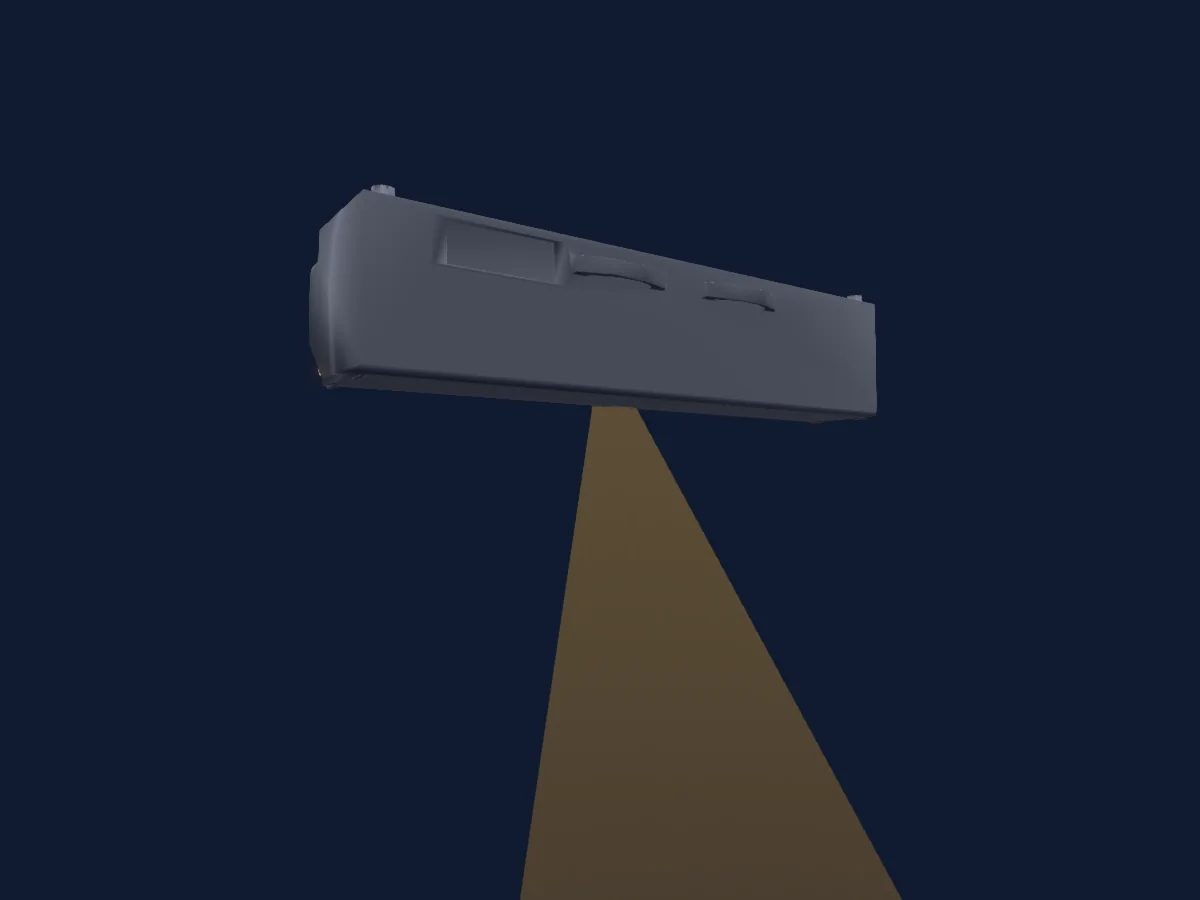
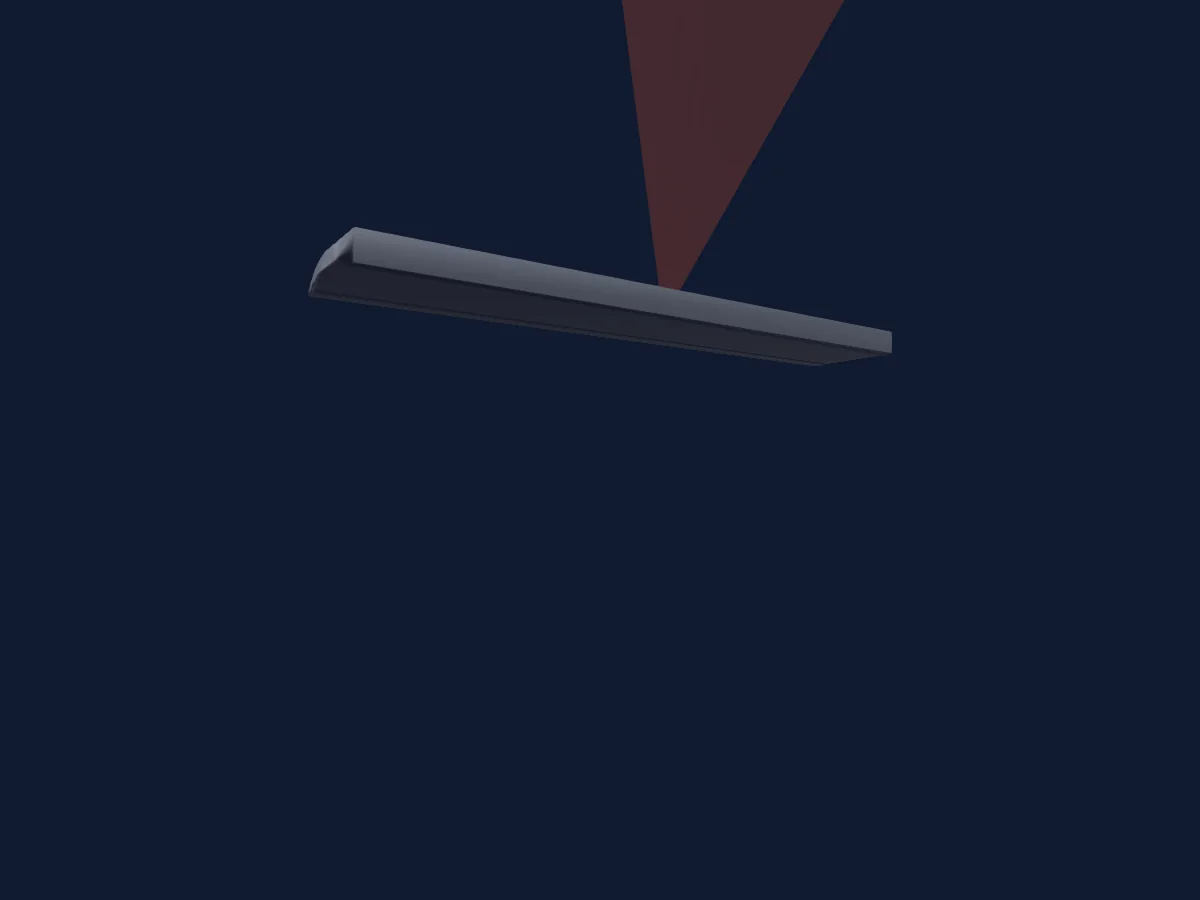
Robe Lighting Robin T32 CYC Slim rendered in HitLight

What it can do

  • CMY colour mixing
  • Extra LED colours
  • RGB colour mixing
  • Colour temperature
  • Colour wheel
  • Strobe
  • Dimmer
  • Pixel control

Safety-relevant functions: Service functions. Check how these behave on your own fixture before a show.

DMX modes and channel charts

DMX modes of Robe Lighting Robin T32 CYC Slim
ModeChannelsIn HitLight
Mode 1 - CMY31Ready in HitLight
Mode 1 - RGB31Ready in HitLight
Mode 2 - RGBAL35Ready in HitLight

Mode 1 - CMY

Ready in HitLight

31 DMX channels · Download this chart as CSV

DMX channel chart for Mode 1 - CMY
ChannelFunctionDefaultDMX values
1Control10
17 value ranges
  • 0–9 No function
  • 10–14 Wired DMX
  • 15–19 Wireless DMX
  • 20–24 Display ON
  • 25–29 Display OFF
  • 30–69 No function 1
  • 70–74 Fans mode Auto
  • 75–79 Fans mode High
  • 80–84 Quiet mode Fans ON at blackout
  • 85–89 Quiet mode Fans OFF at blackout
  • 90–94 ON High power mode
  • 95–99 OFF High power mode
  • 100–209 No function 3
  • 210–211 Green/Blue correction calibration
  • 212–239 No function 4
  • 240–240 Disabled Fans Quiet mode
  • 241–255 Quiet mode min to max
2L EDFrequency10
7 value ranges
  • 0–4 PWM frequency from Display menu
  • 5–9 300 Hz
  • 10–14 600 Hz
  • 15–19 1200 Hz
  • 20–24 2400 Hz
  • 25–29 High
  • 30–255 NoFeature
3L EDFrequency Adjust1280–255
4Color Control1
39 value ranges
  • 0–29 No function
  • 30–34 Standard CTO 8000-2700K
  • 35–39 Extended CTO 10000-1800K
  • 40–44 Colour mixing mode: CMY (DMX mode 1)
  • 45–49 Colour mixing mode: RGB (DMX mode 1)
  • 50–54 Dimmer curve Square law
  • 55–59 Dimmer curve Linear
  • 60–64 Dimmer curve Super square law
  • 65–79 NoFeature 1
  • 80–84 Tungsten effect simulation (750W): On
  • 85–89 Tungsten effect simulation (1000W): On
  • 90–94 Tungsten effect simulation (1200W): On
  • 95–99 Tungsten effect simulation (2000W): On
  • 100–104 Tungsten effect simulation (2500W): On
  • 105–109 Tungsten effect simulation: Off
  • 110–114 Save user colour
  • 115–119 Chromatic white On
  • 120–124 Chromatic white Off
  • 125–129 Light output stability On
  • 130–134 Light output stability Off
  • 135–139 Uniformity On
  • 140–144 Uniformity Off
  • 145–152 No function
  • 153–154 1800K/High intensity
  • 155–156 2700K/High intensity
  • 157–158 3200K/High intensity
  • 159–160 4200K/High intensity
  • 161–162 5600K/High intensity
  • 163–164 8000K/High intensity
  • 165–166 10000K/High intensity
  • 167–168 1800K/High CRI
  • 169–170 2700K/High CRI
  • 171–172 3200K/High CRI
  • 173–174 4200K/High CRI
  • 175–176 5600K/High CRI
  • 177–178 8000K/High CRI
  • 179–180 10000K/High CRI
  • 181–182 Save Green/Blue correction
  • 183–255 NoFeature 3
5C RIMode0
2 value ranges
  • 0–254 CRI 80
  • 255–255 CRI 90+
6Color Macro100–255
7Cyan00–255
8Cyan Fine0Fine byte of Cyan
9Magenta00–255
10Magenta Fine0Fine byte of Magenta
11Yellow00–255
12Yellow Fine0Fine byte of Yellow
13C TO110
11 value ranges
  • 0–1 8000 K
  • 2–64 7978 K - > 6622 K
  • 65–65 6600 K
  • 66–109 6578K - > 5622 K
  • 110–110 5600 K
  • 111–179 5580 K - > 4220 K
  • 180–180 4200 K
  • 181–229 4180 K - > 3220 K
  • 230–230 3200 K
  • 231–254 3180 K - > 2720 K
  • 255–255 2700K
14Tint128
4 value ranges
  • 0–0 Uncorrected white
  • 1–127 Minus green - > Uncorrected white
  • 128–128 Uncorrected white
  • 129–255 Uncorrected white - > Plus green
15Color Mix Mode0
12 value ranges
  • 0–9 Virtual colours (Virtual has priority)
  • 10–19 Maximum mode (highest values have priority)
  • 20–29 Minimum mode (lowest values have priority)
  • 30–39 Multiply mode (multiply Virtual and Colour mix)
  • 40–49 Addition mode (Virtual + Colour mix)
  • 50–59 Subtraction mode (Virtual - Colour mix)
  • 60–69 Inverted Subtraction mode (Colour mix - Virtual)
  • 70–79 White Point Off
  • 80–128 Reserved
  • 129–129 Crossfade Virtual only
  • 130–254 Crossfade between Virtual and Colour mix
  • 255–255 Crossfade Color mix only
16Color Mix Mode45
12 value ranges
  • 0–9 Global Colours (global has priority)
  • 10–19 Maximum mode (highest values have priority)
  • 20–29 Minimum mode (lowest values have priority)
  • 30–39 Multiply mode (multiply Global and Pixel)
  • 40–49 Addition mode (Global + Pixel)
  • 50–59 Subtraction mode (Global - Pixel)
  • 60–69 Inverted Subtraction mode (Pixel - Global)
  • 70–79 White Point Off
  • 80–127 Reserved
  • 128–128 Global colours only (Global has priority)
  • 129–254 Crossfade between Global and Pixel
  • 255–255 Zone colours (Pixel has priority)
17Shutter / Strobe32
13 value ranges
  • 0–31 Shutter closed
  • 32–63 Shutter open
  • 64–94 Strobe min
  • 95–95 Strobe max
  • 96–127 Shutter open
  • 128–142 Opening pulse slow
  • 143–143 Opening pulse fast
  • 144–158 Closing pulse fast
  • 159–159 Closing pulse slow
  • 160–191 Shutter open
  • 192–222 Random strobe slow
  • 223–223 Random strobe fast
  • 224–255 Shutter open
18Dimmer0
2 value ranges
  • 0–254 Closed
  • 255–255 Open
19Dimmer Fine0Fine byte of Dimmer
20Red00–255
21Green00–255
22Blue00–255
23Red00–255
24Green00–255
25Blue00–255
26Red00–255
27Green00–255
28Blue00–255
29Red00–255
30Green00–255
31Blue00–255

Mode 1 - RGB

Ready in HitLight

31 DMX channels · Download this chart as CSV

DMX channel chart for Mode 1 - RGB
ChannelFunctionDefaultDMX values
1Control10
17 value ranges
  • 0–9 No function
  • 10–14 Wired DMX
  • 15–19 Wireless DMX
  • 20–24 Display ON
  • 25–29 Display OFF
  • 30–69 No function 1
  • 70–74 Fans mode Auto
  • 75–79 Fans mode High
  • 80–84 Quiet mode Fans ON at blackout
  • 85–89 Quiet mode Fans OFF at blackout
  • 90–94 ON High power mode
  • 95–99 OFF High power mode
  • 100–209 No function 3
  • 210–211 Green/Blue correction calibration
  • 212–239 No function 4
  • 240–240 Disabled Fans Quiet mode
  • 241–255 Quiet mode min to max
2L EDFrequency10
7 value ranges
  • 0–4 PWM frequency from Display menu
  • 5–9 300 Hz
  • 10–14 600 Hz
  • 15–19 1200 Hz
  • 20–24 2400 Hz
  • 25–29 High
  • 30–255 NoFeature
3L EDFrequency Adjust1280–255
4Color Control1
39 value ranges
  • 0–29 No function
  • 30–34 Standard CTO 8000-2700K
  • 35–39 Extended CTO 10000-1800K
  • 40–44 Colour mixing mode: CMY (DMX mode 1)
  • 45–49 Colour mixing mode: RGB (DMX mode 1)
  • 50–54 Dimmer curve Square law
  • 55–59 Dimmer curve Linear
  • 60–64 Dimmer curve Super square law
  • 65–79 NoFeature 1
  • 80–84 Tungsten effect simulation (750W): On
  • 85–89 Tungsten effect simulation (1000W): On
  • 90–94 Tungsten effect simulation (1200W): On
  • 95–99 Tungsten effect simulation (2000W): On
  • 100–104 Tungsten effect simulation (2500W): On
  • 105–109 Tungsten effect simulation: Off
  • 110–114 Save user colour
  • 115–119 Chromatic white On
  • 120–124 Chromatic white Off
  • 125–129 Light output stability On
  • 130–134 Light output stability Off
  • 135–139 Uniformity On
  • 140–144 Uniformity Off
  • 145–152 No function
  • 153–154 1800K/High intensity
  • 155–156 2700K/High intensity
  • 157–158 3200K/High intensity
  • 159–160 4200K/High intensity
  • 161–162 5600K/High intensity
  • 163–164 8000K/High intensity
  • 165–166 10000K/High intensity
  • 167–168 1800K/High CRI
  • 169–170 2700K/High CRI
  • 171–172 3200K/High CRI
  • 173–174 4200K/High CRI
  • 175–176 5600K/High CRI
  • 177–178 8000K/High CRI
  • 179–180 10000K/High CRI
  • 181–182 Save Green/Blue correction
  • 183–255 NoFeature 3
5C RIMode0
2 value ranges
  • 0–254 CRI 80
  • 255–255 CRI 90+
6Color Macro100–255
7Red2550–255
8Red Fine255Fine byte of Red
9Green2550–255
10Green Fine255Fine byte of Green
11Blue2550–255
12Blue Fine255Fine byte of Blue
13C TO110
11 value ranges
  • 0–1 8000 K
  • 2–64 7978 K - > 6622 K
  • 65–65 6600 K
  • 66–109 6578K - > 5622 K
  • 110–110 5600 K
  • 111–179 5580 K - > 4220 K
  • 180–180 4200 K
  • 181–229 4180 K - > 3220 K
  • 230–230 3200 K
  • 231–254 3180 K - > 2720 K
  • 255–255 2700K
14Tint128
4 value ranges
  • 0–0 Uncorrected white
  • 1–127 Minus green - > Uncorrected white
  • 128–128 Uncorrected white
  • 129–255 Uncorrected white - > Plus green
15Color Mix Mode0
12 value ranges
  • 0–9 Virtual colours (Virtual has priority)
  • 10–19 Maximum mode (highest values have priority)
  • 20–29 Minimum mode (lowest values have priority)
  • 30–39 Multiply mode (multiply Virtual and Colour mix)
  • 40–49 Addition mode (Virtual + Colour mix)
  • 50–59 Subtraction mode (Virtual - Colour mix)
  • 60–69 Inverted Subtraction mode (Colour mix - Virtual)
  • 70–79 White Point Off
  • 80–128 Reserved
  • 129–129 Crossfade Virtual only
  • 130–254 Crossfade between Virtual and Colour mix
  • 255–255 Crossfade Color mix only
16Color Mix Mode45
12 value ranges
  • 0–9 Global Colours (global has priority)
  • 10–19 Maximum mode (highest values have priority)
  • 20–29 Minimum mode (lowest values have priority)
  • 30–39 Multiply mode (multiply Global and Pixel)
  • 40–49 Addition mode (Global + Pixel)
  • 50–59 Subtraction mode (Global - Pixel)
  • 60–69 Inverted Subtraction mode (Pixel - Global)
  • 70–79 White Point Off
  • 80–127 Reserved
  • 128–128 Global colours only (Global has priority)
  • 129–254 Crossfade between Global and Pixel
  • 255–255 Zone colours (Pixel has priority)
17Shutter / Strobe32
13 value ranges
  • 0–31 Shutter closed
  • 32–63 Shutter open
  • 64–94 Strobe min
  • 95–95 Strobe max
  • 96–127 Shutter open
  • 128–142 Opening pulse slow
  • 143–143 Opening pulse fast
  • 144–158 Closing pulse fast
  • 159–159 Closing pulse slow
  • 160–191 Shutter open
  • 192–222 Random strobe slow
  • 223–223 Random strobe fast
  • 224–255 Shutter open
18Dimmer0
2 value ranges
  • 0–254 Closed
  • 255–255 Open
19Dimmer Fine0Fine byte of Dimmer
20Red00–255
21Green00–255
22Blue00–255
23Red00–255
24Green00–255
25Blue00–255
26Red00–255
27Green00–255
28Blue00–255
29Red00–255
30Green00–255
31Blue00–255

Mode 2 - RGBAL

Ready in HitLight

35 DMX channels · Download this chart as CSV

DMX channel chart for Mode 2 - RGBAL
ChannelFunctionDefaultDMX values
1Control10
17 value ranges
  • 0–9 No function
  • 10–14 Wired DMX
  • 15–19 Wireless DMX
  • 20–24 Display ON
  • 25–29 Display OFF
  • 30–69 No function 1
  • 70–74 Fans mode Auto
  • 75–79 Fans mode High
  • 80–84 Quiet mode Fans ON at blackout
  • 85–89 Quiet mode Fans OFF at blackout
  • 90–94 ON High power mode
  • 95–99 OFF High power mode
  • 100–209 No function 3
  • 210–211 Green/Blue correction calibration
  • 212–239 No function 4
  • 240–240 Disabled Fans Quiet mode
  • 241–255 Quiet mode min to max
2L EDFrequency10
7 value ranges
  • 0–4 PWM frequency from Display menu
  • 5–9 300 Hz
  • 10–14 600 Hz
  • 15–19 1200 Hz
  • 20–24 2400 Hz
  • 25–29 High
  • 30–255 NoFeature
3L EDFrequency Adjust1280–255
4Color Control1
39 value ranges
  • 0–29 No function
  • 30–34 Standard CTO 8000-2700K
  • 35–39 Extended CTO 10000-1800K
  • 40–44 Colour mixing mode: CMY (DMX mode 1)
  • 45–49 Colour mixing mode: RGB (DMX mode 1)
  • 50–54 Dimmer curve Square law
  • 55–59 Dimmer curve Linear
  • 60–64 Dimmer curve Super square law
  • 65–79 NoFeature 1
  • 80–84 Tungsten effect simulation (750W): On
  • 85–89 Tungsten effect simulation (1000W): On
  • 90–94 Tungsten effect simulation (1200W): On
  • 95–99 Tungsten effect simulation (2000W): On
  • 100–104 Tungsten effect simulation (2500W): On
  • 105–109 Tungsten effect simulation: Off
  • 110–114 Save user colour
  • 115–119 Chromatic white On
  • 120–124 Chromatic white Off
  • 125–129 Light output stability On
  • 130–134 Light output stability Off
  • 135–139 Uniformity On
  • 140–144 Uniformity Off
  • 145–152 No function
  • 153–154 1800K/High intensity
  • 155–156 2700K/High intensity
  • 157–158 3200K/High intensity
  • 159–160 4200K/High intensity
  • 161–162 5600K/High intensity
  • 163–164 8000K/High intensity
  • 165–166 10000K/High intensity
  • 167–168 1800K/High CRI
  • 169–170 2700K/High CRI
  • 171–172 3200K/High CRI
  • 173–174 4200K/High CRI
  • 175–176 5600K/High CRI
  • 177–178 8000K/High CRI
  • 179–180 10000K/High CRI
  • 181–182 Save Green/Blue correction
  • 183–255 NoFeature 3
5C RIMode0
2 value ranges
  • 0–254 CRI 80
  • 255–255 CRI 90+
6Color Macro100–255
7Red2550–255
8Red Fine255Fine byte of Red
9Green2550–255
10Green Fine255Fine byte of Green
11Blue2550–255
12Blue Fine255Fine byte of Blue
13Color Add RY2550–255
14Color Add RY Fine255Fine byte of Color Add RY
15Color Add GY2550–255
16Color Add GY Fine255Fine byte of Color Add GY
17C TO110
11 value ranges
  • 0–1 8000 K
  • 2–64 7978 K - > 6622 K
  • 65–65 6600 K
  • 66–109 6578K - > 5622 K
  • 110–110 5600 K
  • 111–179 5580 K - > 4220 K
  • 180–180 4200 K
  • 181–229 4180 K - > 3220 K
  • 230–230 3200 K
  • 231–254 3180 K - > 2720 K
  • 255–255 2700K
18Tint128
4 value ranges
  • 0–0 Uncorrected white
  • 1–127 Minus green - > Uncorrected white
  • 128–128 Uncorrected white
  • 129–255 Uncorrected white - > Plus green
19Color Mix Mode0
12 value ranges
  • 0–9 Virtual colours (Virtual has priority)
  • 10–19 Maximum mode (highest values have priority)
  • 20–29 Minimum mode (lowest values have priority)
  • 30–39 Multiply mode (multiply Virtual and Colour mix)
  • 40–49 Addition mode (Virtual + Colour mix)
  • 50–59 Subtraction mode (Virtual - Colour mix)
  • 60–69 Inverted Subtraction mode (Colour mix - Virtual)
  • 70–79 White Point Off
  • 80–128 Reserved
  • 129–129 Crossfade Virtual only
  • 130–254 Crossfade between Virtual and Colour mix
  • 255–255 Crossfade Color mix only
20Color Mix Mode45
12 value ranges
  • 0–9 Global Colours (global has priority)
  • 10–19 Maximum mode (highest values have priority)
  • 20–29 Minimum mode (lowest values have priority)
  • 30–39 Multiply mode (multiply Global and Pixel)
  • 40–49 Addition mode (Global + Pixel)
  • 50–59 Subtraction mode (Global - Pixel)
  • 60–69 Inverted Subtraction mode (Pixel - Global)
  • 70–79 White Point Off
  • 80–127 Reserved
  • 128–128 Global colours only (Global has priority)
  • 129–254 Crossfade between Global and Pixel
  • 255–255 Zone colours (Pixel has priority)
21Shutter / Strobe32
13 value ranges
  • 0–31 Shutter closed
  • 32–63 Shutter open
  • 64–94 Strobe min
  • 95–95 Strobe max
  • 96–127 Shutter open
  • 128–142 Opening pulse slow
  • 143–143 Opening pulse fast
  • 144–158 Closing pulse fast
  • 159–159 Closing pulse slow
  • 160–191 Shutter open
  • 192–222 Random strobe slow
  • 223–223 Random strobe fast
  • 224–255 Shutter open
22Dimmer0
2 value ranges
  • 0–254 Closed
  • 255–255 Open
23Dimmer Fine0Fine byte of Dimmer
24Red00–255
25Green00–255
26Blue00–255
27Red00–255
28Green00–255
29Blue00–255
30Red00–255
31Green00–255
32Blue00–255
33Red00–255
34Green00–255
35Blue00–255

Use the Robe Lighting Robin T32 CYC Slim in HitLight

  1. Open Add fixture and search for Robe Lighting Robin T32 CYC Slim.
  2. Choose the DMX mode set in the fixture’s own menu. HitLight gives it the lowest free start address on its universe that fits the mode’s channel count.
  3. Check the mode and controls against your real fixture before live use.

Charts come from the fixture’s GDTF description as converted for the HitLight library. HitLight is not affiliated with Robe Lighting.

Patch it, then let the music run the lights.

HitLight finds these fixtures in its library, patches them on the next free address and previews your rig in 3D before a single light is plugged in.

Open HitLight ↗Download HitLight