Skip to content
HitLight
SHEHDS · Moving head

SHEHDS LED Beam+Wash 7x40W RGBW Zoom Light

DMX chart, 2 DMX modes and a 3D preview. 24 / 54 DMX channels.
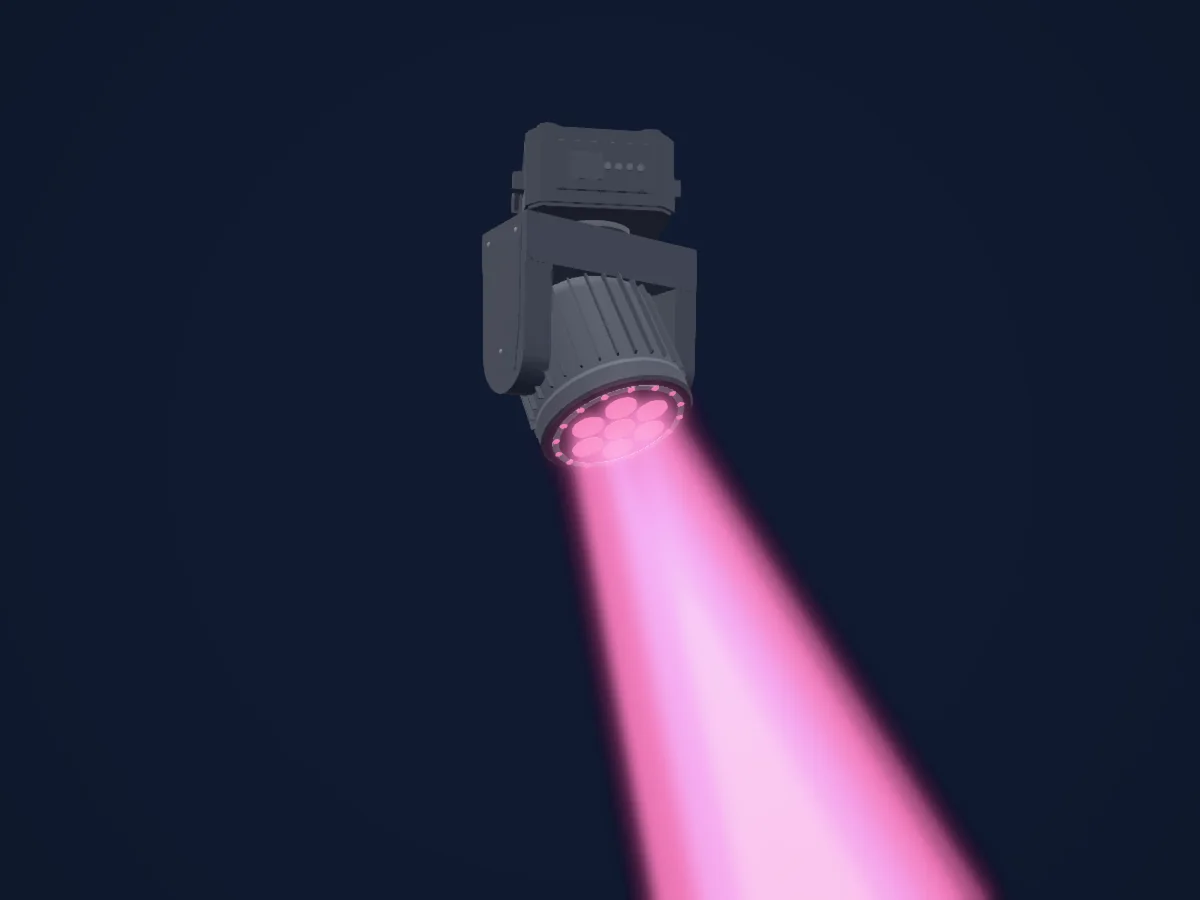
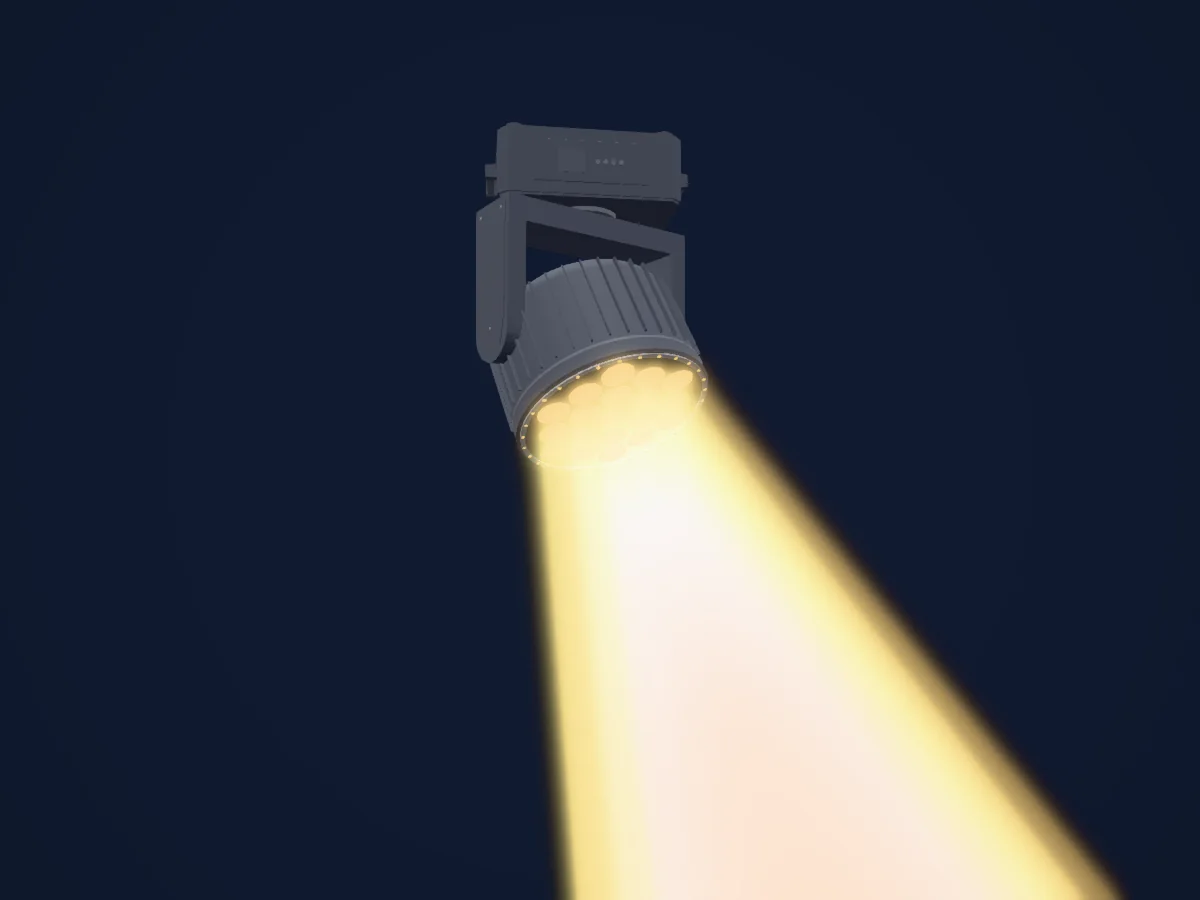
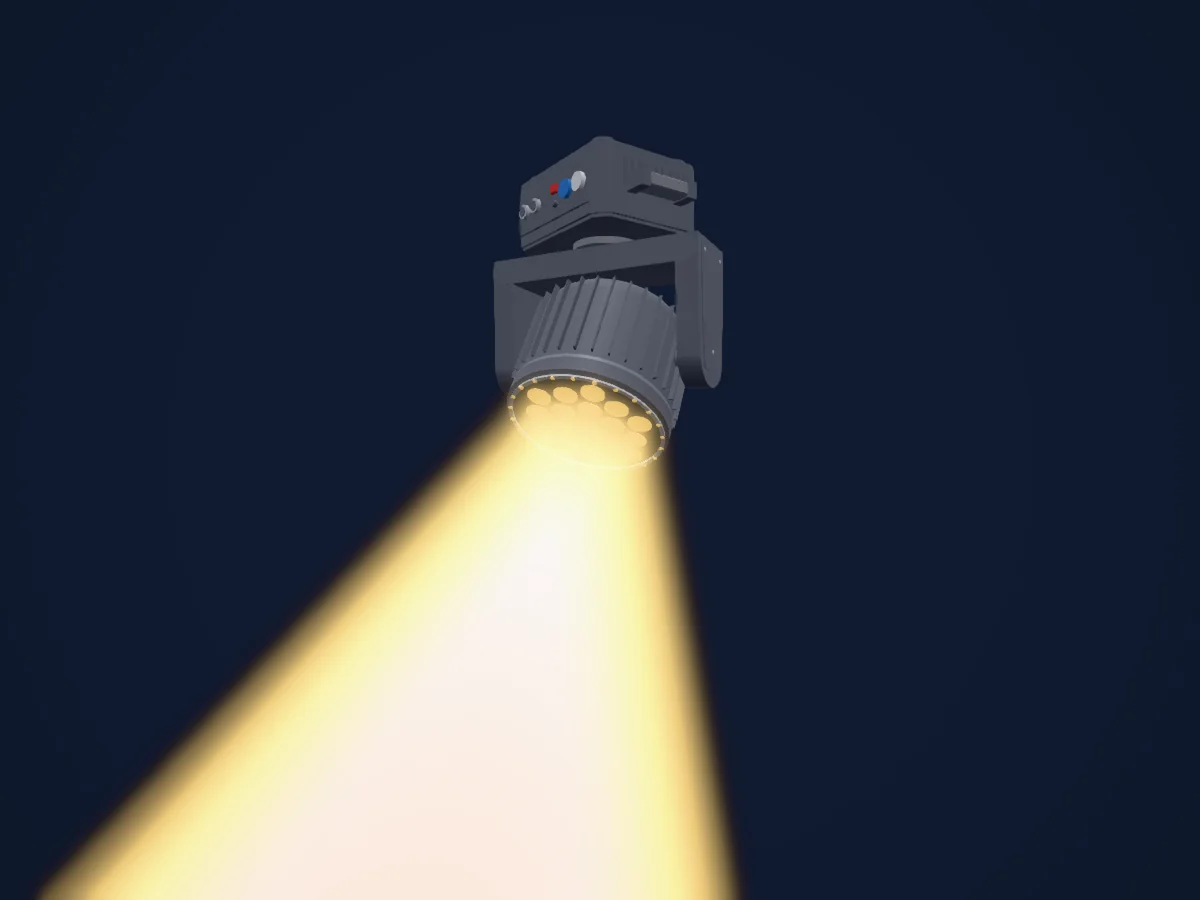
SHEHDS LED Beam+Wash 7x40W RGBW Zoom Light rendered in HitLight

What it can do

  • Zoom
  • Colour control
  • Colour wheel
  • Effect speed
  • Strobe
  • Dimmer
  • Pixel control
  • Pan and tilt
  • Movement speed

Safety-relevant functions: Built-in effect programmes. Check how these behave on your own fixture before a show.

DMX modes and channel charts

DMX modes of SHEHDS LED Beam+Wash 7x40W RGBW Zoom Light
ModeChannelsIn HitLight
24 Channels Mode24Ready in HitLight
54 Channels Mode54Ready in HitLight

24 Channels Mode

Ready in HitLight

24 DMX channels · Download this chart as CSV

DMX channel chart for 24 Channels Mode
ChannelFunctionDefaultDMX values
1Pan1280–255
2Tilt1280–255
3Position MSpeed00–255
4Dimmer00–255
5Shutter / Strobe104
7 value ranges
  • 0–3 Off
  • 4–103 Strobe speeds from slow to fast 1–25 Hz
  • 104–107 Light up
  • 108–207 Strobe speeds from slow to fast 1–25 Hz
  • 208–212 Light up
  • 213–251 Random strobing
  • 252–255 Light up
6Red00–255
7Green00–255
8Blue00–255
9White00–255
10Zoom00–255
11C TC00–255
12Color Macro10
26 value ranges
  • 0–9 None
  • 10–19 Red
  • 20–29 Green
  • 30–39 Blue
  • 40–49 White
  • 50–59 Yellow
  • 60–69 Purple
  • 70–79 Sky Blue
  • 80–89 Ivory White
  • 90–99 Siena Color
  • 100–109 Cinnamon
  • 110–119 Orange
  • 120–129 Scarlet
  • 130–139 Cherry Red
  • 140–149 Raspberry Red
  • 150–159 Lavender
  • 160–169 Magenta
  • 170–179 Grape Purple
  • 180–189 Bright Purple
  • 190–199 Egyptian Blue
  • 200–209 Bright Blue
  • 210–219 Just Blue
  • 220–229 Light Blue
  • 230–239 Electric Blue
  • 240–249 Sea Blue
  • 250–255 Light Blue
13Effect0
22 value ranges
  • 0–9 None
  • 10–19 Single diagonal static graphic
  • 20–29 One character static graphic
  • 30–39 Triangle Static Shape
  • 40–49 Pendulum shaped static graphic
  • 50–59 Single flow dynamic effect
  • 60–69 2 dynamic effects of flowing water
  • 70–79 2 Pendulum Water Flow Dynamic Effect
  • 80–89 3 Pendulum Water Flow Dynamic Effect
  • 90–99 3 trailing flowing water dynamic effects
  • 100–109 3 Pendulum Tail Flow Dynamic Effect
  • 110–119 Single diagonal flowing dynamic effect
  • 120–129 Two diagonal flowing dynamic effects
  • 130–139 Linear flowing dynamic effect
  • 140–149 X-shaped flowing water dynamic effect
  • 150–159 Dynamic effect of wavy water flow
  • 160–169 Dynamic switching effect between internal and external
  • 170–179 Rotating blooming point control effect
  • 180–189 Continuous blooming point control effect
  • 190–199 Petal rotation point control effect
  • 200–209 Colorful overall flow control effect on the outer ring
  • 210–255 None
14Effect Speed00–255
15Effects1Fade00–255
16Color Effects100–255
17Control10
15 value ranges
  • 0–10 None
  • 11–20 Index
  • 21–30 Linear
  • 31–40 Inverse Index
  • 41–50 S- Curve
  • 51–80 Non-Functional
  • 81–90 Automatic Mode, Speed From Fast To Slow
  • 91–100 Audio Mode
  • 101–110 Non-Functional
  • 111–120 Horizontal Reverse: Open
  • 121–130 Horizontal Reversal: Close
  • 131–140 Vertical Reverse: Open
  • 141–150 Vertical Reverse: Close
  • 151–160 Reset All Motors
  • 161–255 None
18Dimmer00–255
19Shutter / Strobe 20
4 value ranges
  • 0–49 On
  • 50–200 Synchronous strobe 1–25 Hz
  • 201–210 On
  • 211–255 Random flicker
20Red00–255
21Green00–255
22Blue00–255
23Effect 20
64 value ranges
  • 0–2 None
  • 3–5 Ring Effect 1
  • 6–8 Ring Effect 2
  • 9–11 Ring Effect 3
  • 12–14 Ring Effect 4
  • 15–17 Ring Effect 5
  • 18–20 Ring Effect 6
  • 21–23 Ring Effect 7
  • 24–26 Ring Effect 8
  • 27–29 Ring Effect 9
  • 30–32 Ring Effect 10
  • 33–35 Ring Effect 11
  • 36–38 Ring Effect 12
  • 39–41 Ring Effect 13
  • 42–44 Ring Effect 14
  • 45–47 Ring Effect 15
  • 48–50 Ring Effect 16
  • 51–53 Ring Effect 17
  • 54–56 Ring Effect 18
  • 57–59 Ring Effect 19
  • 60–62 Ring Effect 20
  • 63–65 Ring Effect 21
  • 66–68 Ring Effect 22
  • 69–71 Ring Effect 23
  • 72–74 Ring Effect 24
  • 75–77 Ring Effect 25
  • 78–80 Ring Effect 26
  • 81–83 Ring Effect 27
  • 84–86 Ring Effect 28
  • 87–89 Ring Effect 29
  • 90–92 Ring Effect 30
  • 93–95 Ring Effect 31
  • 96–98 Ring Effect 32
  • 99–101 Ring Effect 33
  • 102–104 Ring Effect 34
  • 105–107 Ring Effect 35
  • 108–110 Ring Effect 36
  • 111–113 Ring Effect 37
  • 114–116 Ring Effect 38
  • 117–119 Ring Effect 39
  • 120–122 Ring Effect 40
  • 123–125 Ring Effect 41
  • 126–128 Ring Effect 42
  • 129–131 Ring Effect 43
  • 132–134 Ring Effect 44
  • 135–137 Ring Effect 45
  • 138–140 Ring Effect 46
  • 141–143 Ring Effect 47
  • 144–146 Ring Effect 48
  • 147–149 Ring Effect 49
  • 150–152 Ring Effect 50
  • 153–155 Ring Effect 51
  • 156–158 Ring Effect 52
  • 159–161 Ring Effect 53
  • 162–164 Ring Effect 54
  • 165–167 Ring Effect 55
  • 168–170 Ring Effect 56
  • 171–173 Ring Effect 57
  • 174–176 Ring Effect 58
  • 177–179 Ring Effect 59
  • 180–182 Ring Effect 60
  • 183–185 Ring Effect 61
  • 186–188 Ring Effect 62
  • 189–191 Ring Effect 63
24Effect Speed 200–255

54 Channels Mode

Ready in HitLight

54 DMX channels · Download this chart as CSV

DMX channel chart for 54 Channels Mode
ChannelFunctionDefaultDMX values
1Pan1280–255
2Pan Fine0Fine byte of Pan
3Tilt1280–255
4Tilt Fine0Fine byte of Tilt
5Position MSpeed00–255
6Dimmer00–255
7Shutter / Strobe104
7 value ranges
  • 0–3 Off
  • 4–103 Strobe speeds from slow to fast 1–25 Hz
  • 104–107 Light up
  • 108–207 Strobe speeds from slow to fast 1–25 Hz
  • 208–212 Light up
  • 213–251 Random strobing
  • 252–255 Light up
8Red00–255
9Green00–255
10Blue00–255
11White00–255
12Zoom00–255
13C TC00–255
14Color Macro10
26 value ranges
  • 0–9 None
  • 10–19 Red
  • 20–29 Green
  • 30–39 Blue
  • 40–49 White
  • 50–59 Yellow
  • 60–69 Purple
  • 70–79 Sky Blue
  • 80–89 Ivory White
  • 90–99 Siena Color
  • 100–109 Cinnamon
  • 110–119 Orange
  • 120–129 Scarlet
  • 130–139 Cherry Red
  • 140–149 Raspberry Red
  • 150–159 Lavender
  • 160–169 Magenta
  • 170–179 Grape Purple
  • 180–189 Bright Purple
  • 190–199 Egyptian Blue
  • 200–209 Bright Blue
  • 210–219 Just Blue
  • 220–229 Light Blue
  • 230–239 Electric Blue
  • 240–249 Sea Blue
  • 250–255 Light Blue
15Effect0
22 value ranges
  • 0–9 None
  • 10–19 Single diagonal static graphic
  • 20–29 One character static graphic
  • 30–39 Triangle Static Shape
  • 40–49 Pendulum shaped static graphic
  • 50–59 Single flow dynamic effect
  • 60–69 2 dynamic effects of flowing water
  • 70–79 2 Pendulum Water Flow Dynamic Effect
  • 80–89 3 Pendulum Water Flow Dynamic Effect
  • 90–99 3 trailing flowing water dynamic effects
  • 100–109 3 Pendulum Tail Flow Dynamic Effect
  • 110–119 Single diagonal flowing dynamic effect
  • 120–129 Two diagonal flowing dynamic effects
  • 130–139 Linear flowing dynamic effect
  • 140–149 X-shaped flowing water dynamic effect
  • 150–159 Dynamic effect of wavy water flow
  • 160–169 Dynamic switching effect between internal and external
  • 170–179 Rotating blooming point control effect
  • 180–189 Continuous blooming point control effect
  • 190–199 Petal rotation point control effect
  • 200–209 Colorful overall flow control effect on the outer ring
  • 210–255 None
16Effect Speed00–255
17Effects1Fade00–255
18Color Effects100–255
19Control10
15 value ranges
  • 0–10 None
  • 11–20 Index
  • 21–30 Linear
  • 31–40 Inverse Index
  • 41–50 S- Curve
  • 51–80 Non-Functional
  • 81–90 Automatic Mode, Speed From Fast To Slow
  • 91–100 Audio Mode
  • 101–110 Non-Functional
  • 111–120 Horizontal Reverse: Open
  • 121–130 Horizontal Reversal: Close
  • 131–140 Vertical Reverse: Open
  • 141–150 Vertical Reverse: Close
  • 151–160 Reset All Motors
  • 161–255 None
20Dimmer00–255
21Shutter / Strobe 20
4 value ranges
  • 0–49 On
  • 50–200 Synchronous strobe 1–25 Hz
  • 201–210 On
  • 211–255 Random flicker
22Red00–255
23Green00–255
24Blue00–255
25Effect 20
64 value ranges
  • 0–2 None
  • 3–5 Ring Effect 1
  • 6–8 Ring Effect 2
  • 9–11 Ring Effect 3
  • 12–14 Ring Effect 4
  • 15–17 Ring Effect 5
  • 18–20 Ring Effect 6
  • 21–23 Ring Effect 7
  • 24–26 Ring Effect 8
  • 27–29 Ring Effect 9
  • 30–32 Ring Effect 10
  • 33–35 Ring Effect 11
  • 36–38 Ring Effect 12
  • 39–41 Ring Effect 13
  • 42–44 Ring Effect 14
  • 45–47 Ring Effect 15
  • 48–50 Ring Effect 16
  • 51–53 Ring Effect 17
  • 54–56 Ring Effect 18
  • 57–59 Ring Effect 19
  • 60–62 Ring Effect 20
  • 63–65 Ring Effect 21
  • 66–68 Ring Effect 22
  • 69–71 Ring Effect 23
  • 72–74 Ring Effect 24
  • 75–77 Ring Effect 25
  • 78–80 Ring Effect 26
  • 81–83 Ring Effect 27
  • 84–86 Ring Effect 28
  • 87–89 Ring Effect 29
  • 90–92 Ring Effect 30
  • 93–95 Ring Effect 31
  • 96–98 Ring Effect 32
  • 99–101 Ring Effect 33
  • 102–104 Ring Effect 34
  • 105–107 Ring Effect 35
  • 108–110 Ring Effect 36
  • 111–113 Ring Effect 37
  • 114–116 Ring Effect 38
  • 117–119 Ring Effect 39
  • 120–122 Ring Effect 40
  • 123–125 Ring Effect 41
  • 126–128 Ring Effect 42
  • 129–131 Ring Effect 43
  • 132–134 Ring Effect 44
  • 135–137 Ring Effect 45
  • 138–140 Ring Effect 46
  • 141–143 Ring Effect 47
  • 144–146 Ring Effect 48
  • 147–149 Ring Effect 49
  • 150–152 Ring Effect 50
  • 153–155 Ring Effect 51
  • 156–158 Ring Effect 52
  • 159–161 Ring Effect 53
  • 162–164 Ring Effect 54
  • 165–167 Ring Effect 55
  • 168–170 Ring Effect 56
  • 171–173 Ring Effect 57
  • 174–176 Ring Effect 58
  • 177–179 Ring Effect 59
  • 180–182 Ring Effect 60
  • 183–185 Ring Effect 61
  • 186–188 Ring Effect 62
  • 189–191 Ring Effect 63
26Effect Speed 200–255
27Red00–255
28Green00–255
29Blue00–255
30White00–255
31Red00–255
32Green00–255
33Blue00–255
34White00–255
35Red00–255
36Green00–255
37Blue00–255
38White00–255
39Red00–255
40Green00–255
41Blue00–255
42White00–255
43Red00–255
44Green00–255
45Blue00–255
46White00–255
47Red00–255
48Green00–255
49Blue00–255
50White00–255
51Red00–255
52Green00–255
53Blue00–255
54White00–255

Use the SHEHDS LED Beam+Wash 7x40W RGBW Zoom Light in HitLight

  1. Open Add fixture and search for SHEHDS LED Beam+Wash 7x40W RGBW Zoom Light.
  2. Choose the DMX mode set in the fixture’s own menu. HitLight gives it the lowest free start address on its universe that fits the mode’s channel count.
  3. Check the mode and controls against your real fixture before live use.

Charts come from the fixture’s GDTF description as converted for the HitLight library. HitLight is not affiliated with SHEHDS.

Fixture model: gdtf-shehds-led-beam-wash-7x40w-rgbw-zoom-light-2611114108
Creator: HitLight
Modifications: Original HitLight 3D housing: scripted parametric geometry modelled by HitLight from public product photos and the manufacturer's published dimensions. No manufacturer imagery, CAD, meshes or GDTF models are redistributed.

Patch it, then let the music run the lights.

HitLight finds these fixtures in its library, patches them on the next free address and previews your rig in 3D before a single light is plugged in.

Open HitLight ↗Download HitLight