 HitLight
ShowPro RGBW EA 8089
DMX chart, 4 DMX modes and a 3D preview. 4 / 5 / 7 / 72 DMX channels.
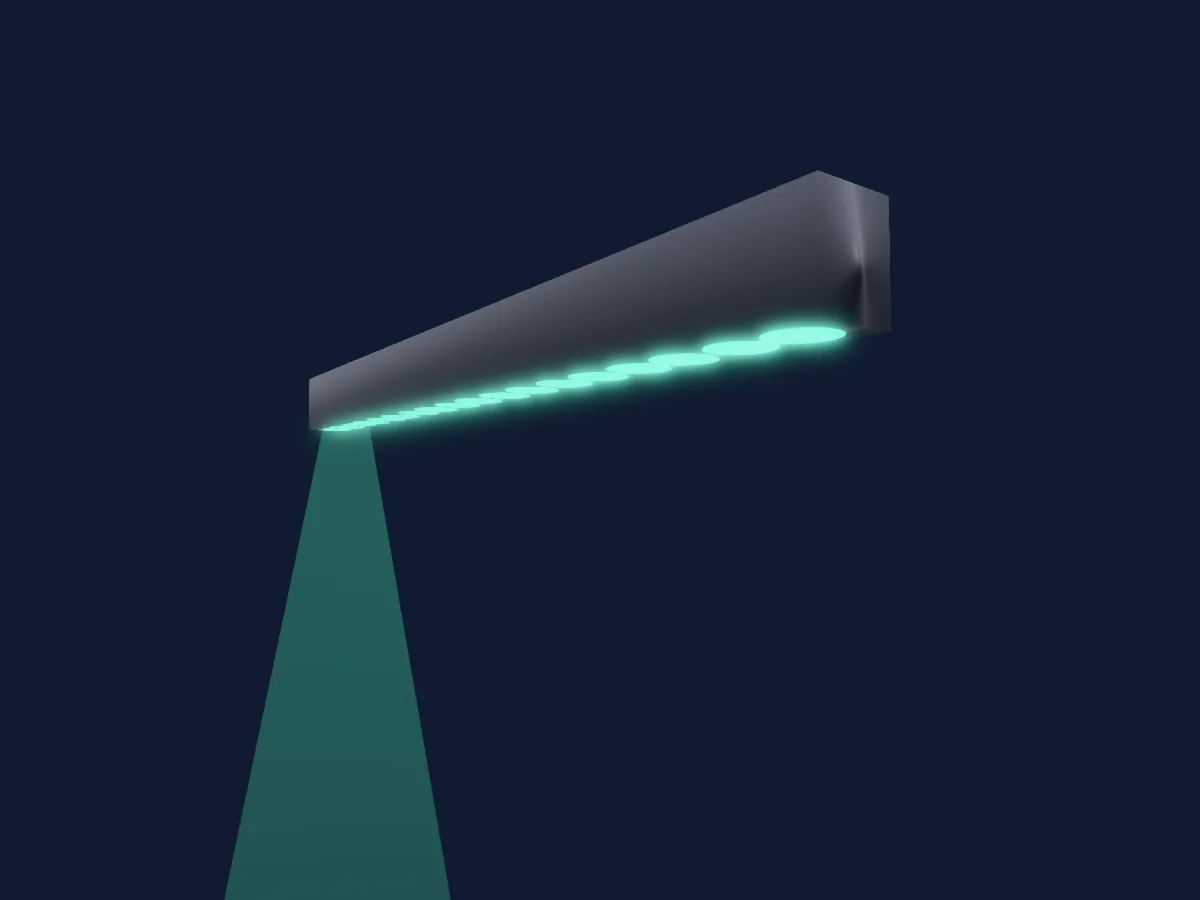
What it can do
- Extra LED colours
- RGB colour mixing
- Colour wheel
- Dimmer
- Pixel control
DMX modes and channel charts
| Mode | Channels | In HitLight |
|---|---|---|
| Mode A | 4 | Ready in HitLight |
| Mode B | 5 | Ready in HitLight |
| Mode C | 7 | Ready in HitLight |
| Mode D | 72 | Ready in HitLight |
Mode A
Ready in HitLight4 DMX channels · Download this chart as CSV
| Channel | Function | Default | DMX values |
|---|---|---|---|
| 1 | Red | 0 | 0–255 |
| 2 | Green | 0 | 0–255 |
| 3 | Blue | 0 | 0–255 |
| 4 | White | 0 | 0–255 |
Mode B
Ready in HitLight5 DMX channels · Download this chart as CSV
| Channel | Function | Default | DMX values |
|---|---|---|---|
| 1 | Red | 0 | 0–255 |
| 2 | Green | 0 | 0–255 |
| 3 | Blue | 0 | 0–255 |
| 4 | White | 0 | 0–255 |
| 5 | Dimmer | 0 | 2 value ranges
|
Mode C
Ready in HitLight7 DMX channels · Download this chart as CSV
| Channel | Function | Default | DMX values |
|---|---|---|---|
| 1 | Red | 0 | 0–255 |
| 2 | Green | 0 | 0–255 |
| 3 | Blue | 0 | 0–255 |
| 4 | White | 0 | 0–255 |
| 5 | Strobe Mode Shutter | 0 | 0–255 |
| 6 | Color Macro1 | 0 | 0–255 |
| 7 | Dimmer | 0 | 2 value ranges
|
Mode D
Ready in HitLight72 DMX channels · Download this chart as CSV
| Channel | Function | Default | DMX values |
|---|---|---|---|
| 1 | Red | 0 | 0–255 |
| 2 | Green | 0 | 0–255 |
| 3 | Blue | 0 | 0–255 |
| 4 | White | 0 | 0–255 |
| 5 | Red | 0 | 0–255 |
| 6 | Green | 0 | 0–255 |
| 7 | Blue | 0 | 0–255 |
| 8 | White | 0 | 0–255 |
| 9 | Red | 0 | 0–255 |
| 10 | Green | 0 | 0–255 |
| 11 | Blue | 0 | 0–255 |
| 12 | White | 0 | 0–255 |
| 13 | Red | 0 | 0–255 |
| 14 | Green | 0 | 0–255 |
| 15 | Blue | 0 | 0–255 |
| 16 | White | 0 | 0–255 |
| 17 | Red | 0 | 0–255 |
| 18 | Green | 0 | 0–255 |
| 19 | Blue | 0 | 0–255 |
| 20 | White | 0 | 0–255 |
| 21 | Red | 0 | 0–255 |
| 22 | Green | 0 | 0–255 |
| 23 | Blue | 0 | 0–255 |
| 24 | White | 0 | 0–255 |
| 25 | Red | 0 | 0–255 |
| 26 | Green | 0 | 0–255 |
| 27 | Blue | 0 | 0–255 |
| 28 | White | 0 | 0–255 |
| 29 | Red | 0 | 0–255 |
| 30 | Green | 0 | 0–255 |
| 31 | Blue | 0 | 0–255 |
| 32 | White | 0 | 0–255 |
| 33 | Red | 0 | 0–255 |
| 34 | Green | 0 | 0–255 |
| 35 | Blue | 0 | 0–255 |
| 36 | White | 0 | 0–255 |
| 37 | Red | 0 | 0–255 |
| 38 | Green | 0 | 0–255 |
| 39 | Blue | 0 | 0–255 |
| 40 | White | 0 | 0–255 |
| 41 | Red | 0 | 0–255 |
| 42 | Green | 0 | 0–255 |
| 43 | Blue | 0 | 0–255 |
| 44 | White | 0 | 0–255 |
| 45 | Red | 0 | 0–255 |
| 46 | Green | 0 | 0–255 |
| 47 | Blue | 0 | 0–255 |
| 48 | White | 0 | 0–255 |
| 49 | Red | 0 | 0–255 |
| 50 | Green | 0 | 0–255 |
| 51 | Blue | 0 | 0–255 |
| 52 | White | 0 | 0–255 |
| 53 | Red | 0 | 0–255 |
| 54 | Green | 0 | 0–255 |
| 55 | Blue | 0 | 0–255 |
| 56 | White | 0 | 0–255 |
| 57 | Red | 0 | 0–255 |
| 58 | Green | 0 | 0–255 |
| 59 | Blue | 0 | 0–255 |
| 60 | White | 0 | 0–255 |
| 61 | Red | 0 | 0–255 |
| 62 | Green | 0 | 0–255 |
| 63 | Blue | 0 | 0–255 |
| 64 | White | 0 | 0–255 |
| 65 | Red | 0 | 0–255 |
| 66 | Green | 0 | 0–255 |
| 67 | Blue | 0 | 0–255 |
| 68 | White | 0 | 0–255 |
| 69 | Red | 0 | 0–255 |
| 70 | Green | 0 | 0–255 |
| 71 | Blue | 0 | 0–255 |
| 72 | White | 0 | 0–255 |
Use the ShowPro RGBW EA 8089 in HitLight
- Open Add fixture and search for ShowPro RGBW EA 8089.
- Choose the DMX mode set in the fixture’s own menu. HitLight gives it the lowest free start address on its universe that fits the mode’s channel count.
- Check the mode and controls against your real fixture before live use.
Related fixtures
PAR
ShowPro Dreampix Tube
3 DMX channels
PAR
ShowPro Truss Mate 2
3 / 8 DMX channels
PAR
ShowPro RoxStrip
6 DMX channels
PAR
ShowPro UV P40 IP
1 / 2 / 3 / 6 DMX channels
LED bar
ShowPro LED Hex 16 Strip
3 / 6 / 8 / 12 / 96 / 101 DMX channels
Spot
ShowPro LED Fresnel Frezno ZE-3
1 / 2 / 5 DMX channels
Charts come from the fixture’s GDTF description as converted for the HitLight library. HitLight is not affiliated with ShowPro.