Vai al contenuto
HitLight
Martin Professional · PAR

Martin Professional RUSH PAR 3

Tabella DMX, 1 modalità DMX e anteprima 3D. 9 canali DMX.
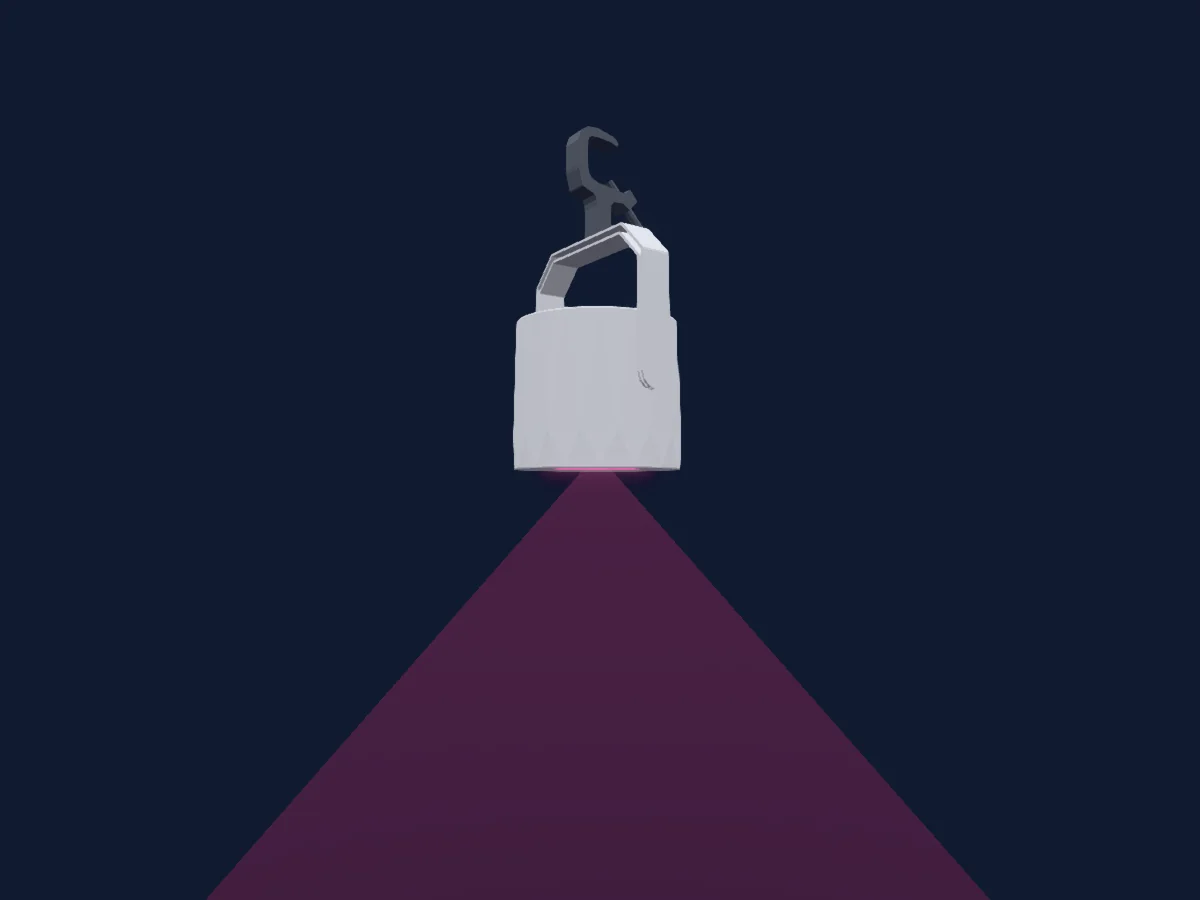
Martin Professional RUSH PAR 3 renderizzato in HitLight

Cosa può fare

  • Miscelazione colori RGB
  • Temperatura colore
  • Ruota colori
  • Strobo
  • Intensità

Funzioni rilevanti per la sicurezza: Funzioni di servizio. Verifica come si comportano sul tuo faro prima di uno spettacolo.

Modalità DMX e tabelle dei canali

Modalità DMX di Martin Professional RUSH PAR 3
ModalitàCanaliIn HitLight
9 Channel9Pronto in HitLight

9 Channel

Pronto in HitLight

9 canali DMX · Scarica questa tabella in CSV

Tabella dei canali DMX di 9 Channel
CanaleFunzionePredefinitoValori DMX
1Shutter / Strobe10
10 intervalli di valori
  • 0–7 Shutter Closed
  • 8–15 Shutter Open
  • 16–131 Strobe Effect S to F
  • 132–139 ON
  • 140–181 Fast Close Slow Open
  • 182–189 ON 1
  • 190–231 Fast Open Slow Close
  • 232–239 ON 2
  • 240–247 Random Strobe Slow to fast
  • 248–255 Shutter Open
2Dimmer00–255
3Dimmer Fine0Byte fine di Dimmer
4Red2550–255
5Green2550–255
6Blue2550–255
7C TC00–255
8Color Effects10
44 intervalli di valori
  • 0–10 Open (wheel slot 1)
  • 11–15 Lee 026 Bright Red (wheel slot 2)
  • 16–20 Lee 158 Deep Orange (wheel slot 3)
  • 21–25 Lee 105 Orange (wheel slot 4)
  • 26–30 Lee 179 Chrome Orange (wheel slot 5)
  • 31–35 Lee 015 Deep Straw (wheel slot 6)
  • 36–40 Lee 010 Medium Yellow (wheel slot 7)
  • 41–45 Lee 101 Yellow (wheel slot 8)
  • 46–50 Lee 100 Spring Yellow (wheel slot 9)
  • 51–55 Lee 088 Lime Green (wheel slot 10)
  • 56–60 Lee 121 Lee Green (wheel slot 11)
  • 61–65 Lee 138 JAS Green (wheel slot 12)
  • 66–70 Lee 139 Primary Green (wheel slot 13)
  • 71–75 Lee 124 Dark Green (wheel slot 14)
  • 76–80 Lee 323 Jade (wheel slot 15)
  • 81–85 Lee 115 Peacock Blue (wheel slot 16)
  • 86–90 Lee 140 Summer Blue (wheel slot 17)
  • 91–95 Lee 144 No Clor Blue (wheel slot 18)
  • 96–100 Lee 172 Lagoon Blue (wheel slot 19)
  • 101–105 Lee 183 Moonlight Blue (wheel slot 20)
  • 106–110 Lee 161 Slate Blue (wheel slot 21)
  • 111–115 Lee 165 Daylight Blue (wheel slot 22)
  • 116–120 Lee 118 Light Blue (wheel slot 23)
  • 121–125 Lee 068 Sky Blue (wheel slot 24)
  • 126–130 Lee 142 Pale Violet (wheel slot 25)
  • 131–135 Lee 194 Surprise Pink (wheel slot 26)
  • 136–140 Lee 170 Deep Lavender (wheel slot 27)
  • 141–145 Lee 002 Rose Pink (wheel slot 28)
  • 146–150 Lee 192 Flesh Pink (wheel slot 29)
  • 151–155 Lee111 Dark Pink (wheel slot 30)
  • 156–160 Lee 328 Follies Pink (wheel slot 31)
  • 161–165 Lee 128 Bright Pink (wheel slot 32)
  • 166–170 Lee 795 Magical Magenta (wheel slot 33)
  • 171–175 Lee 793 Vanity Fair (wheel slot 34)
  • 176–180 Lee 148 Bright Rose (wheel slot 35)
  • 181–185 Blackout (wheel slot 36)
  • 186–190 Lee 130 Clear (wheel slot 37)
  • 191–192 Open (wheel slot 1)
  • 193–214 Ascending Fast to Slow (wheel slot 1)
  • 215–221 Stop
  • 222–243 Descending Slow to fast (wheel slot 37)
  • 244–247 Random Color fast
  • 248–251 Random Color Medium
  • 252–255 Random Color Slow
9Dimmer Curve0
13 intervalli di valori
  • 0–59 No Function
  • 60–64 Linear Curve
  • 65–69 Square Law Curve
  • 70–74 Dimmer Inverse Square Law Curve
  • 75–79 S Curve
  • 80–134 No function 2
  • 135–139 Smoothing On
  • 140–144 Smoothing off
  • 145–149 Auto Blackout On
  • 150–154 Auto Blackout off
  • 155–159 Control Panel Display On
  • 160–164 Control Panel Display Off
  • 165–255 No Function 3

Usare Martin Professional RUSH PAR 3 in HitLight

  1. Apri Aggiungi faro e cerca Martin Professional RUSH PAR 3.
  2. Scegli la modalità DMX impostata nel menu del faro. HitLight gli assegna il primo indirizzo iniziale libero del suo universo in cui entra il numero di canali della modalità.
  3. Verifica modalità e controlli sul tuo faro reale prima dell’uso dal vivo.

Locali con Martin Professional RUSH PAR 3

I loro impianti salvati includono questo modello di proiettore. Verifica l’attrezzatura attuale con il locale.

Le tabelle provengono dalla descrizione GDTF del faro, convertita per la libreria di HitLight. HitLight non è affiliato a Martin Professional.

Fai il patch e lascia che sia la musica a guidare le luci.

HitLight trova questi fari nella sua libreria, li assegna al primo indirizzo libero e mostra il tuo impianto in 3D prima ancora di collegare una sola luce.

Apri HitLight ↗Scarica HitLight