 HitLight
Elation PLATINUM 1200 WASH
Tabela DMX, 3 modos DMX e prévia em 3D. 17 / 35 / 93 canais DMX.
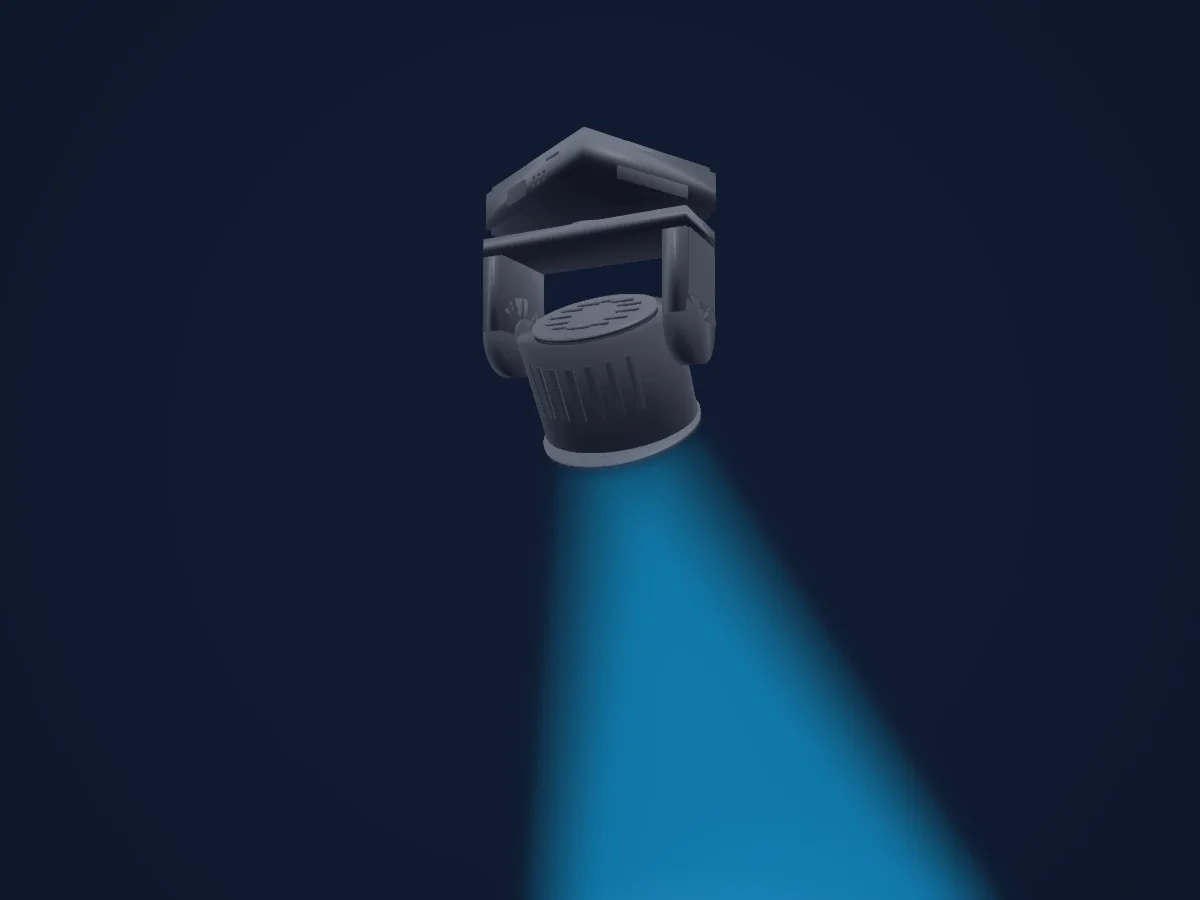
O que ele faz
- Zoom
- Cores de LED adicionais
- Mistura de cores RGB
- Roda de cores
- Velocidade de efeito
- Strobo
- Dimmer
- Controle de pixels
- Pan e tilt
- Velocidade de movimento
Funções relevantes para a segurança: Reset do refletor · Programas de efeitos integrados. Confira como elas se comportam no seu refletor antes de um show.
Modos DMX e tabelas de canais
| Modo | Canais | No HitLight |
|---|---|---|
| BASIC | 17 | Pronto no HitLight |
| STAND | 35 | Pronto no HitLight |
| EXTEND | 93 | Pronto no HitLight |
BASIC
Pronto no HitLight17 canais DMX · Baixar esta tabela em CSV
| Canal | Função | Padrão | Valores DMX |
|---|---|---|---|
| 1 | Pan | 128 | 0–255 |
| 2 | Tilt | 128 | 0–255 |
| 3 | Red | 0 | 0–255 |
| 4 | Green | 0 | 0–255 |
| 5 | Blue | 0 | 0–255 |
| 6 | White | 0 | 0–255 |
| 7 | Color Macro1 | 0 | 31 faixas de valores
|
| 8 | Shutter / Strobe | 32 | 8 faixas de valores
|
| 9 | Dimmer | 0 | 0–255 |
| 10 | Dimmer Curve | 0 | 6 faixas de valores
|
| 11 | Zoom | 0 | 0–255 |
| 12 | Effect | 0 | 16 faixas de valores
|
| 13 | Effect Speed | 126 | 3 faixas de valores
|
| 14 | Effects1Fade | 0 | 0–255 |
| 15 | Color Settings Reset | 0 | 3 faixas de valores
|
| 16 | Position MSpeed | 0 | 3 faixas de valores
|
| 17 | Fixture Global Reset | 0 | 15 faixas de valores
|
STAND
Pronto no HitLight35 canais DMX · Baixar esta tabela em CSV
| Canal | Função | Padrão | Valores DMX |
|---|---|---|---|
| 1 | Pan | 128 | 0–255 |
| 2 | Pan Fine | 0 | Byte fino de Pan |
| 3 | Tilt | 128 | 0–255 |
| 4 | Tilt Fine | 0 | Byte fino de Tilt |
| 5 | Red | 0 | 0–255 |
| 6 | Red Fine | 0 | Byte fino de Red |
| 7 | Green | 0 | 0–255 |
| 8 | Green Fine | 0 | Byte fino de Green |
| 9 | Blue | 0 | 0–255 |
| 10 | Blue Fine | 0 | Byte fino de Blue |
| 11 | White | 0 | 0–255 |
| 12 | White Fine | 0 | Byte fino de White |
| 13 | Red | 0 | 0–255 |
| 14 | Green | 0 | 0–255 |
| 15 | Blue | 0 | 0–255 |
| 16 | White | 0 | 0–255 |
| 17 | Red | 0 | 0–255 |
| 18 | Green | 0 | 0–255 |
| 19 | Blue | 0 | 0–255 |
| 20 | White | 0 | 0–255 |
| 21 | Red | 0 | 0–255 |
| 22 | Green | 0 | 0–255 |
| 23 | Blue | 0 | 0–255 |
| 24 | White | 0 | 0–255 |
| 25 | Color Macro1 | 0 | 31 faixas de valores
|
| 26 | Shutter / Strobe | 32 | 8 faixas de valores
|
| 27 | Dimmer | 0 | 0–255 |
| 28 | Dimmer Curve | 0 | 6 faixas de valores
|
| 29 | Zoom | 0 | 0–255 |
| 30 | Effect | 0 | 16 faixas de valores
|
| 31 | Effect Speed | 126 | 3 faixas de valores
|
| 32 | Effects1Fade | 0 | 0–255 |
| 33 | Color Settings Reset | 0 | 3 faixas de valores
|
| 34 | Position MSpeed | 0 | 3 faixas de valores
|
| 35 | Fixture Global Reset | 0 | 15 faixas de valores
|
EXTEND
Pronto no HitLight93 canais DMX · Baixar esta tabela em CSV
| Canal | Função | Padrão | Valores DMX |
|---|---|---|---|
| 1 | Pan | 128 | 0–255 |
| 2 | Pan Fine | 0 | Byte fino de Pan |
| 3 | Tilt | 128 | 0–255 |
| 4 | Tilt Fine | 0 | Byte fino de Tilt |
| 5 | Red | 0 | 0–255 |
| 6 | Green | 0 | 0–255 |
| 7 | Blue | 0 | 0–255 |
| 8 | White | 0 | 0–255 |
| 9 | Red | 0 | 0–255 |
| 10 | Green | 0 | 0–255 |
| 11 | Blue | 0 | 0–255 |
| 12 | White | 0 | 0–255 |
| 13 | Red | 0 | 0–255 |
| 14 | Green | 0 | 0–255 |
| 15 | Blue | 0 | 0–255 |
| 16 | White | 0 | 0–255 |
| 17 | Red | 0 | 0–255 |
| 18 | Green | 0 | 0–255 |
| 19 | Blue | 0 | 0–255 |
| 20 | White | 0 | 0–255 |
| 21 | Red | 0 | 0–255 |
| 22 | Green | 0 | 0–255 |
| 23 | Blue | 0 | 0–255 |
| 24 | White | 0 | 0–255 |
| 25 | Red | 0 | 0–255 |
| 26 | Green | 0 | 0–255 |
| 27 | Blue | 0 | 0–255 |
| 28 | White | 0 | 0–255 |
| 29 | Red | 0 | 0–255 |
| 30 | Green | 0 | 0–255 |
| 31 | Blue | 0 | 0–255 |
| 32 | White | 0 | 0–255 |
| 33 | Red | 0 | 0–255 |
| 34 | Green | 0 | 0–255 |
| 35 | Blue | 0 | 0–255 |
| 36 | White | 0 | 0–255 |
| 37 | Red | 0 | 0–255 |
| 38 | Green | 0 | 0–255 |
| 39 | Blue | 0 | 0–255 |
| 40 | White | 0 | 0–255 |
| 41 | Red | 0 | 0–255 |
| 42 | Green | 0 | 0–255 |
| 43 | Blue | 0 | 0–255 |
| 44 | White | 0 | 0–255 |
| 45 | Red | 0 | 0–255 |
| 46 | Green | 0 | 0–255 |
| 47 | Blue | 0 | 0–255 |
| 48 | White | 0 | 0–255 |
| 49 | Red | 0 | 0–255 |
| 50 | Green | 0 | 0–255 |
| 51 | Blue | 0 | 0–255 |
| 52 | White | 0 | 0–255 |
| 53 | Red | 0 | 0–255 |
| 54 | Green | 0 | 0–255 |
| 55 | Blue | 0 | 0–255 |
| 56 | White | 0 | 0–255 |
| 57 | Red | 0 | 0–255 |
| 58 | Green | 0 | 0–255 |
| 59 | Blue | 0 | 0–255 |
| 60 | White | 0 | 0–255 |
| 61 | Red | 0 | 0–255 |
| 62 | Green | 0 | 0–255 |
| 63 | Blue | 0 | 0–255 |
| 64 | White | 0 | 0–255 |
| 65 | Red | 0 | 0–255 |
| 66 | Green | 0 | 0–255 |
| 67 | Blue | 0 | 0–255 |
| 68 | White | 0 | 0–255 |
| 69 | Red | 0 | 0–255 |
| 70 | Green | 0 | 0–255 |
| 71 | Blue | 0 | 0–255 |
| 72 | White | 0 | 0–255 |
| 73 | Red | 0 | 0–255 |
| 74 | Green | 0 | 0–255 |
| 75 | Blue | 0 | 0–255 |
| 76 | White | 0 | 0–255 |
| 77 | Red | 0 | 0–255 |
| 78 | Green | 0 | 0–255 |
| 79 | Blue | 0 | 0–255 |
| 80 | White | 0 | 0–255 |
| 81 | Color Macro1 | 0 | 31 faixas de valores
|
| 82 | Shutter / Strobe | 32 | 8 faixas de valores
|
| 83 | Dimmer | 0 | 0–255 |
| 84 | Dimmer Fine | 0 | Byte fino de Dimmer |
| 85 | Dimmer Curve | 0 | 0–255 |
| 86 | Zoom | 0 | 0–255 |
| 87 | Zoom Fine | 0 | Byte fino de Zoom |
| 88 | Effect | 0 | 16 faixas de valores
|
| 89 | Effect Speed | 126 | 0–255 |
| 90 | Effects1Fade | 0 | 0–255 |
| 91 | Color Settings Reset | 0 | 0–255 |
| 92 | Position MSpeed | 0 | 0–255 |
| 93 | Fixture Global Reset | 0 | 0–255 |
Usar Elation PLATINUM 1200 WASH no HitLight
- Abra Adicionar refletor e procure Elation PLATINUM 1200 WASH.
- Escolha o modo DMX configurado no menu do próprio refletor. O HitLight atribui a ele o menor endereço inicial livre do universo que comporta a quantidade de canais do modo.
- Confira o modo e os controles no seu refletor real antes de usar ao vivo.
Espaços com Elation PLATINUM 1200 WASH
As suas montagens guardadas incluem este modelo de aparelho. Confirme o equipamento atual com o espaço.
- Divadlo Komedie Praha, Tchéquia
Refletores relacionados
Elation Fuze Wash Z120
Elation DARTZ 360
Elation Chorus Line 16
Elation Proteus Rayzor 1960
Elation Fuze Wash 575
Elation Smarty Hybrid
As tabelas vêm da descrição GDTF do refletor, convertida para a biblioteca do HitLight. O HitLight não tem vínculo com a Elation.
Fixture model: gdtf-elation-platinum-1200-wash-2611120403
Original HitLight geometry, scripted locally by the HitLight fixture agent from the manufacturer manual's published dimensions and pixel map and the product photograph. No manufacturer CAD, third-party mesh, photo texture or logo is incorporated. Approximate planning model; not hardware verified.
Creator: HitLight