 HitLight
Terbly SLC IP
Tableau DMX, 1 mode DMX et aperçu 3D. 73 canaux DMX.
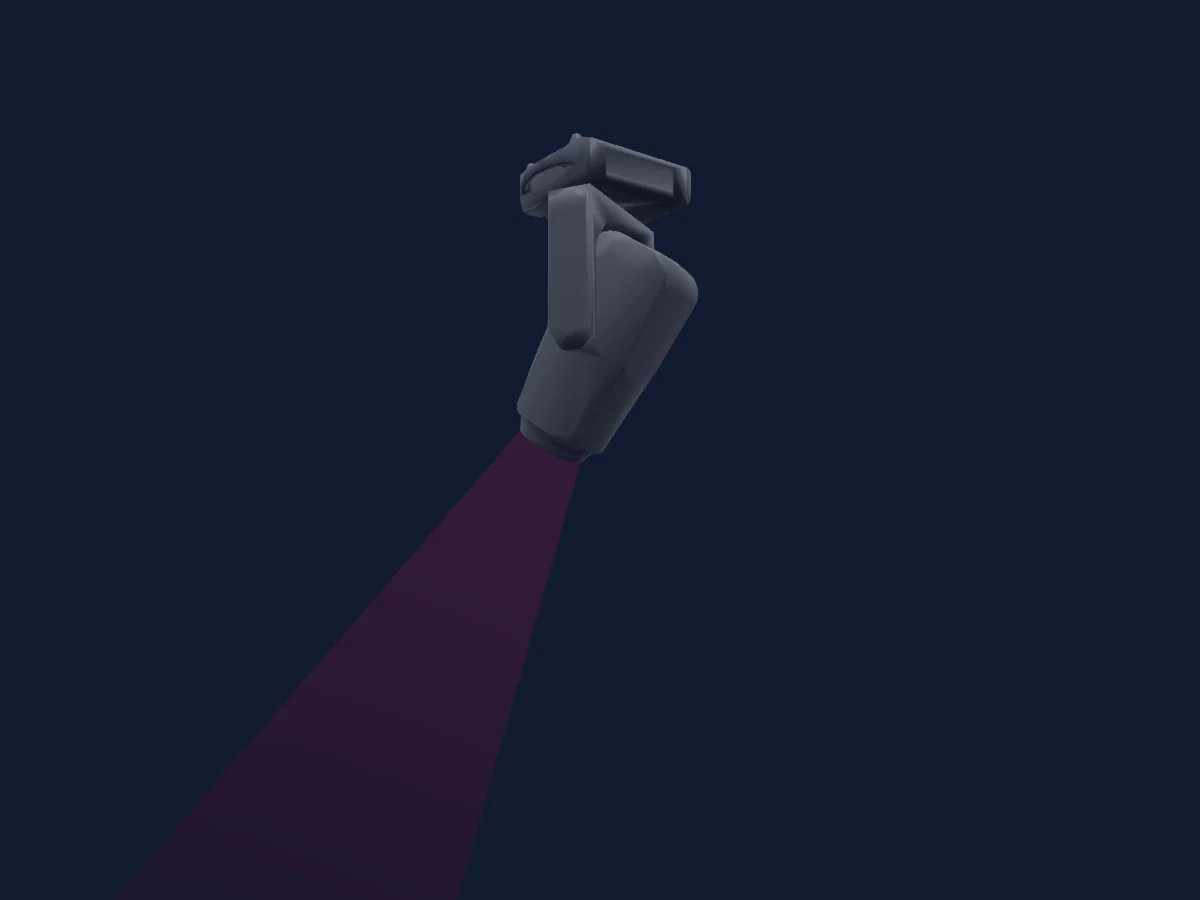
Ce qu’il sait faire
- Mise au point
- Frost
- Iris
- Prisme
- Rotation du prisme
- Zoom
- Couleurs LED supplémentaires
- Température de couleur
- Roue de couleurs
- Stroboscope
- Intensité
- Contrôle des pixels
- Pan et tilt
- Vitesse de mouvement
- Roue d’animation
- Gobos
- Rotation des gobos
Modes DMX et tableaux de canaux
| Mode | Canaux | Dans HitLight |
|---|---|---|
| Extended | 73 | Prêt dans HitLight |
Extended
Prêt dans HitLight73 canaux DMX · Télécharger ce tableau en CSV
| Canal | Fonction | Par défaut | Valeurs DMX |
|---|---|---|---|
| 1 | Pan | 128 | 0–255 |
| 2 | Pan Fine | 0 | Octet fin de Pan |
| 3 | Tilt | 128 | 0–255 |
| 4 | Tilt Fine | 0 | Octet fin de Tilt |
| 5 | Position MSpeed | 0 | 0–255 |
| 6 | Shutter / Strobe | 63 | 11 plages de valeurs
|
| 7 | Dimmer | 0 | 0–255 |
| 8 | Dimmer Fine | 0 | Octet fin de Dimmer |
| 9 | Red | 255 | 0–255 |
| 10 | Red Fine | 255 | Octet fin de Red |
| 11 | Green | 255 | 0–255 |
| 12 | Green Fine | 255 | Octet fin de Green |
| 13 | Blue | 255 | 0–255 |
| 14 | Blue Fine | 255 | Octet fin de Blue |
| 15 | Color Add GY | 255 | 0–255 |
| 16 | Color Add GY Fine | 255 | Octet fin de Color Add GY |
| 17 | Color Add RY | 255 | 0–255 |
| 18 | Color Add RY Fine | 255 | Octet fin de Color Add RY |
| 19 | Color Add C | 255 | 0–255 |
| 20 | Color Add C Fine | 255 | Octet fin de Color Add C |
| 21 | Dimmer Curve | 0 | 0–255 |
| 22 | C TO | 0 | 0–255 |
| 23 | Color Mix Mode | 0 | 0–255 |
| 24 | Tint | 0 | 0–255 |
| 25 | Zoom | 127 | 0–255 |
| 26 | Zoom Fine | 127 | Octet fin de Zoom |
| 27 | Focus | 127 | 0–255 |
| 28 | Focus Fine | 127 | Octet fin de Focus |
| 29 | Focus1Distance | 0 | 0–255 |
| 30 | Focus1Adjust | 128 | 0–255 |
| 31 | Color Wheel | 0 | 13 plages de valeurs
|
| 32 | Color Wheel Fine | 0 | Octet fin de Color Wheel |
| 33 | Gobo | 0 | 22 plages de valeurs
|
| 34 | Gobo Rotation | 0 | 9 plages de valeurs
|
| 35 | Gobo Rotation Fine | 0 | Octet fin de Gobo Rotation |
| 36 | Gobo 2 | 0 | 22 plages de valeurs
|
| 37 | Gobo Rotation 2 | 0 | 9 plages de valeurs
|
| 38 | Gobo Rotation 2 Fine | 0 | Octet fin de Gobo Rotation 2 |
| 39 | Gobo 3 | 0 | 18 plages de valeurs
|
| 40 | Animation Wheel1 | 0 | 0–255 |
| 41 | Animation Wheel1Pos | 0 | 0–255 |
| 42 | Iris | 0 | 0–255 |
| 43 | Iris Fine | 0 | Octet fin de Iris |
| 44 | Prism | 0 | 2 plages de valeurs
|
| 45 | Prism Rotation | 0 | 0–255 |
| 46 | Prism Rotation Fine | 0 | Octet fin de Prism Rotation |
| 47 | Prism | 0 | 2 plages de valeurs
|
| 48 | Prism Rotation | 0 | 0–255 |
| 49 | Prism Rotation Fine | 0 | Octet fin de Prism Rotation |
| 50 | Frost1 | 0 | 0–255 |
| 51 | Frost2 | 0 | 0–255 |
| 52 | Blade2A | 0 | 0–255 |
| 53 | Blade2A Fine | 0 | Octet fin de Blade2A |
| 54 | Blade2B | 0 | 0–255 |
| 55 | Blade2B Fine | 0 | Octet fin de Blade2B |
| 56 | Blade4A | 0 | 0–255 |
| 57 | Blade4A Fine | 0 | Octet fin de Blade4A |
| 58 | Blade4B | 0 | 0–255 |
| 59 | Blade4B Fine | 0 | Octet fin de Blade4B |
| 60 | Blade3A | 0 | 0–255 |
| 61 | Blade3A Fine | 0 | Octet fin de Blade3A |
| 62 | Blade3B | 0 | 0–255 |
| 63 | Blade3B Fine | 0 | Octet fin de Blade3B |
| 64 | Blade1A | 0 | 0–255 |
| 65 | Blade1A Fine | 0 | Octet fin de Blade1A |
| 66 | Blade1B | 0 | 0–255 |
| 67 | Blade1B Fine | 0 | Octet fin de Blade1B |
| 68 | Shaper Rot | 128 | 0–255 |
| 69 | Shaper Rot Fine | 128 | Octet fin de Shaper Rot |
| 70 | Frame MSpeed | 0 | 0–255 |
| 71 | Shaper Macros | 0 | 0–255 |
| 72 | Color Macro1 | 0 | 0–255 |
| 73 | Control1 | 0 | 0–255 |
Utiliser Terbly SLC IP dans HitLight
- Ouvrez Ajouter un projecteur et recherchez Terbly SLC IP.
- Choisissez le mode DMX réglé dans le menu du projecteur. HitLight lui attribue la plus basse adresse de départ libre de son univers qui peut accueillir le nombre de canaux du mode.
- Vérifiez le mode et les commandes sur votre vrai projecteur avant toute utilisation en direct.
Projecteurs associés
Découpe
Terbly GL6H-S
40 / 61 canaux DMX
Découpe
Terbly SL5000WP IP
36 / 56 canaux DMX
Découpe
Terbly T180C 26Deg
5 / 6 / 8 / 13 / 19 canaux DMX
Découpe
Terbly GL6
39 / 59 canaux DMX
Découpe
Terbly SL5000PH ULTRA
40 / 62 canaux DMX
Découpe
Terbly GL9P IP
43 / 44 / 68 / 69 canaux DMX
Les tableaux proviennent de la description GDTF du projecteur, convertie pour la bibliothèque HitLight. HitLight n’a aucun lien avec Terbly.