 HitLight
Altman Lighting Spectra Cyc 200
DMX chart, 12 DMX modes and a 3D preview. 1 / 2 / 4 / 5 / 8 / 10 DMX channels.
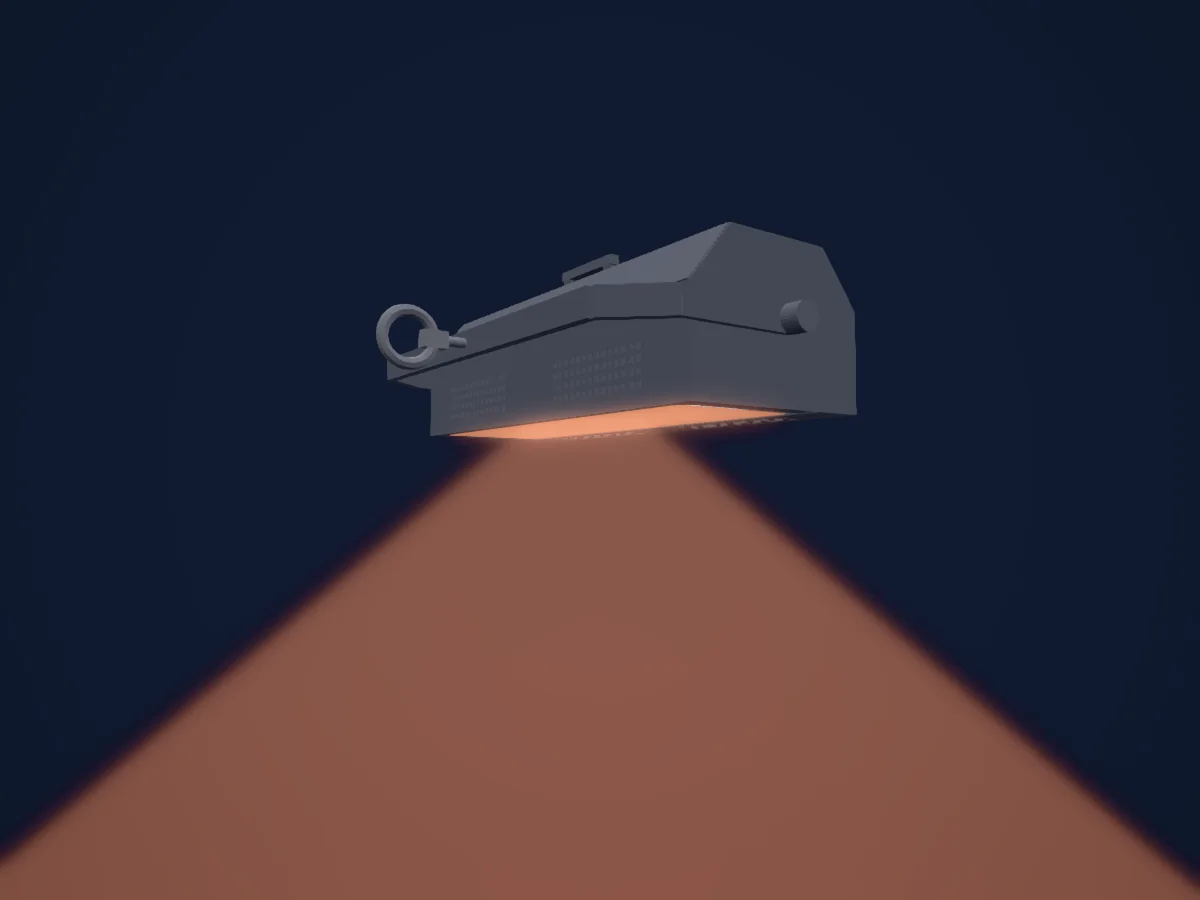
What it can do
- Extra LED colours
- RGB colour mixing
- Dimmer
DMX modes and channel charts
| Mode | Channels | In HitLight |
|---|---|---|
| P09 1ch 8-bit all outputs smoothing off | 1 | Ready in HitLight |
| P10 1ch 8-bit all outputs smoothing on | 1 | Ready in HitLight |
| P11 2ch 16-bit all outputs smoothing off | 2 | Ready in HitLight |
| P12 2ch 16-bit all outputs smoothing on | 2 | Ready in HitLight |
| P01 4ch 8-bit RGBA smoothing off | 4 | Ready in HitLight |
| P02 4ch 8-bit RGBA smoothing on | 4 | Ready in HitLight |
| P03 5ch 8-bit RGBAM smoothing off | 5 | Ready in HitLight |
| P04 5ch 8-bit RGBAM smoothing on | 5 | Ready in HitLight |
| P05 8ch 16-bit RGBA smoothing off | 8 | Ready in HitLight |
| P06 8ch 16-bit RGBA smoothing on | 8 | Ready in HitLight |
| P07 10ch 16-bit RGBAM smoothing off | 10 | Ready in HitLight |
| P08 10ch 16-bit RGBAM smoothing on | 10 | Ready in HitLight |
P09 1ch 8-bit all outputs smoothing off
Ready in HitLight1 DMX channel · Download this chart as CSV
| Channel | Function | Default | DMX values |
|---|---|---|---|
| 1 | Dimmer | 0 | 0–255 |
P10 1ch 8-bit all outputs smoothing on
Ready in HitLight1 DMX channel · Download this chart as CSV
| Channel | Function | Default | DMX values |
|---|---|---|---|
| 1 | Dimmer | 0 | 0–255 |
P11 2ch 16-bit all outputs smoothing off
Ready in HitLight2 DMX channels · Download this chart as CSV
| Channel | Function | Default | DMX values |
|---|---|---|---|
| 1 | Dimmer | 0 | 0–255 |
| 2 | Dimmer Fine | 0 | Fine byte of Dimmer |
P12 2ch 16-bit all outputs smoothing on
Ready in HitLight2 DMX channels · Download this chart as CSV
| Channel | Function | Default | DMX values |
|---|---|---|---|
| 1 | Dimmer | 0 | 0–255 |
| 2 | Dimmer Fine | 0 | Fine byte of Dimmer |
P01 4ch 8-bit RGBA smoothing off
Ready in HitLight4 DMX channels · Download this chart as CSV
| Channel | Function | Default | DMX values |
|---|---|---|---|
| 1 | Red | 0 | 0–255 |
| 2 | Green | 0 | 0–255 |
| 3 | Blue | 0 | 0–255 |
| 4 | Amber | 0 | 0–255 |
P02 4ch 8-bit RGBA smoothing on
Ready in HitLight4 DMX channels · Download this chart as CSV
| Channel | Function | Default | DMX values |
|---|---|---|---|
| 1 | Red | 0 | 0–255 |
| 2 | Green | 0 | 0–255 |
| 3 | Blue | 0 | 0–255 |
| 4 | Amber | 0 | 0–255 |
P03 5ch 8-bit RGBAM smoothing off
Ready in HitLight5 DMX channels · Download this chart as CSV
| Channel | Function | Default | DMX values |
|---|---|---|---|
| 1 | Red | 0 | 0–255 |
| 2 | Green | 0 | 0–255 |
| 3 | Blue | 0 | 0–255 |
| 4 | Amber | 0 | 0–255 |
| 5 | Dimmer | 0 | 0–255 |
P04 5ch 8-bit RGBAM smoothing on
Ready in HitLight5 DMX channels · Download this chart as CSV
| Channel | Function | Default | DMX values |
|---|---|---|---|
| 1 | Red | 0 | 0–255 |
| 2 | Green | 0 | 0–255 |
| 3 | Blue | 0 | 0–255 |
| 4 | Amber | 0 | 0–255 |
| 5 | Dimmer | 0 | 0–255 |
P05 8ch 16-bit RGBA smoothing off
Ready in HitLight8 DMX channels · Download this chart as CSV
| Channel | Function | Default | DMX values |
|---|---|---|---|
| 1 | Red | 0 | 0–255 |
| 2 | Red Fine | 0 | Fine byte of Red |
| 3 | Green | 0 | 0–255 |
| 4 | Green Fine | 0 | Fine byte of Green |
| 5 | Blue | 0 | 0–255 |
| 6 | Blue Fine | 0 | Fine byte of Blue |
| 7 | Amber | 0 | 0–255 |
| 8 | Amber Fine | 0 | Fine byte of Amber |
P06 8ch 16-bit RGBA smoothing on
Ready in HitLight8 DMX channels · Download this chart as CSV
| Channel | Function | Default | DMX values |
|---|---|---|---|
| 1 | Red | 0 | 0–255 |
| 2 | Red Fine | 0 | Fine byte of Red |
| 3 | Green | 0 | 0–255 |
| 4 | Green Fine | 0 | Fine byte of Green |
| 5 | Blue | 0 | 0–255 |
| 6 | Blue Fine | 0 | Fine byte of Blue |
| 7 | Amber | 0 | 0–255 |
| 8 | Amber Fine | 0 | Fine byte of Amber |
P07 10ch 16-bit RGBAM smoothing off
Ready in HitLight10 DMX channels · Download this chart as CSV
| Channel | Function | Default | DMX values |
|---|---|---|---|
| 1 | Red | 0 | 0–255 |
| 2 | Red Fine | 0 | Fine byte of Red |
| 3 | Green | 0 | 0–255 |
| 4 | Green Fine | 0 | Fine byte of Green |
| 5 | Blue | 0 | 0–255 |
| 6 | Blue Fine | 0 | Fine byte of Blue |
| 7 | Amber | 0 | 0–255 |
| 8 | Amber Fine | 0 | Fine byte of Amber |
| 9 | Dimmer | 0 | 0–255 |
| 10 | Dimmer Fine | 0 | Fine byte of Dimmer |
P08 10ch 16-bit RGBAM smoothing on
Ready in HitLight10 DMX channels · Download this chart as CSV
| Channel | Function | Default | DMX values |
|---|---|---|---|
| 1 | Red | 0 | 0–255 |
| 2 | Red Fine | 0 | Fine byte of Red |
| 3 | Green | 0 | 0–255 |
| 4 | Green Fine | 0 | Fine byte of Green |
| 5 | Blue | 0 | 0–255 |
| 6 | Blue Fine | 0 | Fine byte of Blue |
| 7 | Amber | 0 | 0–255 |
| 8 | Amber Fine | 0 | Fine byte of Amber |
| 9 | Dimmer | 0 | 0–255 |
| 10 | Dimmer Fine | 0 | Fine byte of Dimmer |
Use the Altman Lighting Spectra Cyc 200 in HitLight
- Open Add fixture and search for Altman Lighting Spectra Cyc 200.
- Choose the DMX mode set in the fixture’s own menu. HitLight gives it the lowest free start address on its universe that fits the mode’s channel count.
- Check the mode and controls against your real fixture before live use.
Venues with the Altman Lighting Spectra Cyc 200
Their saved rigs list this fixture model. Confirm the current equipment with the venue.
- Century Village Theater Boca Raton Boca Raton, United States
- Century Village Theater Pembroke Pines Pembroke Pines, United States
- Century Village Theater West Palm Beach West Palm Beach, United States
- L’Alliance New York New York, United States
- Laycock Street Theatre Wyoming, Australia
- Playhouse, Civic Theatre Newcastle Newcastle, Australia
- Rollins Studio Theatre at the Long Center Austin, United States
- Saenger Theatre (Pensacola) Pensacola, United States
- Sheung Wan Civic Centre Sheung Wan, Hong Kong SAR China
- The Center for the Arts Grass Valley, United States
- USF Theatre 1 (University of South Florida) Tampa, United States
- USF Theatre 2 (University of South Florida) Tampa, United States
Related fixtures
Altman Lighting 360Q 6x9
Altman Lighting R40 Strip
Silver Star BX
Chroma-Q Color Force II 12
LL Stage CYC 6C RGBAWN
Briteq BTI-CYCLO
Charts come from the fixture’s GDTF description as converted for the HitLight library. HitLight is not affiliated with Altman Lighting.
Fixture model: gdtf-altman-lighting-spectra-cyc-200-2611020106
Original approximate HitLight model of the Altman Spectra Cyc 200, recovered from the original parametric Blender authoring bundle (fixture-agent batch-01, 2 November 2026). No OEM mesh, photo, logo or texture is embedded. Manufacturer datasheet (2025) drawings/photos informed the housing and optional manual yoke; small details and clamp pose are estimates. Earlier datasheets describe different dimensions, so this representation does not establish an installed hardware revision or mounting accessory. Existing native modes, source archive, physical mapping, mount datum and optical proxy remain unchanged. The RGBA/series-manual binding and P09-P12 all-output interpretation retain their existing qualifications; asymmetric optics and hardware are not calibrated or verified.
Creator: HitLight